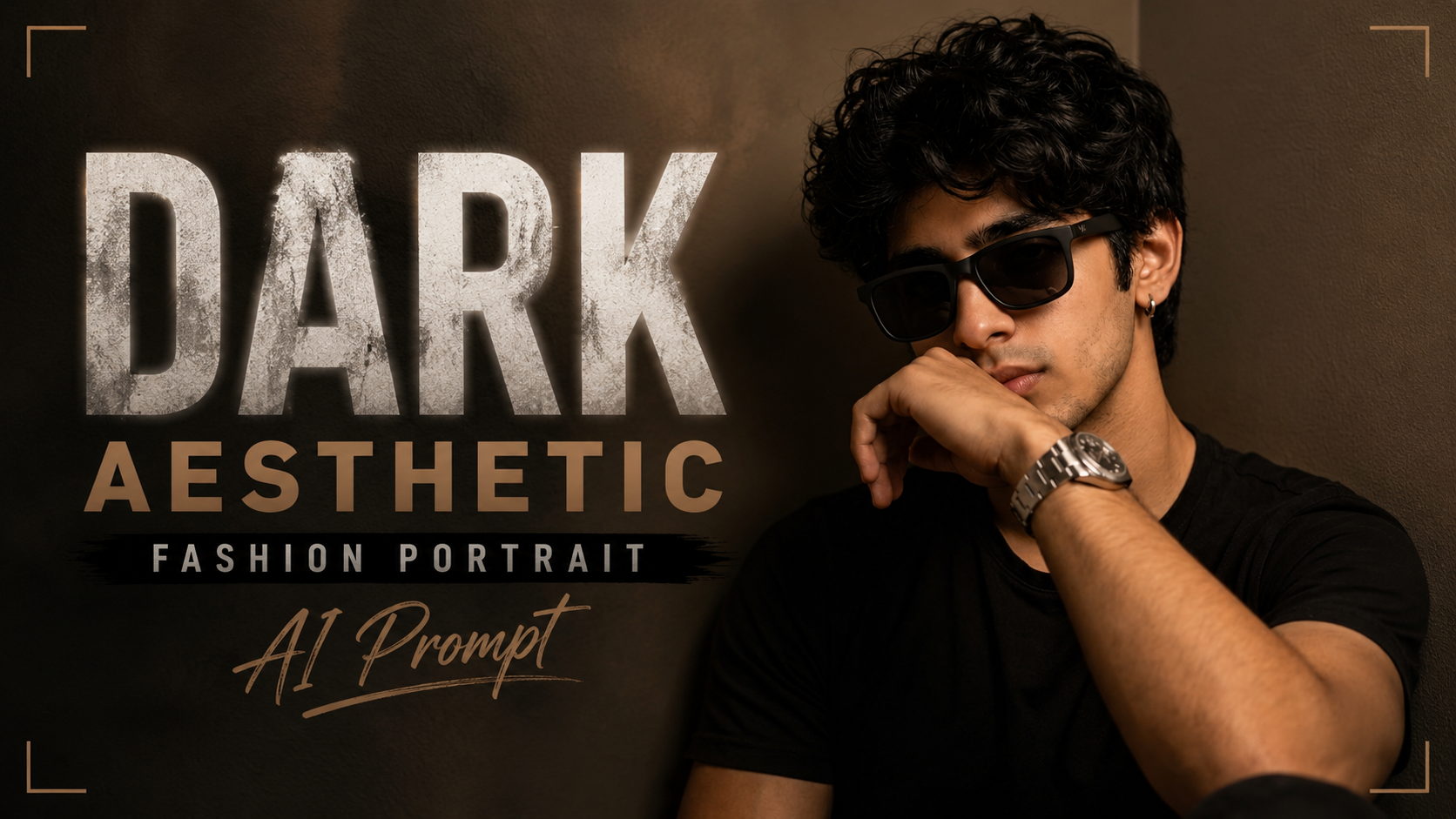
Dark Aesthetic Fashion Portrait AI Prompt

How to Use This AI Portrait Prompt (Point-wise Guide)

1. Choose an AI Image GeneratorSabse pehle kisi AI image generator jaise ChatGPT Images, Midjourney, Flux, Stable Diffusion, ya kisi aur image AI tool ko open karein jo detailed prompts support karta ho.

2. Copy the Entire PromptDiya gaya prompt poora ka poora copy karein. Prompt ke har detail ka image quality par asar padta hai, isliye kisi bhi line ko bina zarurat remove na karein.

3. Upload a Face Photo (Optional)Agar aap apna ya kisi aur ka same face maintain karna chahte hain, to ek clear front-facing photo upload karein aur prompt ke saath use karein. Isse facial identity zyada accurately preserve hoti hai.

4. Set the Correct Aspect RatioPortrait-style image ke liye 9:16 aspect ratio select karein. Yeh Instagram Reels, YouTube Shorts aur mobile wallpapers ke liye ideal hai.

5. Generate the ImagePrompt paste karne ke baad Generate button par click karein. AI kuch hi seconds ya minutes mein cinematic portrait create kar dega.

6. Review the OutputAgar hairstyle, pose, lighting ya accessories expected result ke hisaab se na aaye, to prompt mein chhote changes karke dobara generate karein.

7. Keep the Prompt IntactCamera settings, lighting, lens details, HDR, skin texture aur color grading jaise technical keywords image ko premium aur realistic banate hain. Inhe remove na karein.

8. Experiment with Small ChangesOutfit, background color, sunglasses, watch ya expression ko change karke naye cinematic variations create kar sakte hain, jabki baaki prompt same rakhein.

9. Use High-Quality Reference PhotosAgar face reference use kar rahe hain, to high-resolution aur well-lit image upload karein. Isse final result aur bhi natural aur sharp dikhega.

10. Best Use CasesIs prompt se YouTube thumbnails, Instagram posts, profile pictures, fashion portfolios, branding photos aur premium social media content ke liye magazine-quality cinematic portraits create kiye ja sakte hain.
✦ AI PROMPT

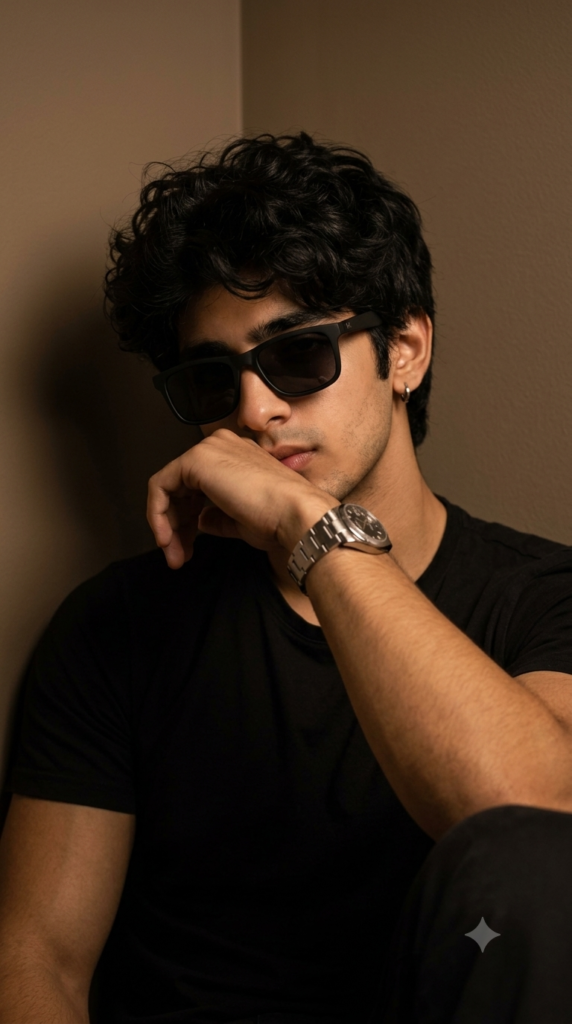
Ultra-realistic cinematic portrait of a stylish young man sitting indoors in a dark room, leaning against the corner of a wall. Medium close-up composition, one forearm raised across the mouth in a relaxed pose, head slightly tilted downward with a confident and mysterious expression. Thick messy curly black hair with natural texture falling over the forehead. Well-groomed beard and mustache, small silver hoop earring in the left ear. Wearing matte black rectangular sunglasses with a minimalist frame, plain black crew-neck t-shirt, and a luxury stainless steel silver wristwatch.

Warm moody tungsten lighting from the front-left creating soft shadows and dramatic depth. Dark beige wall background with subtle gradients, shallow depth of field, soft bokeh, cinematic contrast, muted earthy tones, premium editorial fashion photography, realistic skin texture, high dynamic range, ultra-sharp facial details, natural hair strands, luxury lifestyle aesthetic, DSLR quality, 85mm lens, f/1.8, ISO 400, 1/125s shutter speed, soft diffused lighting, color graded in warm brown and black tones, photorealistic, magazine-quality, ultra-detailed, 9:16 portrait orientation.
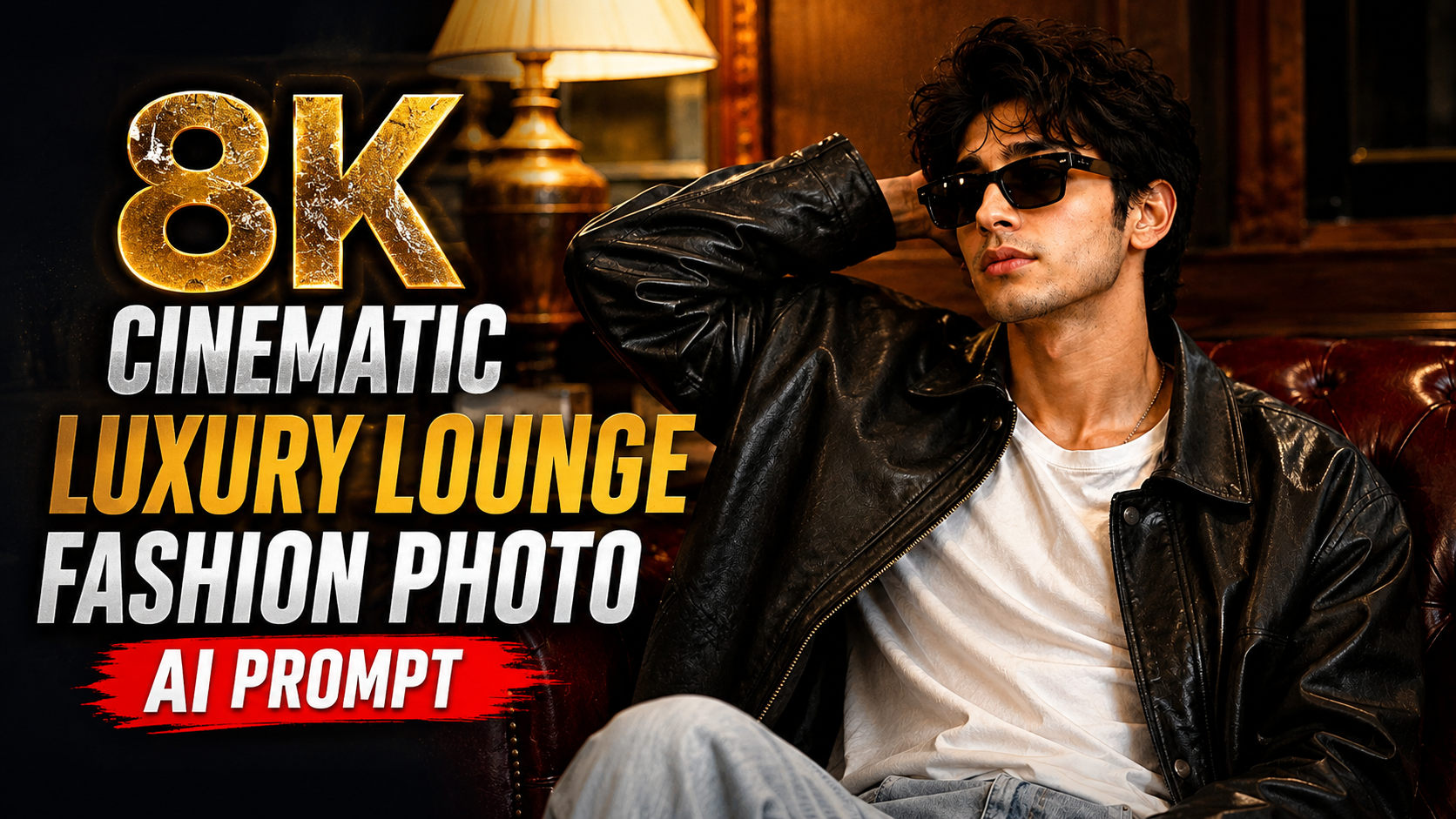
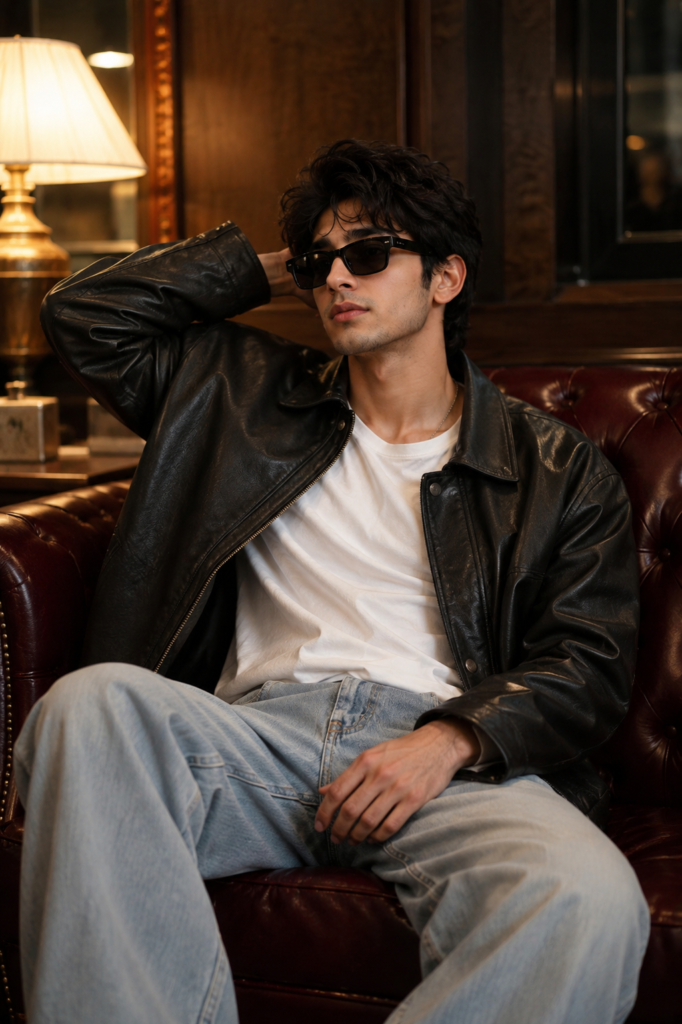
      

8K Cinematic Luxury Lounge Fashion Photo AI Prompt

How to Use This AI Prompt (Step-by-Step Guide)

Upload a Clear Face Photo: Sabse pehle jis vyakti ki image generate karni hai, uski ek high-quality, front-facing face photo upload karein. Face clear hona chahiye aur lighting achhi honi chahiye taaki AI identity ko sahi tarah preserve kar sake.

Prompt Copy Karein: Upar diya gaya poora prompt bina kisi line ko remove kiye copy karein. Isme identity preservation, outfit, pose, lighting aur camera details pehle se optimized hain.

AI Image Generator Open Karein: Kisi bhi AI image generator ka use karein jo image reference support karta ho. Wahan face photo upload karein aur copied prompt paste kar dein.

Reference Image Select Karein: Upload ki hui face photo ko reference image ke roop mein select karna na bhoolein. Isse AI same facial identity ko maintain karega.

Image Size Choose Karein: Apni zarurat ke hisaab se aspect ratio select karein. Social media portrait ke liye 9:16 aur YouTube thumbnail ya wallpaper ke liye 16:9 achha option hai.

Generate Image: Sab settings complete hone ke baad Generate button par click karein. AI kuch hi samay mein cinematic luxury fashion portrait create kar dega.

Best Result ke Liye Tips: Hamesha high-resolution face photo use karein. Face par sunglasses, mask ya heavy shadow na ho. Agar pehla result perfect na aaye, to wahi prompt dobara generate karein ya seed change karein.

Prompt Ko Customize Karein: Agar aap background, outfit, pose ya lighting change karna chahte hain, to prompt ke sirf unhi sections ko edit karein. Identity Preservation aur Negative Prompt ko same rakhein taaki face bilkul original jaisa rahe.

Is tarah aap is prompt ka use karke kisi bhi uploaded face photo se ultra-realistic, premium fashion magazine style cinematic portrait generate kar sakte hain, jisme original identity naturally preserve rahegi aur final image professional quality ki dikhegi.

✦ AI PROMPT

STRICT IDENTITY PRESERVATION — Use the uploaded face photo as the ONLY identity reference. Preserve the person's EXACT SAME FACE, facial structure, hairstyle (or closely match it if only the face is visible), hairline, eyebrows, eyes, nose, lips, ears, jawline, skin tone, expression, age, gender, ethnicity, and overall identity. The generated person must look instantly recognizable as the same individual. Never replace or alter the face with another person. Blend the preserved face naturally with the new scene.

Create an ultra-realistic cinematic luxury fashion portrait of the same person sitting casually on a premium deep burgundy Chesterfield tufted leather sofa in a modern luxury lounge.

Outfit: • Oversized premium black leather bomber jacket. • Plain white crew-neck T-shirt. • Light-wash relaxed-fit wide-leg jeans. • Matte black rectangular sunglasses.

Pose: The subject sits comfortably on the sofa with one hand resting behind the head and the other hand naturally placed on the lap while looking sideways with a calm, confident expression. Relaxed editorial fashion pose.

Background: Luxury modern lounge with rich walnut wooden geometric wall panels, warm ambient lighting, elegant curtains, premium hotel atmosphere, clean interior design.

Lighting: Warm cinematic tungsten lighting combined with realistic smartphone flash. Natural skin tones, glossy reflections on the leather jacket, soft shadows, premium editorial color grading.

Camera: Shot on iPhone 16 Pro rear camera, 26mm lens, f/1.78, HDR, realistic smartphone photography, shallow depth of field, ultra-sharp focus on the face, realistic skin pores, natural textures, subtle depth, premium composition.

Quality: Ultra-realistic, photorealistic, hyper-detailed, 8K UHD, fashion magazine quality, cinematic composition, realistic leather texture, detailed clothing folds, natural hand anatomy, realistic proportions, luxury lifestyle aesthetic.

Negative Prompt: different face, face swap, identity change, cartoon, anime, CGI, painting, blurry, low quality, low resolution, extra fingers, extra hands, bad anatomy, deformed face, duplicate person, unrealistic skin, distorted body, cropped head, watermark, logo, text, oversaturated, overprocessed, artifacts.


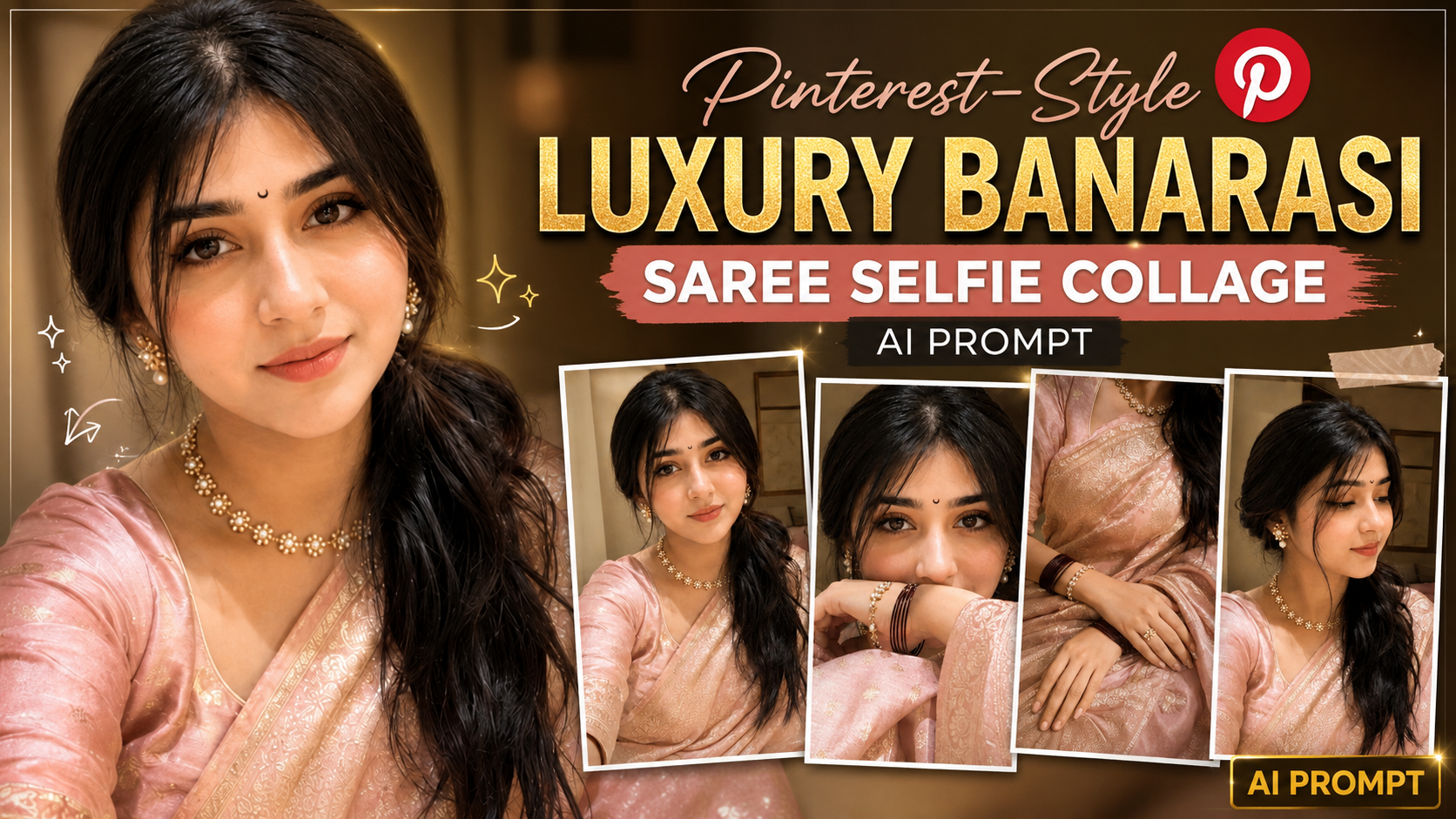
Pinterest-Style Luxury Banarasi Saree Selfie Collage AI Prompt

Ultra-Realistic iPhone Selfie Collage Prompt को कैसे इस्तेमाल करें (Step-by-Step Guide)

अगर आप इस AI Prompt से बिल्कुल realistic selfie collage बनाना चाहते हैं, तो नीचे दिए गए steps को follow करें:

1. AI Image Generator खोलें – सबसे पहले ChatGPT, Gemini, Grok, Midjourney, Flux, या किसी ऐसे AI Image Generator को खोलें जो image upload और prompt support करता हो।

2. Reference Photo Upload करें – जिस व्यक्ति की फोटो बनानी है, उसकी एक clear, high-quality front-facing photo upload करें। अच्छी lighting और साफ चेहरा होने से बेहतर result मिलता है।

3. पूरा Prompt Copy-Paste करें – दिए गए prompt को बिना किसी बदलाव के AI Image Generator में paste करें। इससे prompt के सभी camera, lighting और styling instructions सही तरीके से apply होंगे।

4. Identity Preservation बनाए रखें – Prompt में पहले से लिखा है कि AI को reference image का exact face, hairstyle, skin tone और facial proportions preserve करने हैं। इसलिए अलग से कुछ लिखने की आवश्यकता नहीं है।

5. Image Generate करें – Generate बटन दबाएँ और AI को image बनाने दें। पहली बार में result perfect न आए तो दोबारा generate करके best output चुनें।

6. जरूरत पड़ने पर Prompt Customize करें – यदि आप saree का रंग, background, jewelry, pose या lighting बदलना चाहते हैं, तो केवल उन हिस्सों को edit करें। बाकी prompt को वैसा ही रहने दें।

7. Best Quality के लिए Tips – हमेशा high-resolution reference image का उपयोग करें। धुंधली, cropped या heavily filtered photo से identity match कम हो सकता है। Natural expressions और अच्छी lighting वाली photo सबसे अच्छा परिणाम देती है।

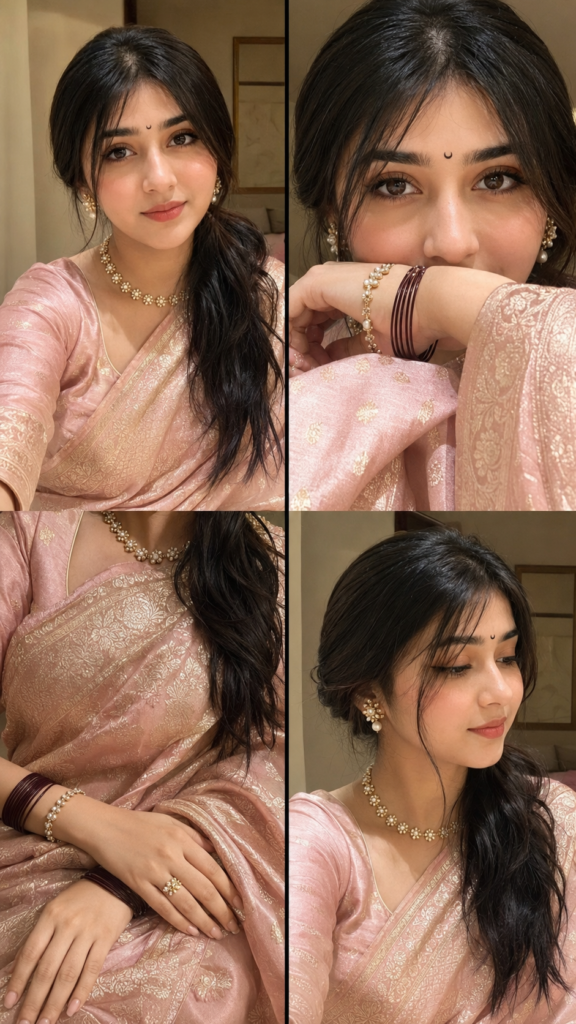
8. Final Result – इस prompt से आपको 2×2 grid में ultra-realistic iPhone 16 Pro front-camera selfie collage मिलेगा, जिसमें natural smartphone look, realistic texture, luxury Banarasi styling, warm golden-hour lighting और Pinterest-style premium aesthetic दिखाई देगा। बेहतर परिणाम के लिए आवश्यकता पड़ने पर एक से अधिक बार image generate करें और सबसे अच्छा version चुनें।

✦ AI PROMPT

Ultra-realistic indoor iPhone 16 Pro front-camera selfie collage (2 x 2 grid, 9:16), natural smartphone photography with subtle grain, slight motion blur, realistic JPEG compression, HDR off, no beauty filter. Use the uploaded reference image to preserve the EXACT SAME FACE with 100% facial identity, expression, hairstyle, skin tone, and proportions. Dress her in a luxurious pastel blush pink Banarasi silk saree with antique gold zari, matching blouse, tiny black crescent moon bindi, pearl-and-gold floral jewelry, maroon bangles, and glossy nude makeup. Four frames: (1) soft smiling portrait, (2) close-up with forearm covering lips, (3) elegant hands on Banarasi saree, (4) side-profile candid. Warm golden-hour window light with soft blush-pink glow, minimal luxury bedroom background, Pinterest-inspired luxury editorial aesthetic, authentic iPhone selfie realism, ultra-photorealistic, nat.


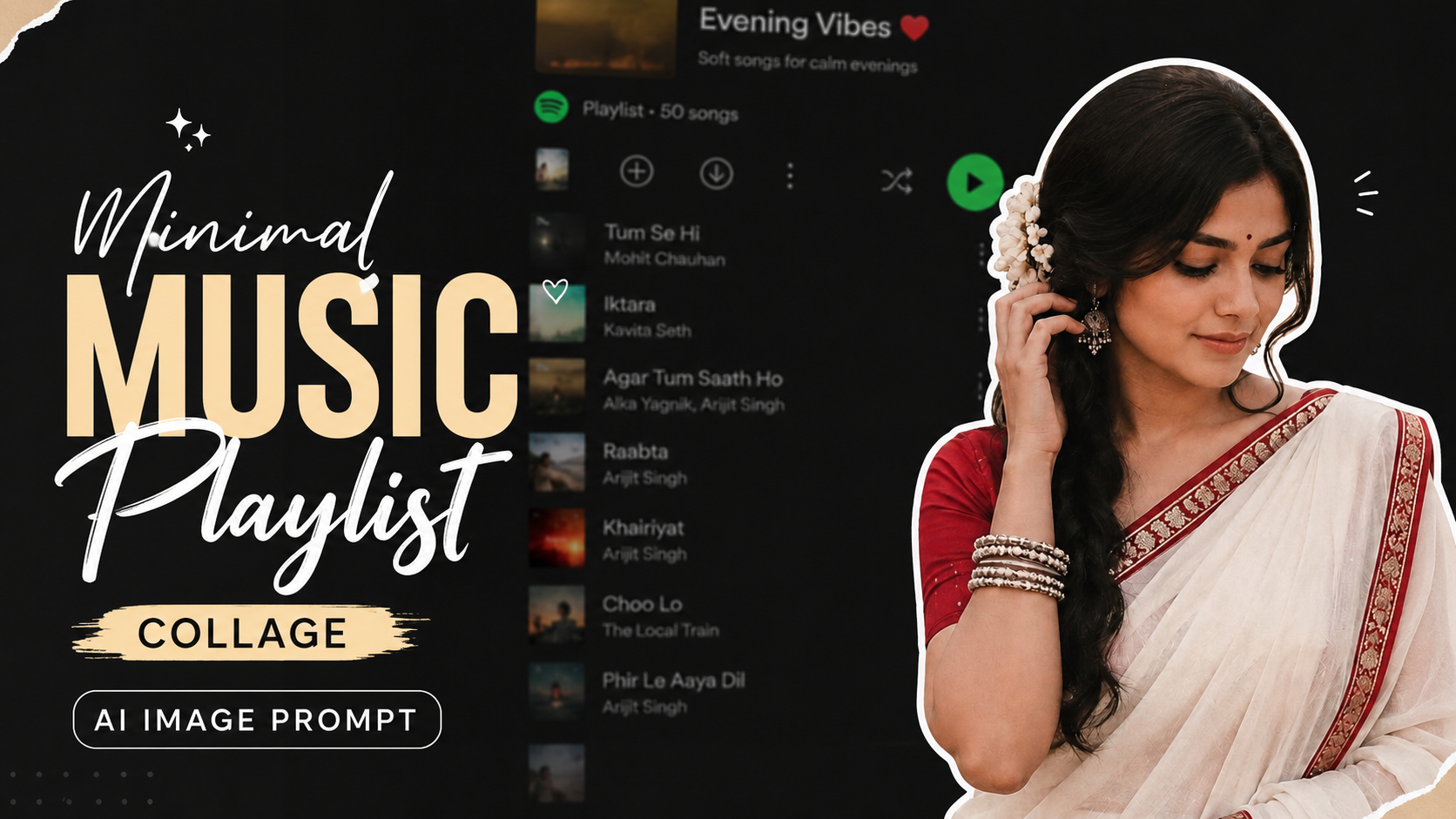
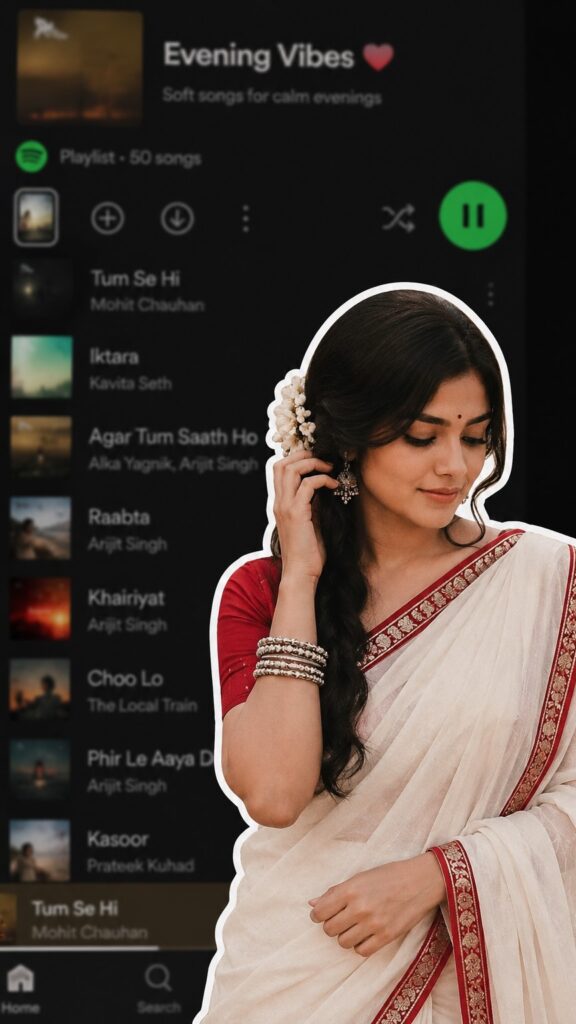
Minimal Music Playlist Collage AI Image Prompt

Is AI Image Prompt Ko Kaise Use Kare (Point Wise Guide)

1. Prompt Ko Copy KareSabse pehle diye gaye prompt ko poori tarah copy kare. Prompt ke kisi bhi important detail ko remove na kare, kyunki har detail final image ko improve karti hai.

2. AI Image Generator Open KareIs prompt ko ChatGPT Image Generation, Gemini, Midjourney, Flux, Ideogram ya kisi bhi AI image generator me paste kar sakte hain. Har platform prompt ko thoda alag tarike se process karta hai, lekin result ka concept same rehta hai.

3. Aspect Ratio Set KarePrompt me 9:16 ratio diya gaya hai. Isliye image generate karte waqt portrait ya vertical ratio (9:16) select kare. Yeh Instagram Reels, YouTube Shorts aur Stories ke liye perfect format hai.

4. Prompt Me Zarurat Ke Hisaab Se Changes KareAgar aap model ka outfit, hairstyle, background ya expression change karna chahte hain, to prompt me sirf wahi details edit kare. Baaki prompt ko same rehne de.

5. High Quality Settings Use KareAgar AI tool quality, HD ya Ultra settings deta hai, to unhe enable kare. Isse image aur bhi realistic aur professional dikhegi.

6. Result Check KareImage generate hone ke baad dekh le ki white outline, saree, flower, pose aur blurred music app background sahi tarah se aaye hain ya nahi.

7. Prompt Ko Refine KareAgar result expected nahi aata, to prompt me “ultra realistic”, “cinematic lighting”, “highly detailed”, ya “8K quality” jaise keywords add karke dobara generate kare.

8. Social Media Ke Liye Use KareFinal image ko Instagram Reels, Pinterest, Facebook aur YouTube Shorts thumbnail ya aesthetic posts ke liye use kar sakte hain.

Is tarah ke collage-style prompts modern aur eye-catching content banane me bahut useful hote hain.Is process ko follow karke aap isi prompt se professional, attractive aur high-quality AI images aasani se generate kar sakte hain.

✦ AI PROMPT

A digital collage style image. In the foreground, a young South Asian woman is cut out with a thick white sticker-like outline. She is wearing a traditional white saree with a red border, a red blouse, and silver bangles, ith a white flower tucked ir.. her long dark hair. She is looking downwards with a soft, serene expression, gently touching her hair near her ear. The background is a heavily blurred, dark-mode screenshot of a mobile music streaming app playlist ratio 9:16.


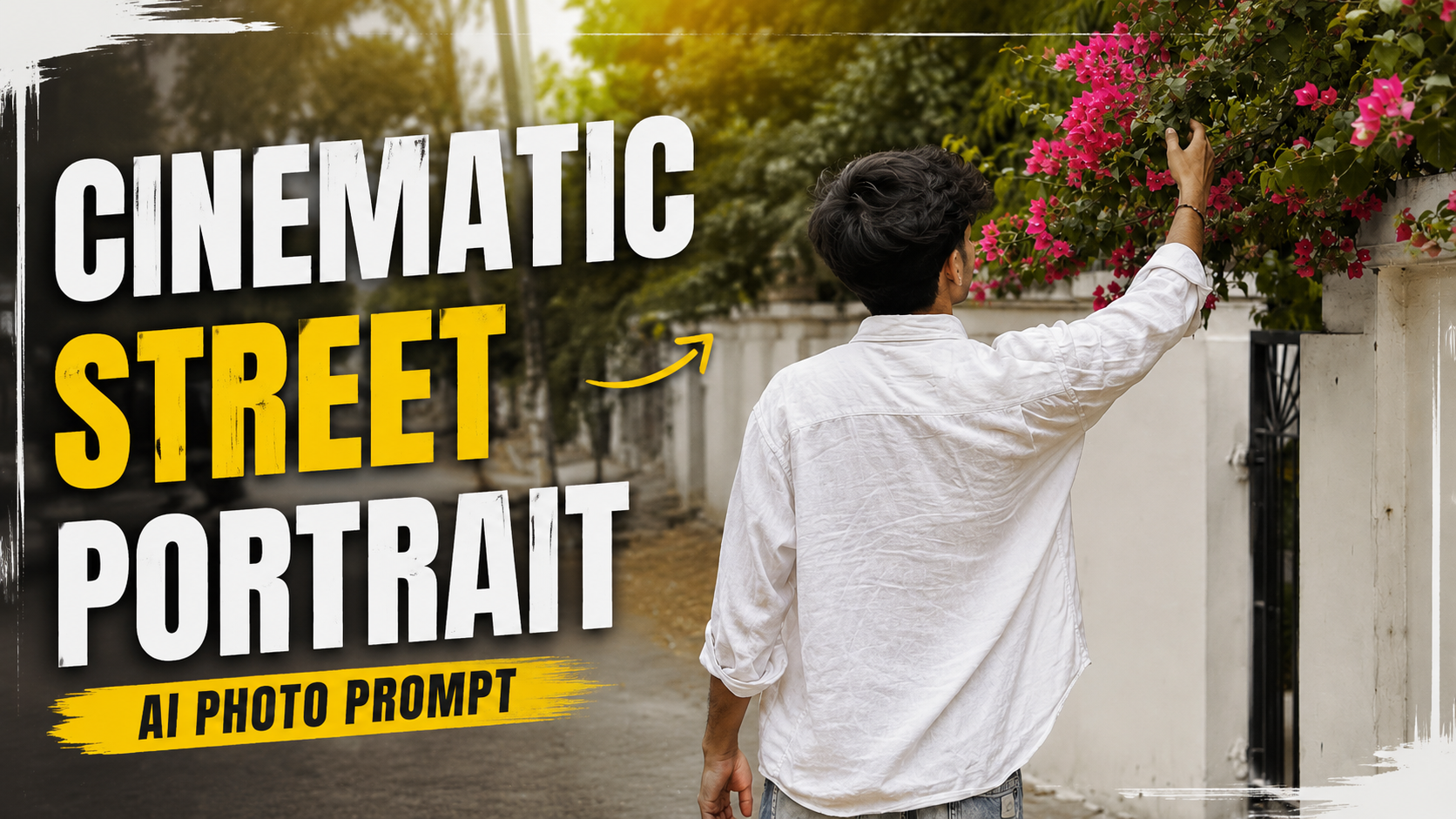
Cinematic Street Portrait AI Photo Prompt

Is AI Prompt Ko Kaise Use Kare (Step-by-Step Guide)

1. Apni Photo Upload KareSabse pehle apni ek clear, high-quality photo upload kare. Face aur hair clearly visible hone chahiye taaki AI aapki identity ko accurately preserve kar sake.

2. Prompt Paste KareApne AI image generator (jaise ChatGPT Image, Midjourney, Flux, ya kisi aur AI tool) me diya gaya prompt copy karke paste kare.

3. Identity Lock Add KareAgar aap chahte hain ki final image me aapka face bilkul same rahe, to prompt ke shuruaat me identity preservation ya face lock instruction zarur add kare.

4. Best Settings Select KarePortrait quality ke liye high resolution (4K ya 8K), realistic style aur high detail settings choose kare. Isse image aur bhi natural dikhegi.

5. Generate ImagePrompt submit karne ke baad AI image generate karega. Zarurat ho to 2–3 variations banakar best result select kare.

6. Final Result

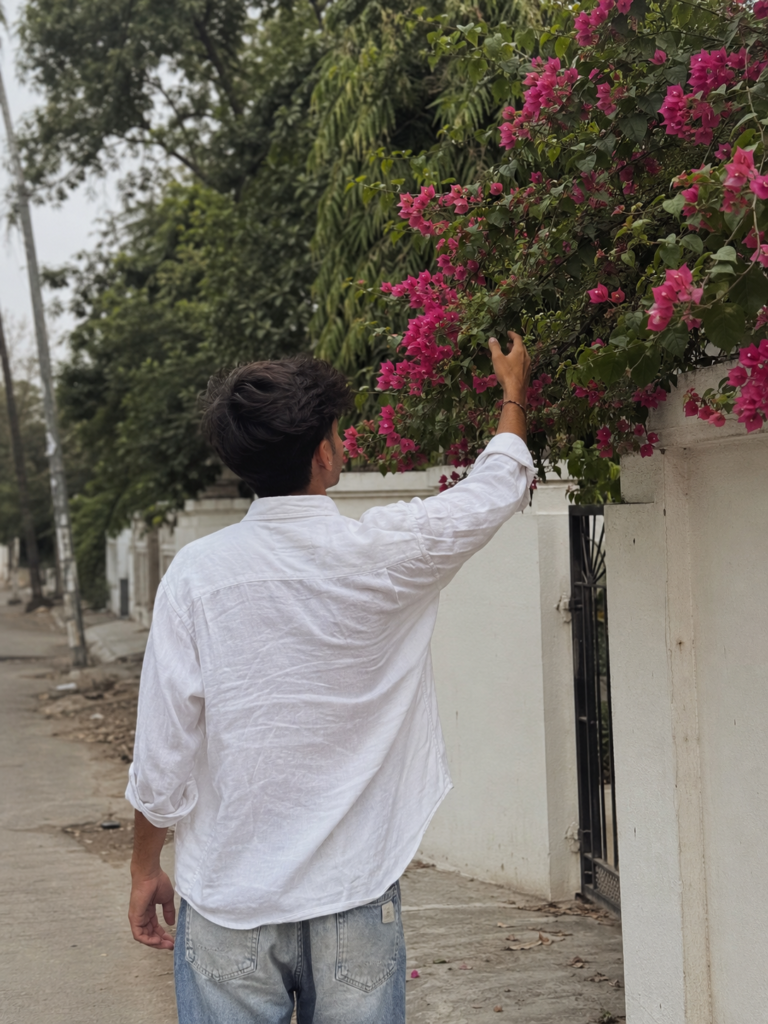
Aapko ek ultra-realistic candid street photo milegi jisme aap piche se white linen shirt aur blue jeans pehne hue pink bougainvillea flowers ko touch kar rahe honge. Soft lighting, creamy bokeh aur cinematic composition image ko professional DSLR photography jaisa premium look degi.

✦ AI PROMPT

Ultra-realistic candid street photography of a young man photographed from behind, reaching up to gently touch vibrant pink bougainvillea flowers growing over a white boundary wall. The subject has thick, naturally wavy black hair and wears an oversized loose white linen shirt with light-wash faded blue jeans. His right arm is raised naturally while standing on a quiet residential street. Soft overcast daylight creates a dreamy, muted aesthetic with diffused natural lighting and realistic shadows. Lush green foliage fills the background, with pink flowers adding a vibrant contrast. Minimalist Indian neighborhood architecture, clean white wall, black metal gate partially visible. Captured with a 50mm DSLR lens, shallow depth of field, creamy bokeh, cinematic composition, natural color grading, subtle film grain, authentic fabric wrinkles, highly detailed leaves, realistic skin tone


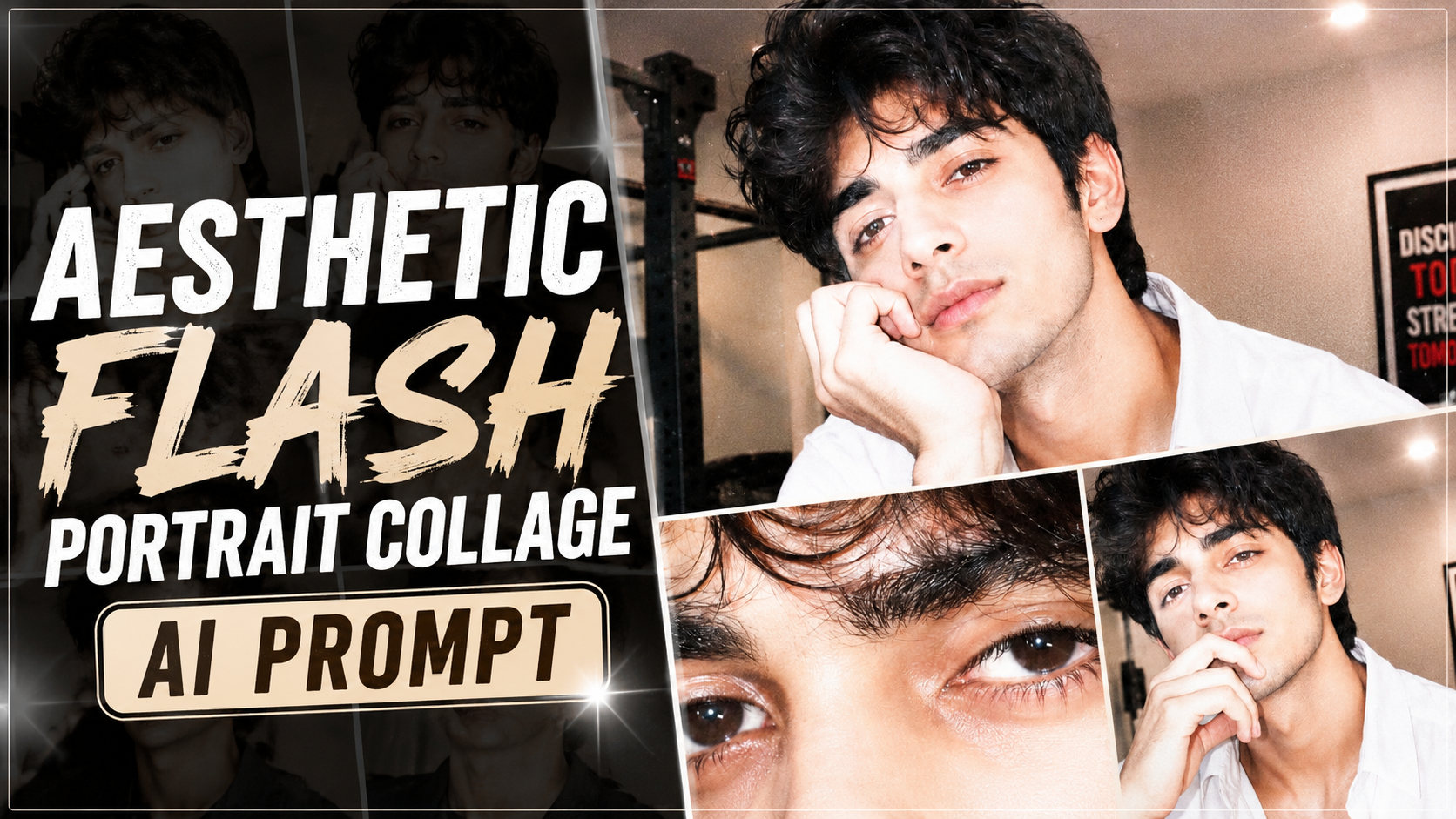
Aesthetic Flash Portrait Collage AI Prompt

Ultra-Realistic Y2K Flash Photography Prompt Ko Kaise Use Kare (Step-by-Step Guide)

1. Sabse pehle Reference Photo upload kare.Ek clear, high-quality aur front-facing photo upload kare. Face achhi lighting mein hona chahiye taaki AI facial features ko accurately identify kar sake.

2. Prompt ko poora copy-paste kare.Prompt ka koi important part remove na kare. Identity preservation, lighting, composition aur color grading jaise details final result ko improve karte hain.

3. Identity Lock zarur add kare.Agar aap exact face preserve karna chahte hain, to “Use my uploaded face exactly” ya “STRICT IDENTITY LOCK” jaisi line include kare. Isse AI face ko change nahi karega.

4. Aspect Ratio select kare.Instagram Reels ya Shorts ke liye 9:16 aur YouTube thumbnail ke liye 16:9 choose kare. Is prompt ke collage ke liye vertical format best rahega.

5. AI Model select kare.Is prompt ko ChatGPT Images, Gemini, Flux, Midjourney ya kisi bhi advanced AI image generator mein use kar sakte hain.

6. Result check kare.Agar face, pose ya lighting perfect na ho, to prompt mein chhote changes karke dobara generate kare.

7. Best Quality ke liye.High-resolution output, flash photography style aur realistic settings enable kare. Zarurat ho to image ko upscaler se enhance bhi kar sakte hain.

Is tarah aap is prompt ka use karke ultra-realistic, Y2K-inspired flash photography collage create kar sakte hain jisme face accurate rahega aur professional editorial look milega.

✦ AI PROMPT

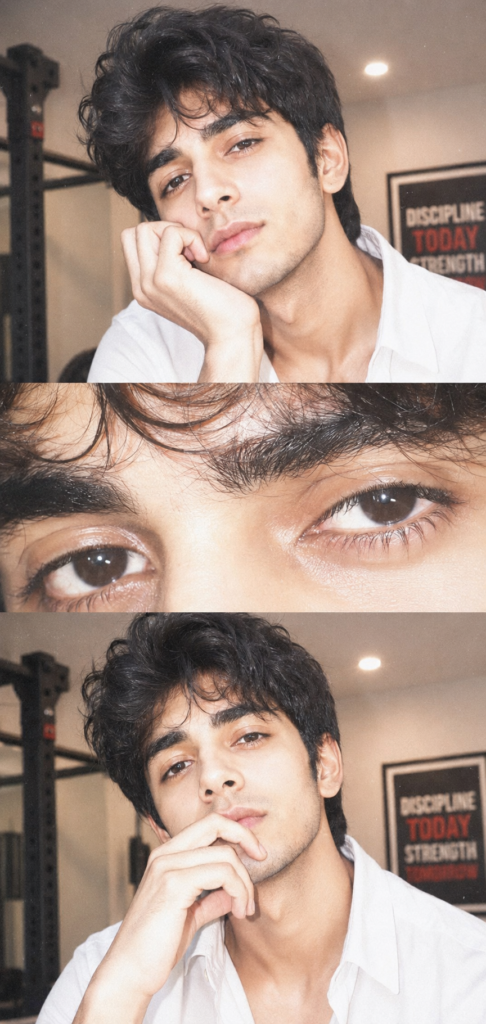
Ultra-realistic Y2K-inspired flash photography collage using the uploaded face exactly.

A young man with voluminous, messy dark hair, soft natural glam makeup, and glossy skin. He is resting his face gently on his hand, fingers slightly curled near her lips, giving a calm, slightly dreamy expression while looking directly at the camera.

Composition: Three-panel

vertical collage:

Top panel:close portrait (head + hand pose)

Middle panel: extreme close-up of eyes (sharp focus on lashes, iris detail)

Bottom panel: same as top panel but pose slightly different (slightly varied crop)

Lighting & Effects:

Strong direct on-camera flash (overexposed

highlights)

Soft blown-out whites on skin

Slight pinkish undertone

High exposure + low contrast

Subtle film grain

Glossy skin texture with visible pores

Catchlights in eyes from flash

Slight blur/glow (diffusion effect)

Minimal shadows, flat lighting Color

grading:

Warm pale tones

Slight desaturation

Creamy whites

Soft pink highlights

Faded vintage look


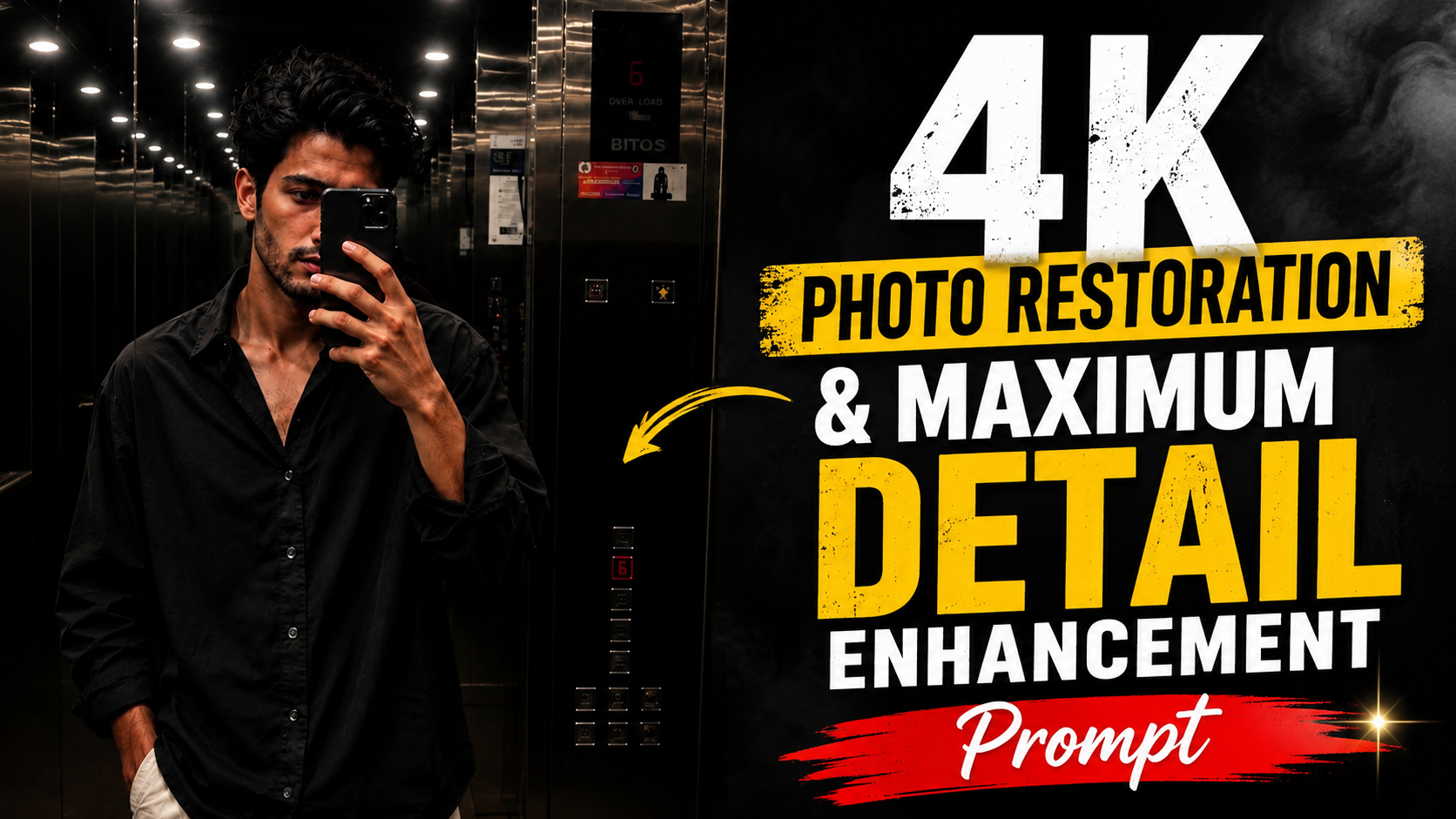
Ultra High-Resolution 4K Photo Restoration & Maximum Detail Enhancement Prompt

How to Use This AI Image Restoration Prompt

1. Upload Your ImageSabse pehle jis photo ko restore ya enhance karna hai, usse AI image generator me upload karein.

2. Copy the PromptDiya gaya Image Restoration Prompt poora copy karein. Best result ke liye prompt me koi line remove na karein.

3. Paste the PromptPrompt ko Image-to-Image ya Photo Enhancement support karne wale AI tool me paste karein.

4. Keep the Original PhotoYe prompt photo ki original identity, composition aur overall look ko preserve karta hai. Sirf image quality improve hoti hai.

5. Click GenerateAb Generate button par click karein aur AI ko image process karne dein.

6. Check the OutputGenerated image me better sharpness, natural skin texture, clear details, reduced noise aur 4K quality enhancement dekhne ko milegi.

7. Regenerate if NeededAgar result perfect na lage, to same prompt ke saath dobara generate karein ya AI settings ko thoda adjust karein.

8. Download the Final ImageJab output pasand aa jaye, to final high-resolution image download kar lein aur apne project ya social media ke liye use karein

.Is prompt ka main purpose original image ko bina badle uski quality ko maximum level tak enhance karna hai, jisse photo aur bhi realistic, sharp aur professional lage.

✦ AI PROMPT

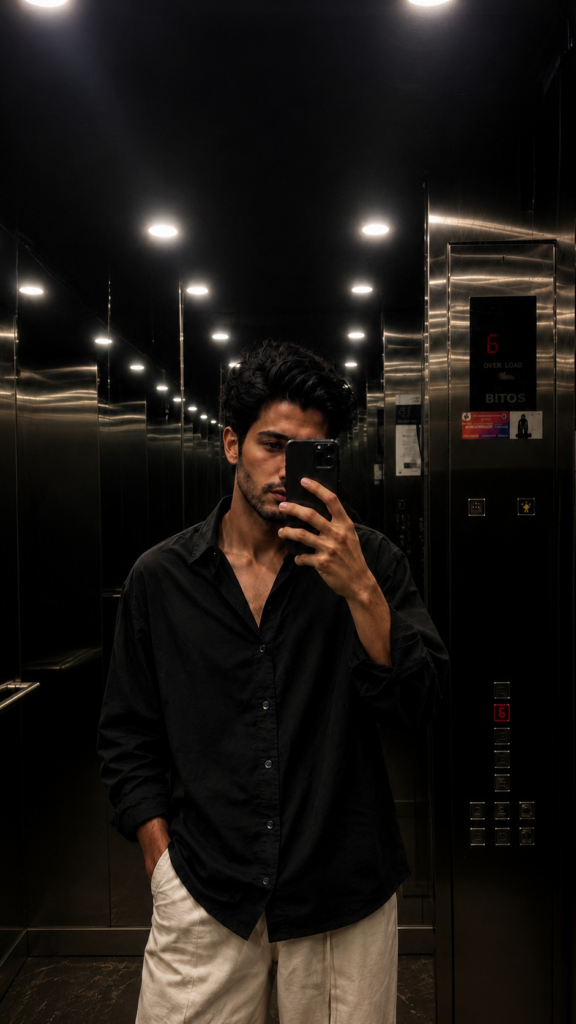
Ultra high-resolution 4K restoration of the original image, preserving exact composition and subject integrity.

Enhance fine details to maximum clarity: skin texture, fabric fibers, surface imperfections, micro-details, and environmental elements.

Apply advanced de-noising, remove compression artifacts, eliminate grain while retaining natural texture. Restore damaged or aged areas with realistic reconstruction (scratches, fading, blur, motion artifacts).

Improve sharpness


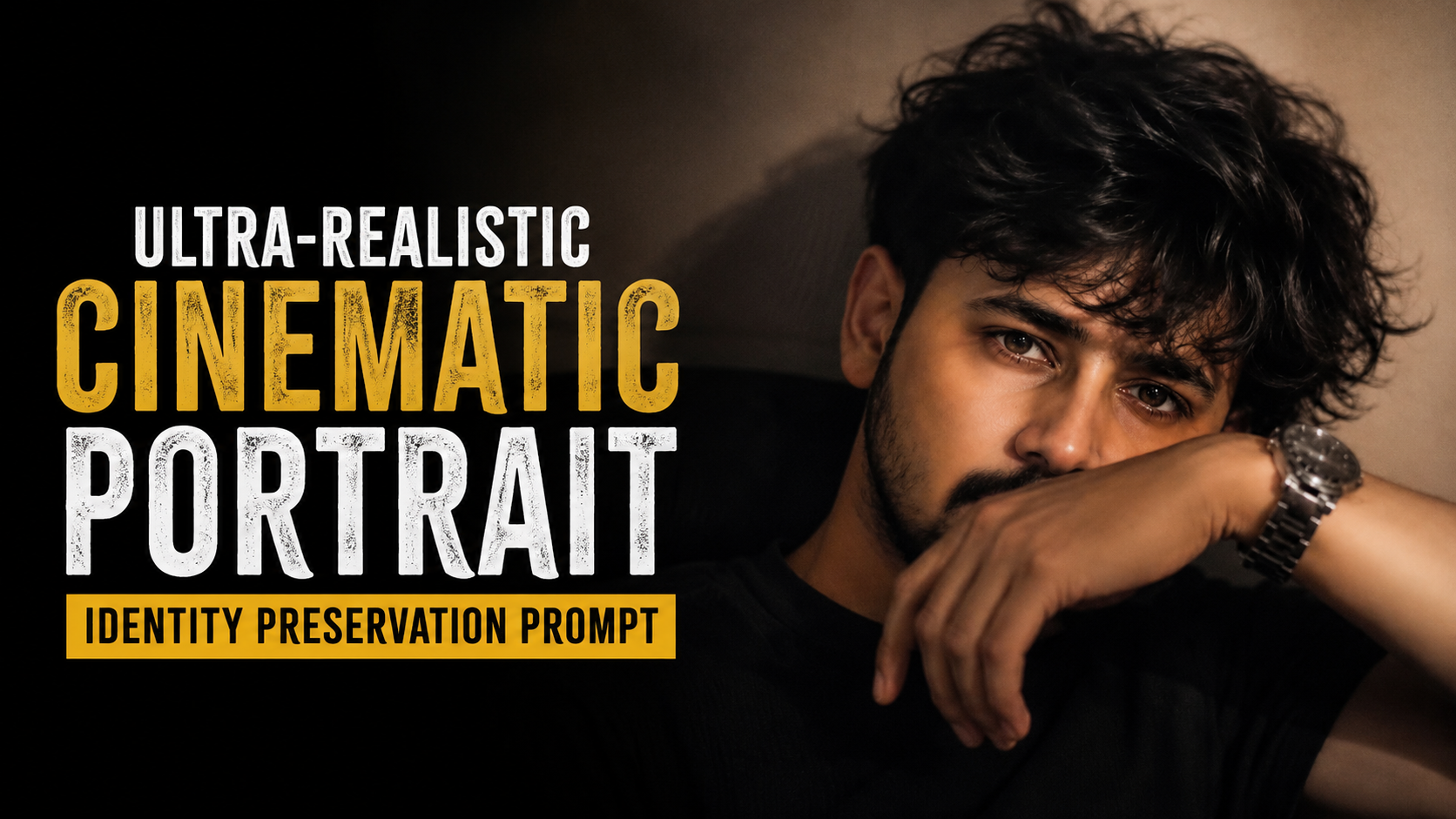
Ultra-Realistic Cinematic Portrait Identity Preservation Prompt |

How to Use This AI Portrait Prompt (Step-by-Step Guide)

1. Upload Your PhotoSabse pehle apni ek clear aur high-quality photo upload karein. Face achhi tarah visible hona chahiye aur image blur ya low quality nahi honi chahiye.

2. Copy the PromptDiya gaya prompt poora copy karein. Is prompt ko edit karne ki zarurat nahi hai jab tak aap kisi specific detail ko change nahi karna chahte.

3. Paste into an AI Image GeneratorPrompt ko kisi AI image generator (jaise ChatGPT Image, Gemini, Flux, Midjourney ya kisi aur supported AI tool) me paste karein aur apni uploaded photo ko reference image ke roop me use karein.

4. Keep Identity Preservation EnabledPrompt ka sabse important hissa hai ki AI face, hairstyle, beard aur facial identity ko bilkul same rakhe. Isliye reference image zarur upload karein.

5. Generate the ImageGenerate button par click karein aur AI ko image process karne dein. Kuch seconds ya minutes me result tayyar ho jayega.

6. Review the OutputCheck karein ki face original person jaisa hi hai, lighting cinematic hai, skin texture natural hai aur background soft bokeh effect ke saath professional lag raha hai.

7. Regenerate if NeededAgar result perfect na lage to same prompt ke saath dobara generate karein ya lighting aur quality settings ko adjust karein.

8. Save and ShareFinal 8K ultra-realistic portrait ko download karke social media, portfolio ya personal use ke liye istemal karein.

✦ AI PROMPT

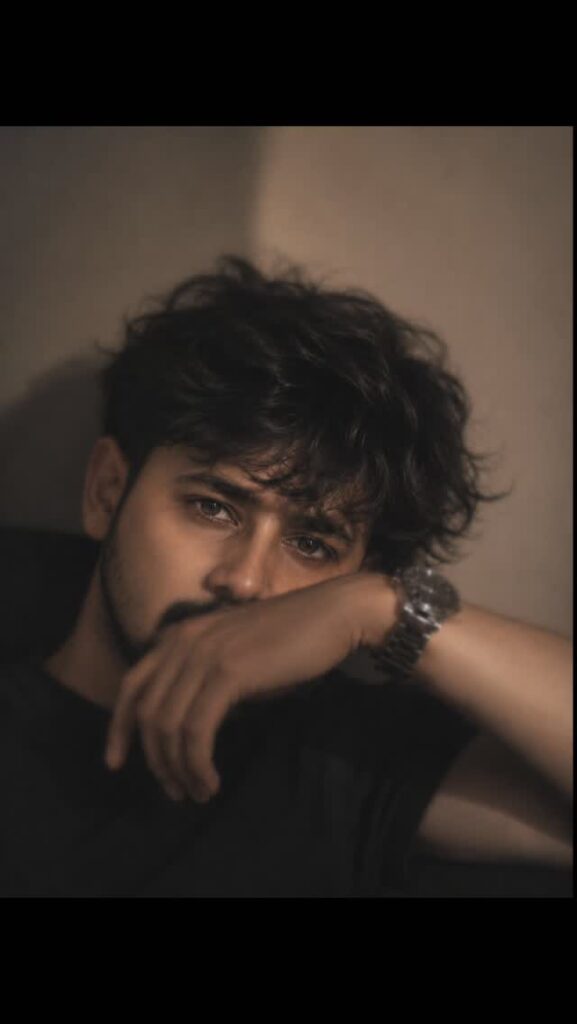
Analyze the uploaded image and preserve the person’s facial identity, facial structure, beard, hairstyle, and all unique facial features. Do not replace or alter the person’s identity. Recreate the portrait in a cinematic, ultra-realistic style with soft warm indoor lighting, shallow depth of field (85mm lens, f/1.4 look), creamy bokeh background, natural skin texture, sharp focus on the eyes, subtle moody color grading, and high dynamic range. Maintain the original pose with the forearm partially covering the lower face, relaxed expression, black t-shirt, and metallic wristwatch. Keep the hair naturally messy and textured. Enhance clarity, facial details, and overall image quality while preserving realism. Output an 8K, DSLR-quality portrait with professional editorial photography aesthetics. Never generate a different face or modify the person’s identity unless explicitly request


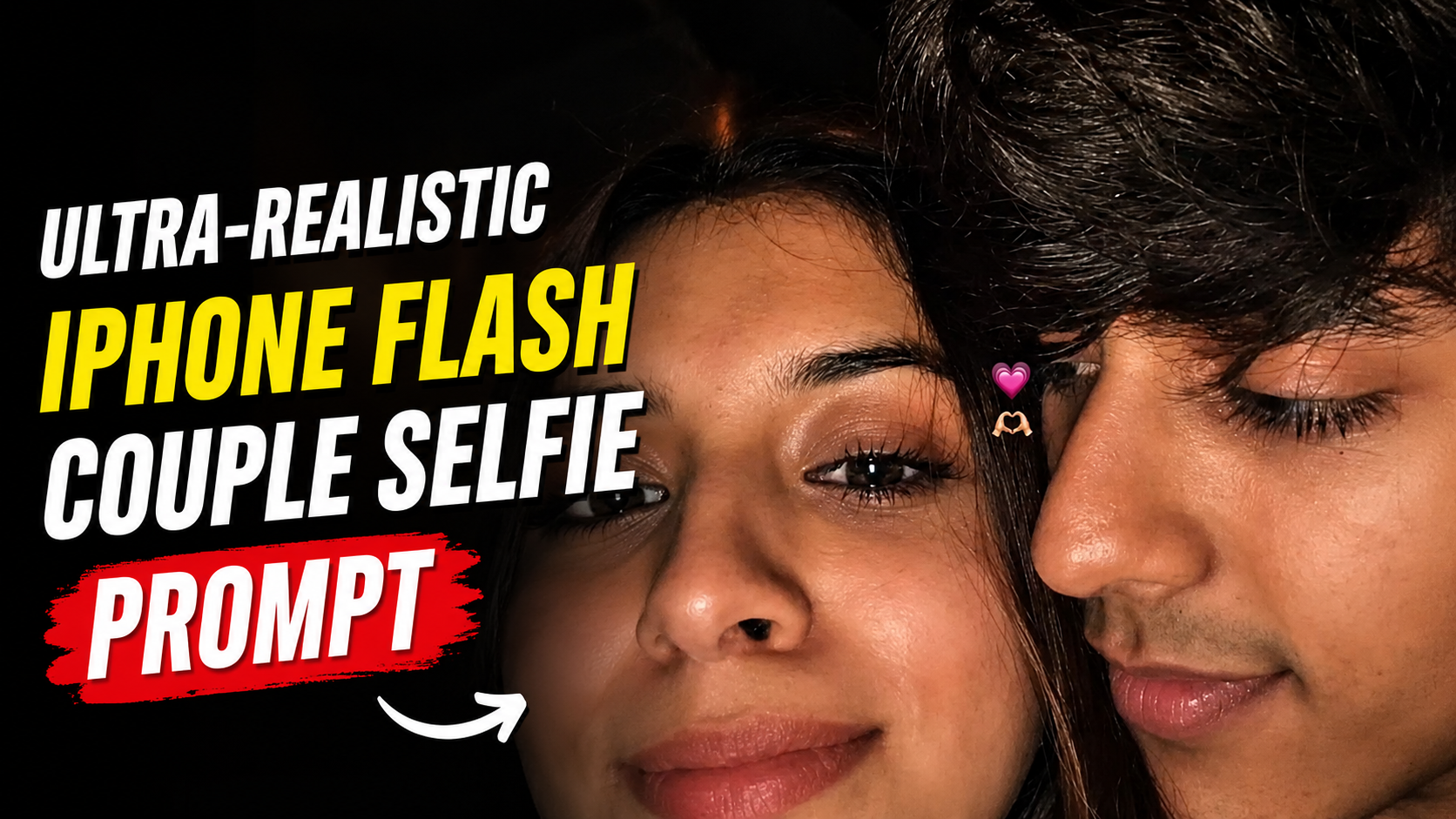
Ultra-Realistic iPhone Flash Couple Selfie Prompt

Is AI Prompt Ko Kaise Use Kare – Step by Step Guide

1. Sabse pehle jis AI image generator ka aap use kar rahe hain, usme Image-to-Image ya Reference Photo option select karein

.2. Dono logon ki clear, front-facing photos upload karein. High-quality image use karne se facial identity aur expressions zyada accurately preserve hote hain.

3. Is prompt ko upload ki gayi photos ke saath copy-paste karein. Prompt ka purpose hai ki AI reference images ke facial features ko maintain karte hue ek realistic selfie create kare.

4. Agar platform me Identity Strength, Image Weight, ya Reference Strength ka option ho, to use high value par set karein taaki faces original photos se match karein.

5. Aspect Ratio ko 9:16 (Vertical) select karein, kyunki prompt Instagram Story style image ke liye optimize kiya gaya hai.

6. Ek hi baar perfect result na mile to prompt me chhote changes karke ya seed change karke dobara generate karein

.7. Sabse natural result ke liye beauty filter, excessive sharpening aur artificial enhancement options ko disable rakhein.

8. Final image ko dhyan se check karein ki facial features, lighting aur framing natural lag rahi ho.

9. Agar output me identity ya composition sahi na ho, to reference photos ko replace karein ya better quality images upload karein.

10. Is prompt ka best use personal, creative aur entertainment purposes ke liye karein. Hamesha unhi logon ki photos use karein jinki permission aapke paas ho.

✦ AI PROMPT

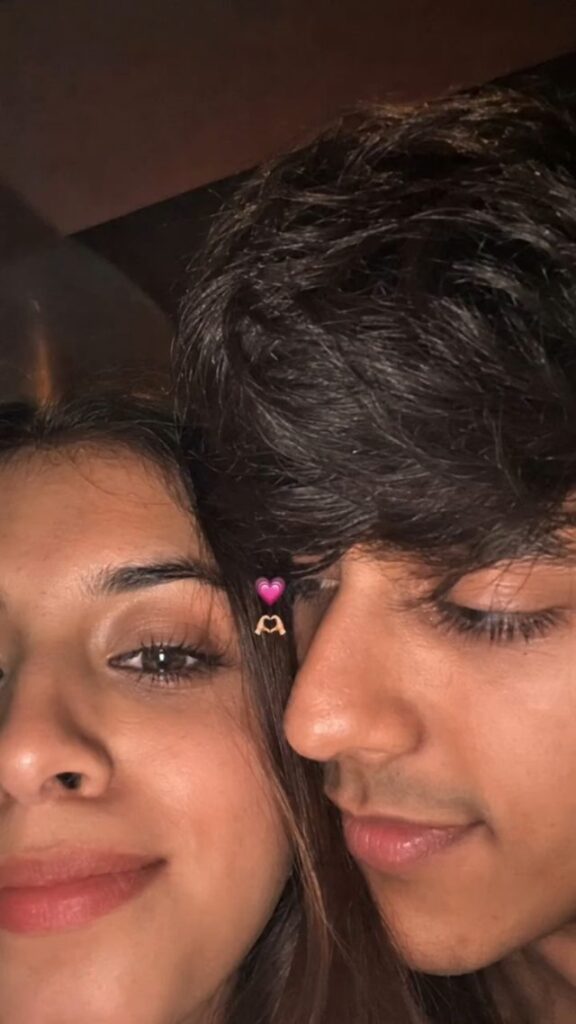
Use 100% of both faces above the image uploaded Must look exactly like a real iPhone front camera flash selfie uploaded to Instagram, not an AI-generated image. Preserve natural imperfections, realistic skin pores, sensor noise, slight blur, imperfect framing, and authentic smartphone camera artifacts.Create an ultra-realistic candid smartphone selfie of two young people with only the upper half of their faces visible, framed extremely close to the camera. Their faces are pressed together naturally, creating an intimate, cozy composition. The left person shows one eye with long natural eyelashes, while the right person has soft messy black bangs partially covering one eye. Warm hazel-brown eyes with realistic reflections, natural skin texture with tiny pores, faint acne marks and subtle imperfections. Soft black hair with loose strands falling across the face. Low-light indoor environment with a phone flash, soft overexposed highlights, slight motion blur, shallow depth of field, subtle lens softness, realistic digital camera noise, authentic smartphone HDR processing, imperfect focus, natural color tones, cozy late-night aesthetic. A tiny pink heart emoji and heart-hands emoji are placed between both faces. Vertical 9:16 composition, looks like an accidental Instagram story/photo taken on an iPhone, completely photorealistic, raw, unedited, cinematic, no beauty filter, no AI look, no plastic skin, no oversharpening, no extra details, indistinguishable from a real phone photo.


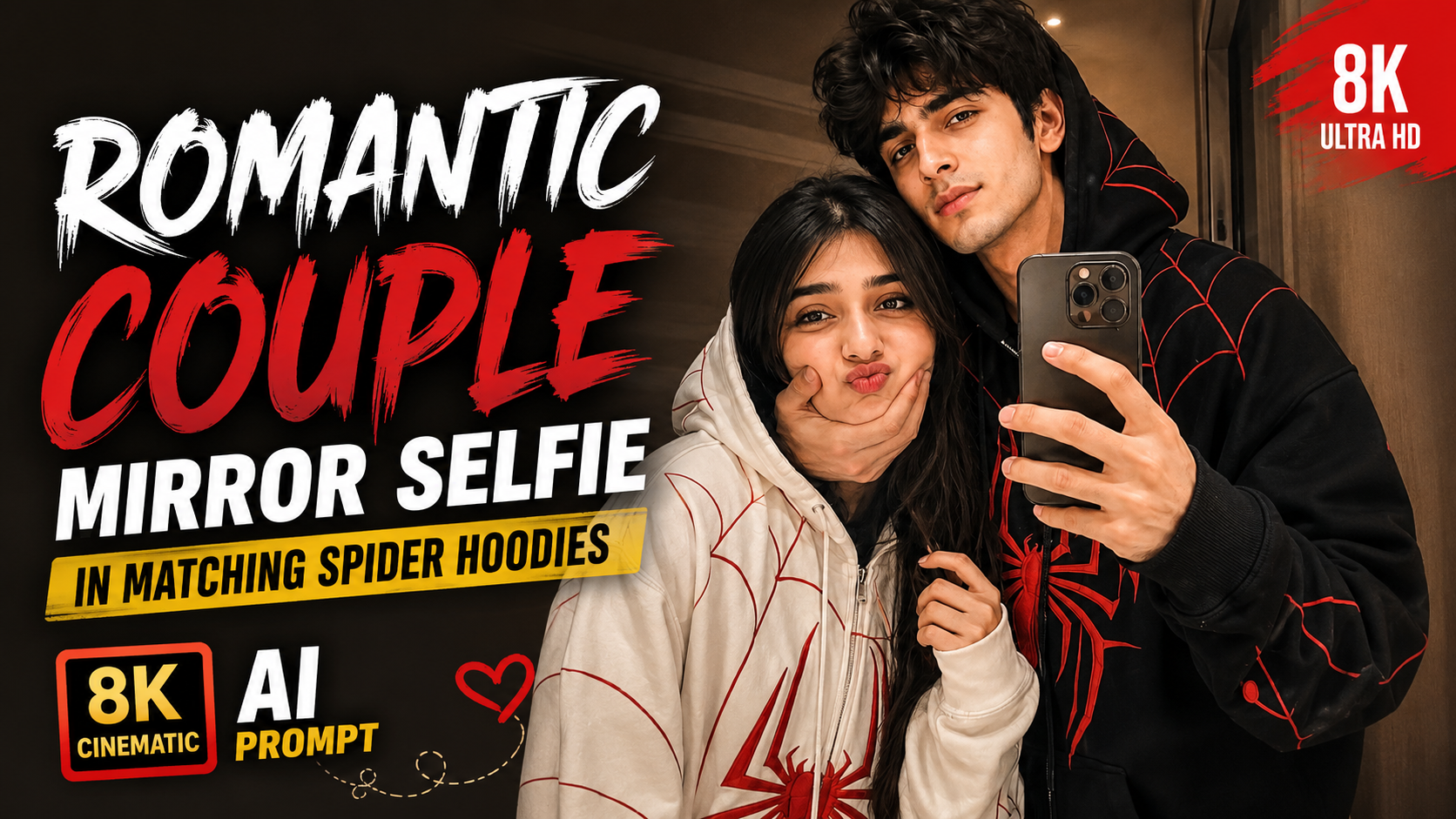
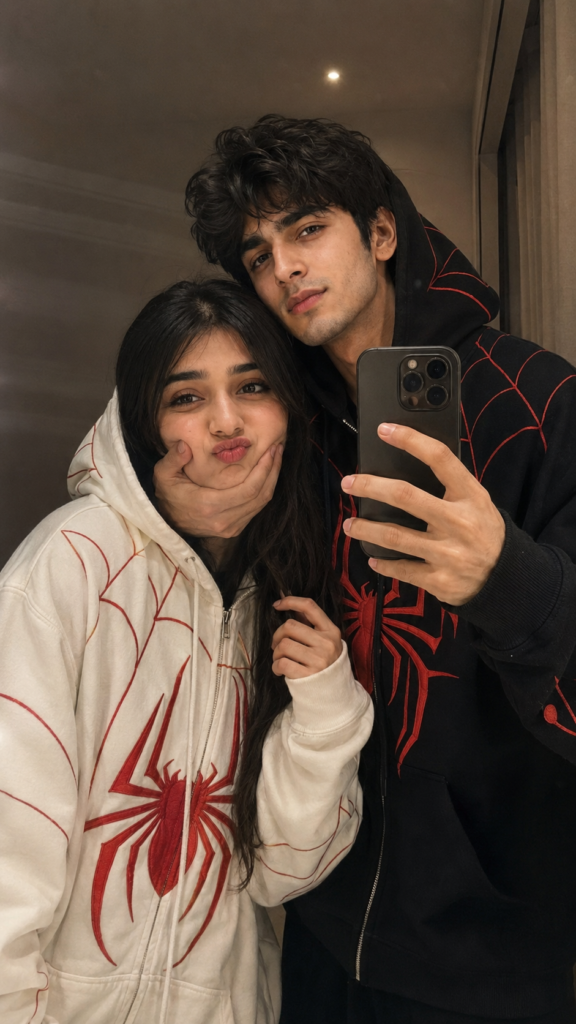
Romantic Couple Mirror Selfie in Matching Spider Hoodies | 8K Cinematic AI Prompt

Is Prompt Ko Kaise Use Kare? (Step-by-Step Guide)

1. Sabse pehle apni aur apne partner ki high-quality, clear photo upload karein. Front face aur achhi lighting wali image best result deti hai.

2. Iske baad diya gaya AI prompt copy karke image generation tool ke prompt box mein paste karein.

3. Prompt mein agar zarurat ho to hoodie ka color, background, pose ya expression apni pasand ke hisaab se edit kar sakte hain.

4. AI ko original face maintain karne ke liye reference photo ke saath hi prompt use karein. Isse facial features zyada accurate aate hain.

5. Aspect Ratio 9:16 select karein, taaki image Instagram Reels, Stories aur Shorts ke liye perfect rahe.

6. Agar pehla result perfect na aaye, to prompt mein chhote changes karke dobara generate karein. Kabhi-kabhi 2–3 attempts mein best output milta hai.

7. Image banne ke baad details jaise face, hands, hoodie aur background ko check karein. Zarurat ho to prompt mein aur instructions add karein.

8. Final image ko high resolution (8K ya available highest quality) mein export karein, taaki editing aur social media par upload karte waqt image sharp dikhe.

9. Best results ke liye hamesha clear reference photos aur detailed prompts ka use karein. Jitna detailed prompt hoga, utna hi realistic aur cinematic output milne ki sambhavna badh jaati hai.

✦ AI PROMPT

Using the provided photo generate a hyper realistic 8K A close up mirror photo the photo look natural, the selfie taking while using phone iPhone 14 Pro Max of a young couple in a dimly lit, cozy, indoor room. The man has same hair, is wearing Clothing: - Male Wearing an oversized black full-zip spider-themed hoodie. Heavy premium cotton fleece fabric with deep black tone and realistic texture. Large red spider emblem embroidered on the chest with sharp red web patterns across shoulders and sleeves. Zip-up hood capable of fully closing into a spider-mask style with white eye shapes on the hood. Relaxed oversized streetwear fit, natural folds, realistic weight and drape of fabric. High-quality embroidery, clean seams, no text, no branding. Ultra-realistic fabric detail, cinematic lighting, modern streetwear aesthetic. - Female Wearing an oversized white full-zip spider-themed hoodie. Premium thick cotton fleece fabric with a soft, heavy streetwear texture. Bold red spider emblem embroidered on the chest, clean red web patterns extending across the sleeves and upper body. Full zip-up hood that can close completely, with subtle spider-eye design on the hood. Oversized relaxed fit, dropped shoulders, long sleeves, natural fabric folds and realistic drape. Clean stitching, no text, no branding, no logos. Realistic lighting, high detail fabric texture, fashion-grade streetwear look.. He is genuinely looking at the camera. the man is gently holding and squishing her cheek with his hand, woman hand is holding into a section of her hair near her face. The woman has same hair. She is making a funny natural slighty! The photo looks very romantic, Ratio 9:16