Streetlight Noir SUV Portrait prompt

How to Use This AI Image Prompt Effectively

If you want to generate a cinematic black-and-white portrait like the example prompt, follow these simple steps for the best results.

1. Choose an AI Image Generator Use an AI image generation tool that supports detailed text prompts, such as ChatGPT Images, Midjourney, Flux, or Google Imagen.

2. Copy the Entire Prompt Copy the prompt exactly as written. Every detailβ€”lighting, clothing, camera mood, and compositionβ€”helps the AI create a more accurate image.

3. Add a Reference Image (Optional) If you want the generated person to resemble yourself or another specific individual, upload a clear reference photo along with the prompt. This helps maintain facial features and overall appearance.

4. Keep the Prompt Detailed Avoid removing important details such as “high-contrast black and white,” “single street lamp,” or “cinematic, moody lighting.” These elements define the final visual style.

5. Select the Correct Aspect Ratio Choose the aspect ratio based on your needs: – 1:1 for Instagram posts – 4:5 for portrait posts – 9:16 for Stories, Reels, and Shorts – 16:9 for YouTube thumbnails and wallpapers

6. Generate Multiple Versions Create several variations of the same prompt. AI often produces different compositions, poses, and lighting, allowing you to choose the best result.

7. Refine if Needed If the image isn’t exactly what you want, slightly modify the prompt by adding details about pose, camera angle, facial expression, or background while keeping the main cinematic style intact.

8. Use High-Quality Settings If your AI tool offers options like HD, 4K, or high-quality rendering, enable them for sharper and more realistic results.

9. Review Before Sharing Check the final image for lighting, facial details, and overall composition. Regenerate if necessary until you achieve your desired look.

By following these steps, you can consistently create dramatic, cinematic AI portraits with professional-quality lighting, strong contrast, and a realistic black-and-white aesthetic.
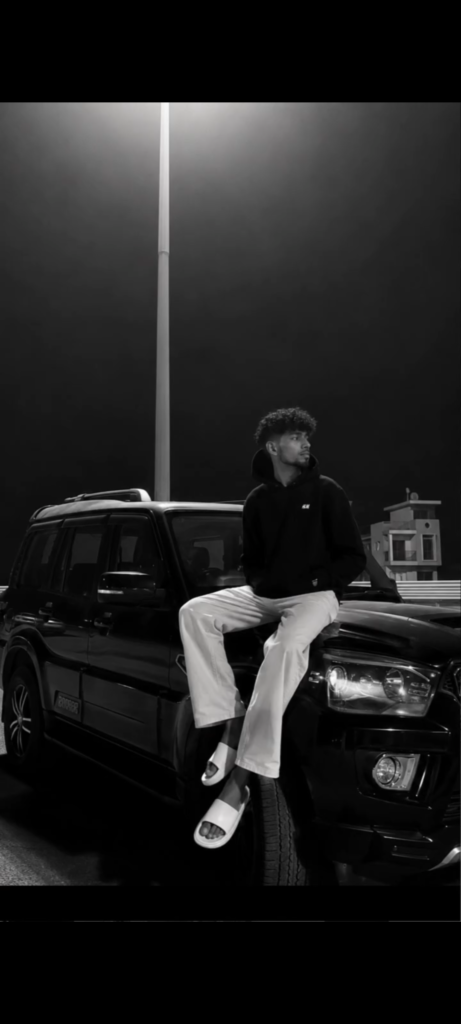
✦ AI PROMPT

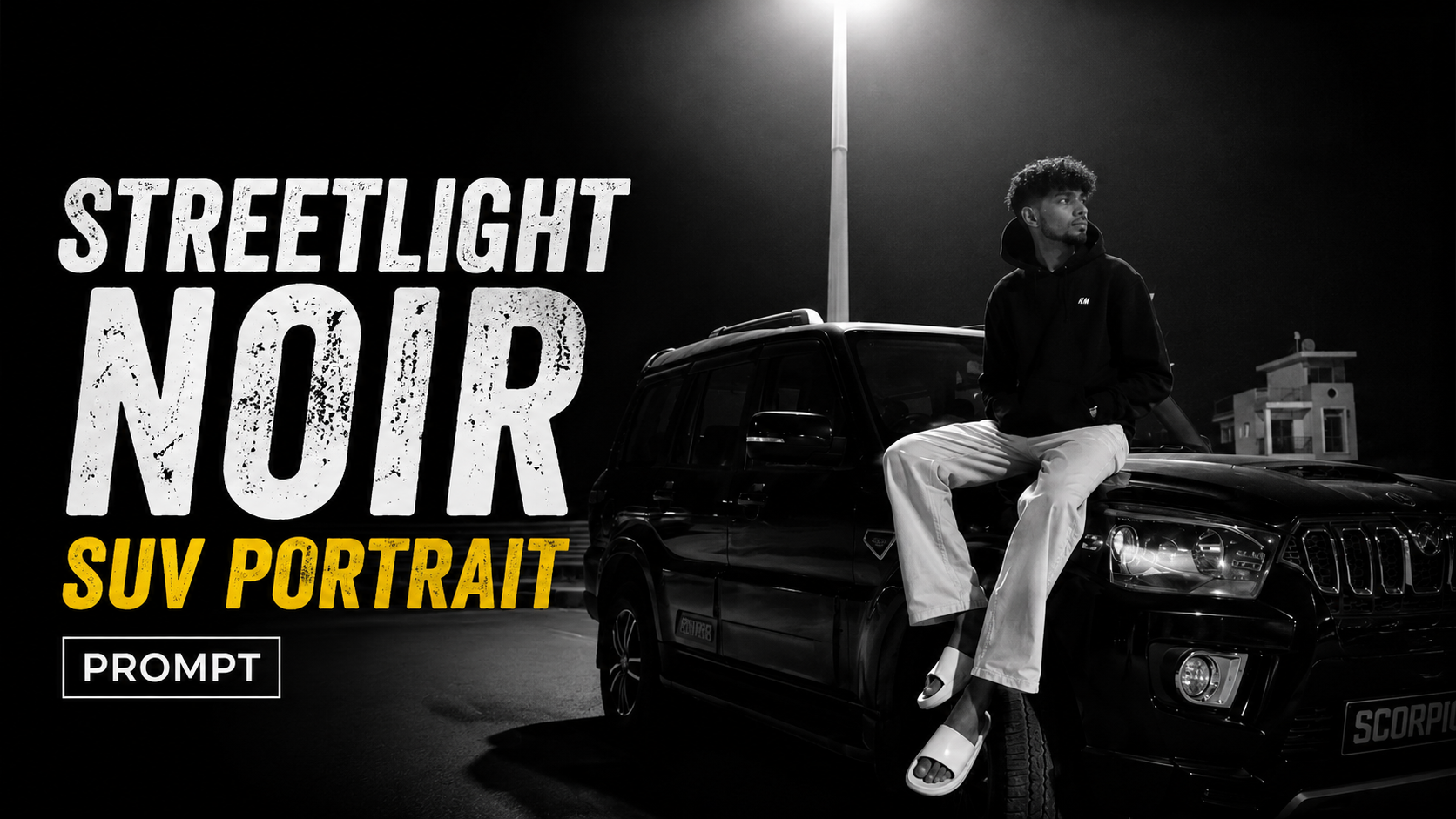
High-contrast black and white night photograph. A young man with curly dark hair and a neat beard sits casually on the hood of a black Mahindra Scorpio SUV, looking to the side. He wears a black hoodie, loose light-colored pants, and white slide sandals. A single tall street lamp directly overhead casts a dramatic downward spotlight, sharply illuminating him and the car hood while leaving the dark background in deep shadow with faint architectural silhouettes. Cinematic, moody, low-key lighting with high contrast.

      

How to Use the Zepto Earbuds Offer

How to Use the Zepto Earbuds Offer

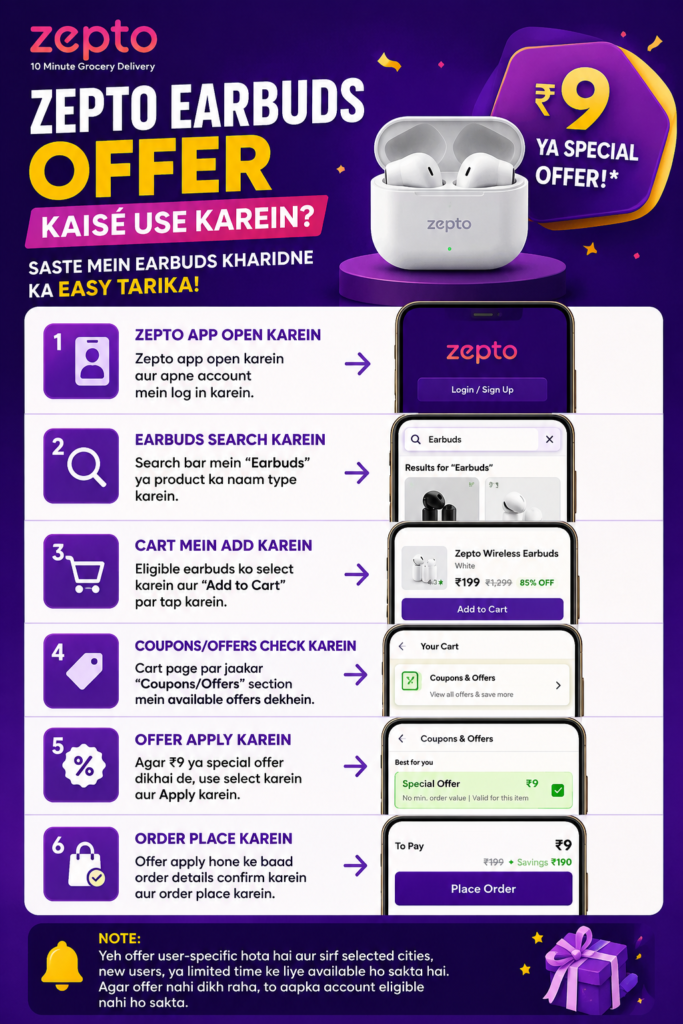
If you want to grab the Zepto Earbuds offer, follow these simple steps:

1. Open the Zepto App – Launch the Zepto app on your smartphone and log in to your account. If you don’t have an account, sign up first.

2. Search for the Product – Use the search bar to find Earbuds or search for the exact product shown in the reel or promotion.

3. Add the Product to Your Cart – Select the eligible earbuds and tap Add to Cart. Make sure you choose the correct product.

4. Check Available Offers – Open your cart and go to the Coupons/Offers section. See if any discount or special offer is available for your account.

5. Apply the Offer – If you see the β‚Ή9 offer or any other special discount, tap Apply before proceeding to checkout.

6. Complete Your Order – Verify your delivery address and payment method, then place the order to enjoy the discounted price.

Important NoteThis offer is user-specific and may only be available for selected cities, new users, or for a limited period. If the β‚Ή9 or special offer does not appear in your account, it simply means your account is not currently eligible for that promotion.

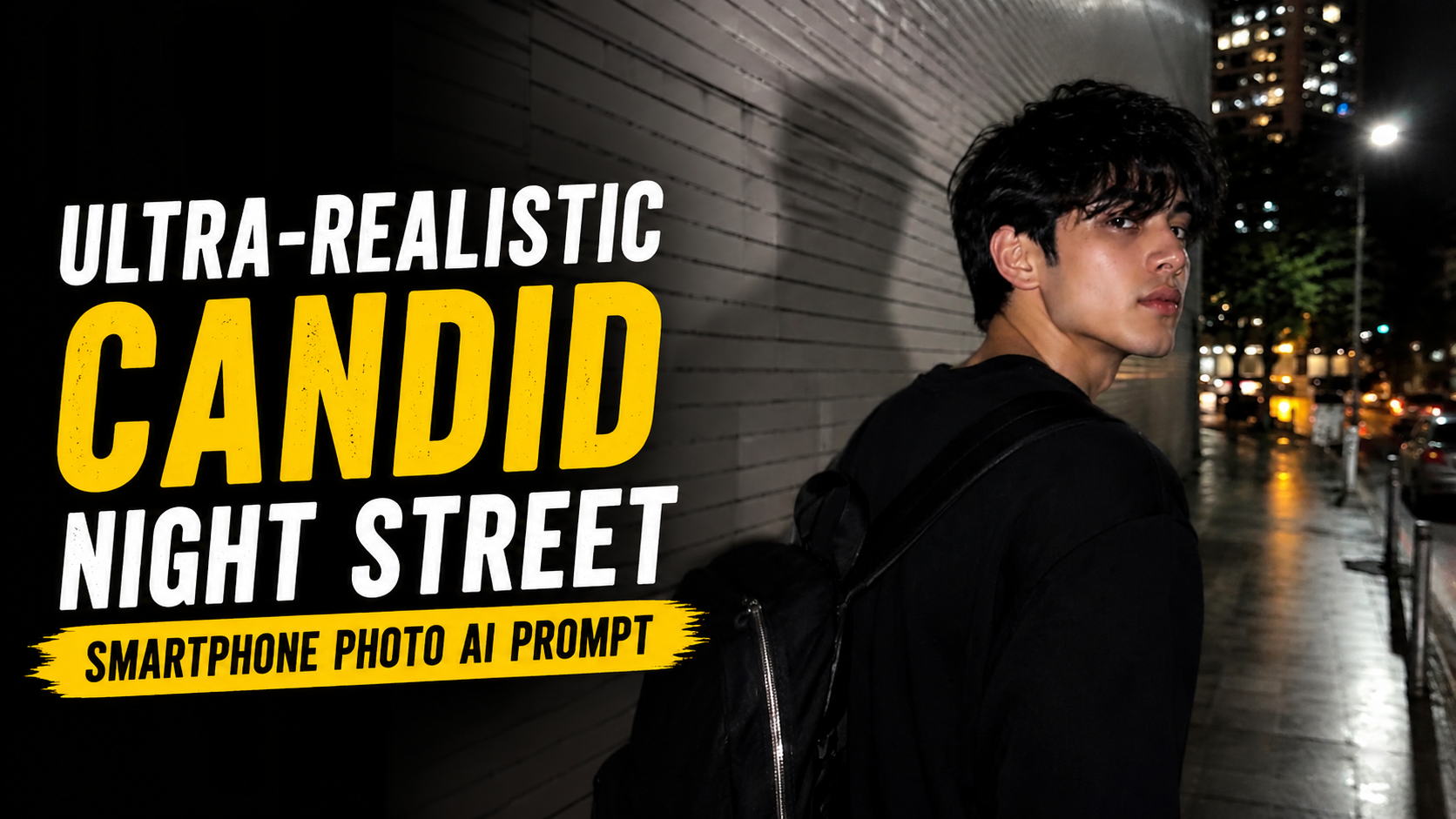
Ultra-Realistic Candid Night Street Smartphone Photo AI Prompt

How to Use This AI Prompt (Step-by-Step Guide)

If you want to create a realistic candid night street photo using this prompt, follow these simple steps:

1. Upload Your Reference Image

  • Upload a clear photo of yourself or the person you want to use as inspiration.
  • The image should be well-lit and high quality for better results.
  • The AI will use only the general facial proportions and overall vibe, not create an exact copy.

2. Copy the Prompt

  • Copy the complete prompt exactly as provided.
  • Do not remove important sections like Scene, Camera & Motion, Lighting, or Negative Prompt, as they help achieve the intended look.

3. Paste into Your AI Image Generator

  • Open your preferred AI image generator.
  • Paste the prompt into the text prompt box.
  • Upload the reference image if the platform supports image guidance.

4. Generate the Image

  • Start the generation process.
  • Since the prompt is designed for a candid smartphone look, expect heavy motion blur, camera shake, flash lighting, and imperfect framing.

5. Adjust if Needed

  • If the result looks too sharp or polished, increase motion blur or image strength settings (if available).
  • If the face becomes too distorted, slightly reduce the blur strength and generate again.

6. Keep the Original Style

  • Avoid adding extra cinematic or studio-style keywords.
  • The prompt is specifically designed to create an authentic, accidental smartphone snapshot rather than a professional portrait.

7. Best Results

  • Use modern AI image generators that support reference images.
  • Generate multiple versions and choose the most natural-looking result.
  • Small variations between generations are normal and often produce the most realistic candid photos.

By following these steps, you can consistently create realistic nighttime candid smartphone images with an authentic, spontaneous, and imperfect appearance.

✦ AI PROMPT

Short Prompt:

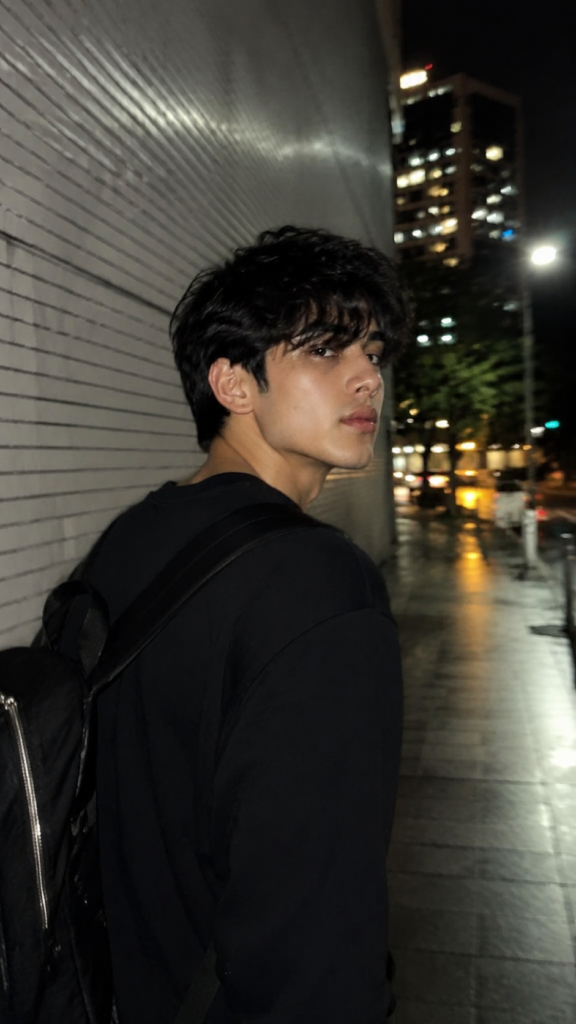
> Ultra-realistic candid iPhone night photo, 9:16. Use the reference image only as inspiration for the subject's overall appearance while creating a fully original, non-identifiable person (not a face copy). Stylish person in an all-black outfit walking beside a white tiled wall, looking back over their shoulder. Natural motion blur, slight camera shake, face 60–70% sharp, warm streetlights, cinematic bokeh, wet pavement reflections, iPhone flash, realistic skin texture, handheld snapshot, shallow depth of field, authentic Instagram aesthetic, no AI look, no HDR, no filters, photorealistic.


Cinematic Black & White Night SUV Portrait AI Prompt

How to Use the Black-and-White Cinematic Portrait Prompt for Al Image Generation

This prompt is designed to help you create a high-quality, cinematic black-and-white portrait of a person standing beside a luxury SUV at night. Follow these steps and tips to get the best possible results.

Understand the PromptThe prompt describes a specific scene, mood, and style.It includes the subject’s pose, clothing, environment, lighting, and camera style.It emphasizes a natural motion blur on the face for a candid, mysterious feel

.2 Prepare Your Image (If Using Reference)If you want to generate the image with the same person, upload a clear reference photo.Make sure the reference shows the person’s face, hairstyle, and outfit clearly.Some Al tools allow you to lock the identity-enable that option if available.

Paste the PromptCopy the full prompt provided.Paste it into your Al image generator (like Midjourney, DALL-E, Leonardo Al, etc.).If there’s a text box for negative prompt, add: “no extra people, no color, no text, no watermark, no logo.

“Adjust Settings for Best ResultsChoose black & white or monochrome mode.Set aspect ratio to 9:16 (portrait).Use high quality or ultra-realistic settings.If available, enable cinematic lighting or film grain for a more realistic look

.5 Generate and ReviewClick generate and wait for the results.Review the image and check if the pose, outfit, and setting match your needs.If the face blur is too strong or too weak, regenerate with slight prompt adjustments.

Refine if NecessaryIf the background or lighting is not as expected, add details in the prompt.Example: “more dramatic shadows” or “brighter string lights.”Regenerate until you get the perfect shot.

Download and UseOnce satisfied, download the high-resolution image.Use it for social media, portfolio, or personal projects

.Pro TipsKeep the prompt exactly as it is for the first try.Small changes in wording can change the results.Al works best when the description is clear and detailed..

✦ AI PROMPT

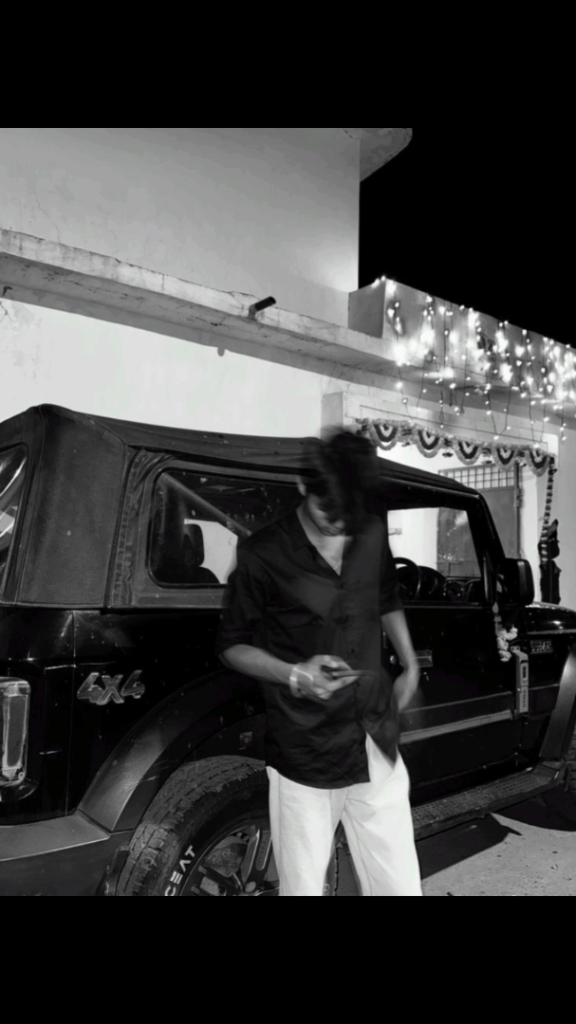
"Create a cinematic black-and-white night portrait of the person standing casually beside a black off-road SUV (4x4) parked outside a modern house decorated with warm string lights. The subject is wearing a loose black button-up shirt with sleeves rolled up and white straight-fit trousers. Their head is tilted slightly downward with natural motion blur across the face and hair, giving a candid and mysterious look while preserving the person's real facial features and identity underneath the blur. One hand is holding a smartphone casually while the other rests naturally near the pocket. The photo should have an urban luxury vibe with high contrast monochrome tones, realistic lighting, and a moody late-night atmosphere. Shot in portrait orientation on a smartphone camera with subtle film grain, soft shadows, and an editorial street-photography aesthetic. Preserve the subject's body proportions, hairstyle, clothing details, and pose exactly as in the reference image. Ultra-realistic, DSLR-quality cinematic photography, 9:16 aspect ratio."


Ultra-Realistic Candid Night Street Smartphone Photo AI Prompt

How to Use This AI Prompt (Step-by-Step Guide)

1. Choose an AI Image GeneratorSabse pehle kisi AI image generator ko open karein jo long prompts ko support karta ho. Yeh prompt realistic smartphone-style images generate karne ke liye design kiya gaya hai.

2. Upload a Reference ImageApni ya kisi original face reference image ko upload karein. Reference image sirf general facial proportions aur overall vibe ke liye use honi chahiye. AI ko exact face copy ya identity replicate nahi karni chahiye.

3. Copy and Paste the PromptPoora prompt bina kisi line ko remove kiye AI tool ke prompt box mein paste karein. Isse scene, lighting, pose aur camera movement sahi tarah generate honge.

4. Keep the Negative PromptNegative Prompt ko remove na karein. Yeh unwanted results jaise anime, illustration, studio lighting, sharp portrait ya over-edited images ko avoid karta hai.

5. Use the Correct Aspect RatioBest result ke liye image ratio 9:16 (Vertical) select karein. Yeh Instagram Reels, YouTube Shorts aur TikTok ke liye ideal format hai.

6. Generate Multiple VariationsEk hi baar mein perfect image na mile to 3–5 variations generate karein. Har generation mein natural motion blur aur candid look thoda alag ho sakta hai.

7. Avoid Major Prompt ChangesAgar aap realistic smartphone candid effect chahte hain to camera settings, flash lighting aur motion blur wale parts ko edit na karein.

8. Best Use CasesYeh prompt AI photography practice, creative social media content, cinematic storytelling aur realistic candid-style portraits banane ke liye suitable hai. Iska purpose natural-looking images create karna hai, kisi real person ki identity copy karna nahi.

9. Final TipAgar output zyada clean ya professional lag raha ho, to prompt ko exactly as written use karein aur Negative Prompt ko bhi include rakhein. Isse raw, noisy aur accidental smartphone snapshot jaisa authentic result milne ke chances badh jaate hain.

✦ AI PROMPT

Ultra-realistic candid smartphone photograph, 9:16 vertical.
Use the attached image only as a strong visual inspiration for general facial proportions and vibe, while ensuring the generated subject remains fully original, non-identifiable, and not a face copy.
Scene
Nighttime on a quiet Tokyo city sidewalk beside a building with white ceramic tile walls.
The subject is walking past the camera, partially side-on, captured mid-step in a rushed, accidental moment.
Poses & Gestures (combined naturally)
The subject reacts instinctively to being photographed: turning her head back mid-walk as if surprised,
raising one hand close to the lens to partially block the camera, shy, restrained smile forming as she suppresses laughter, body angled in half-profile while continuing to walk forward, motion carries her slightly out of frame, imperfect framing.
Expressions are subtle and spontaneous β€” embarrassed, playful, fleeting β€” never posed.
Camera & Motion
Shot on a modern smartphone, handheld, rushed capture. Strong uncontrolled camera shake. Heavy directional motion blur across the raised hand, hair, and face. Facial features appear smeared and streaked by movement, faintly recognizable but distorted. Partial ghosting around the body. Imperfect framing, subject nearly leaving the frame.
Lighting
Flash-only lighting fired mid-motion. Harsh flash highlights on skin and hand. Deep surrounding darkness.
Uneven exposure, blown highlights, hard shadows typical of hurried night phone photography.
Background
White ceramic tile wall stretches into streaked light bands due to motion blur. Street surroundings fade into darkness with minimal readable detail.
Mood
Candid, shy, slightly playful. Feels intrusive, raw, imperfect, and authentic - like a fleeting memory accidentally captured and never meant to be perfect.
Image Quality
Extremely noisy. Heavily blurred. Raw smartphone look. Not cinematic. Not editorial. Not polished.
Negative Prompt
anime, illustration, painting, stylized, studio lighting, beauty lighting, soft portrait, sharp focus, clean face, perfect anatomy, smooth skin, fashion editorial, posed portrait, cinematic grading, film still, tripod shot, professional photography, identity match, face copy, real person replication.


Ultra-Realistic Toyota Fortuner Legender Luxury Portrait AI Prompt

How to Use This AI Portrait Prompt (Step-by-Step Guide)

1. Choose an AI Image GeneratorSabse pehle kisi AI image generator ko open karein jo text prompts aur image reference support karta ho, jaise ChatGPT Images, Google Gemini, Midjourney, Flux, ya koi aur compatible AI tool.

2. Upload Your PhotoAgar aap apni identity ko same rakhna chahte hain, to sabse pehle apni clear aur high-quality photo upload karein. Front-facing photo sabse achha result deti hai. Face par blur ya low quality image use na karein.

3. Copy and Paste the PromptAb diya gaya prompt ko poora copy karein aur AI tool ke prompt box mein paste karein. Prompt ko bina zarurat edit kiye use karne se zyada accurate results milte hain.

4. Generate the ImagePrompt paste karne ke baad Generate button par click karein. AI kuch hi seconds ya minutes mein image create kar dega. Agar pehla result perfect na ho, to dobara generate karke better variation le sakte hain.

5. Best Results Tips- High-resolution reference photo use karein.- Achhi lighting wali image upload karein.- Face ko crop ya hide na karein.- Prompt mein unnecessary changes na karein.- Agar AI support karta ho, to Identity Preservation ya Face Reference option enable karein.

6. Download the Final ImageJab result pasand aa jaye, to image ko highest available quality mein download karein. Isse social media, YouTube thumbnail, profile picture ya personal portfolio ke liye use kiya ja sakta hai.

7. Important NoteFinal image ka quality AI model aur uploaded reference photo par depend karti hai. Jitni clear aur high-quality reference image hogi, utna hi realistic aur professional output milega. Agar zarurat ho, to same prompt ke saath multiple generations karke apne liye sabse best result select karein.

✦ AI PROMPT

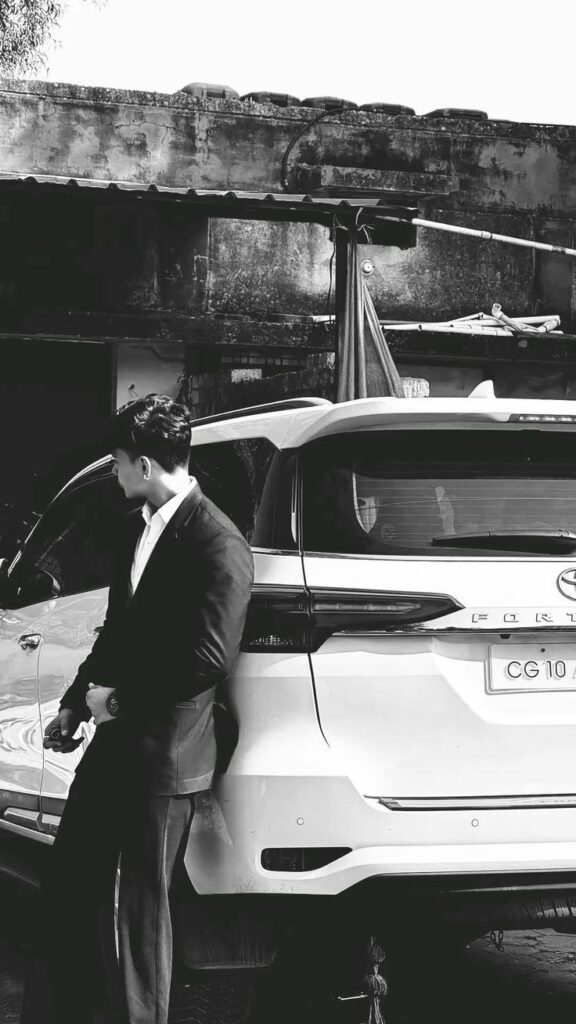
Ultra-realistic DSLR portrait of a stylish young Indian man in a black formal suit and white shirt, leaning against the rear of a white Toyota Fortuner Legender, holding a car key, looking away from the camera with a confident pose. Natural daylight, old rustic house background, cinematic composition, shallow depth of field, realistic skin texture, HDR, 85mm lens, RAW photo, ultra-detailed, photorealistic, 8K.


Ultra-Realistic Identity-Preserved Protest Photo Edit AI Prompt

How to Use This AI Protest Photo Editing Prompt

1. Upload Both ImagesBefore using the prompt, upload two images:- A clear front-facing photo of the person’s face (identity reference).- The original protest image that you want to edit (base image)

.2. Keep the Prompt UnchangedCopy and paste the complete prompt exactly as written. Avoid removing important instructions because every line helps the AI preserve identity, clothing, and the overall scene accurately.

3. Use an AI Image Editing ToolThis prompt is designed for AI image editing models that support reference images. Upload the face photo as the identity reference and the protest photo as the image to edit, then paste the prompt into the text box.

4. Identity PreservationThe prompt instructs the AI to keep the person’s face exactly the same as the uploaded reference image. It requests preservation of facial structure, hairstyle, skin tone, expression, and other unique features to minimize unwanted changes

.5. Preserve the Original SceneThe prompt also tells the AI not to modify the clothing, body posture, camera angle, background, lighting, rain, police barricades, crowd, or other visual elements. This helps maintain the original composition while updating only the intended face.

6. Best ResultsFor the most realistic output, use:- A high-resolution face photo.- A sharp, high-quality protest image.- Good lighting in the reference face image.- A face that is clearly visible without heavy filters or obstructions.

7. Review the Final ImageAfter generation, carefully check whether the facial identity, expression, clothing, and background have been preserved as intended. If needed, regenerate the image with the same prompt for improved consistency.

8. Use ResponsiblyWhen creating or sharing edited images of real people, make sure you have appropriate permission and avoid using them in ways that could mislead, impersonate, or falsely represent real events or individuals. Responsible use helps protect privacy and maintains trust in AI-generated content.

✦ AI PROMPT

Use the uploaded face image as the primary identity reference and the uploaded protest image as the base image for editing.

The uploaded protest image is the base image for this edit. Preserve everything from it exactly unless specifically instructed otherwise.

Preserve the girl's facial identity with maximum accuracy. The final face must look exactly like the uploaded face reference. Do not change her facial structure, eye shape, eyebrows, eyelashes, nose, lips, jawline, forehead, ears, hairstyle, hairline, skin tone, facial proportions, or any unique facial features. No beautification, no stylization, no face-swapping artifacts, no AI-generated facial changes, and no identity modifications. The girl must remain instantly recognizable.

Keep the clothing exactly the same as shown in the uploaded protest image. Do not change the outfit, colors, fabric, texture, folds, fit, sleeves, accessories, shoes, or any clothing details.

Keep the body exactly the same, including height, physique, posture, pose, hand placement, arm position, leg position, and body proportions.

Preserve the original facial expression, teary eyes, sadness, emotional expression, and peaceful demeanor exactly as shown in the protest image.

Do not change the camera angle, framing, perspective, focal length, crop, composition, subject placement, police position, barricade position, crowd placement, background depth, lighting direction, weather, road reflections, rain, or overall scene layout.

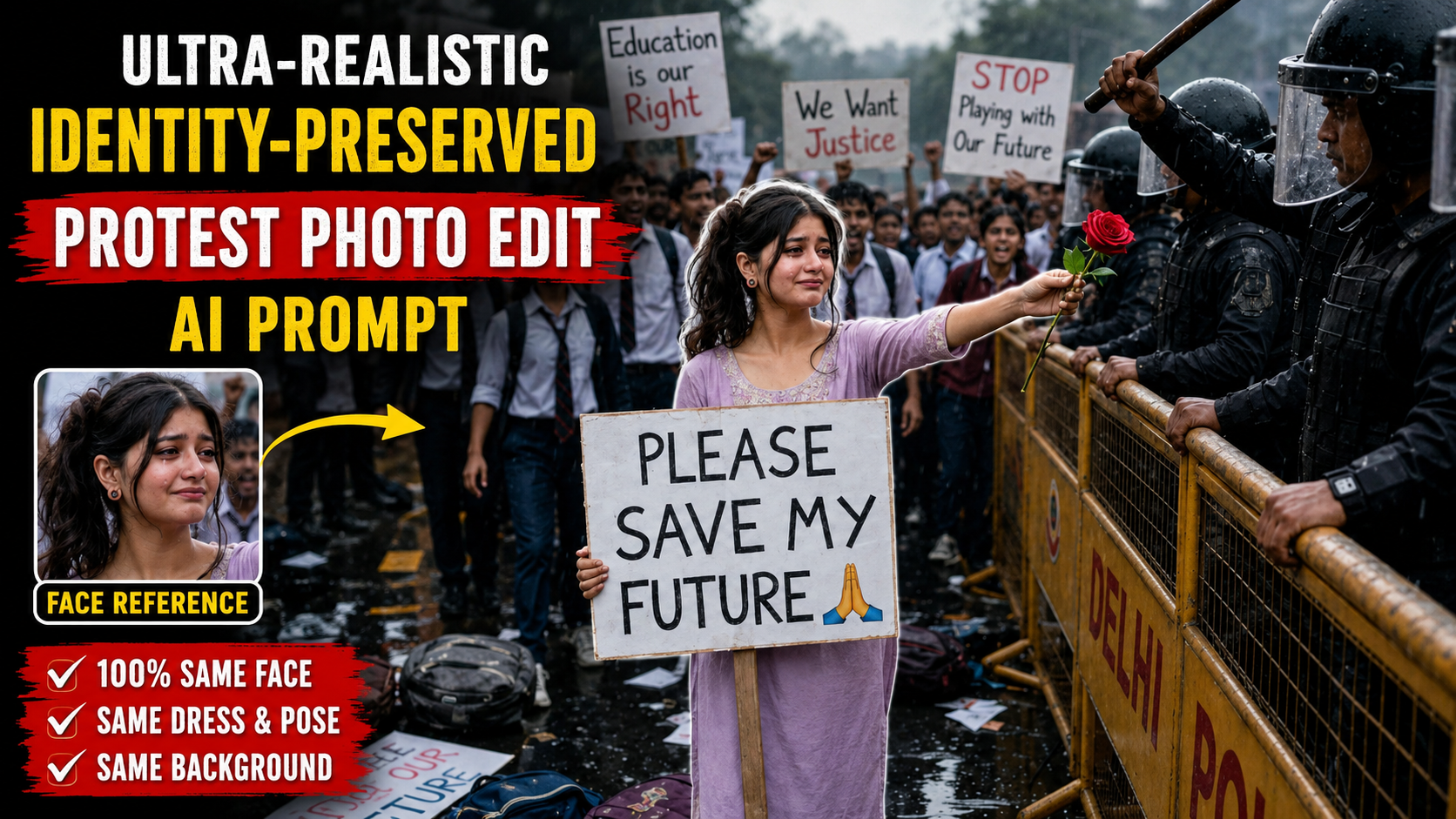
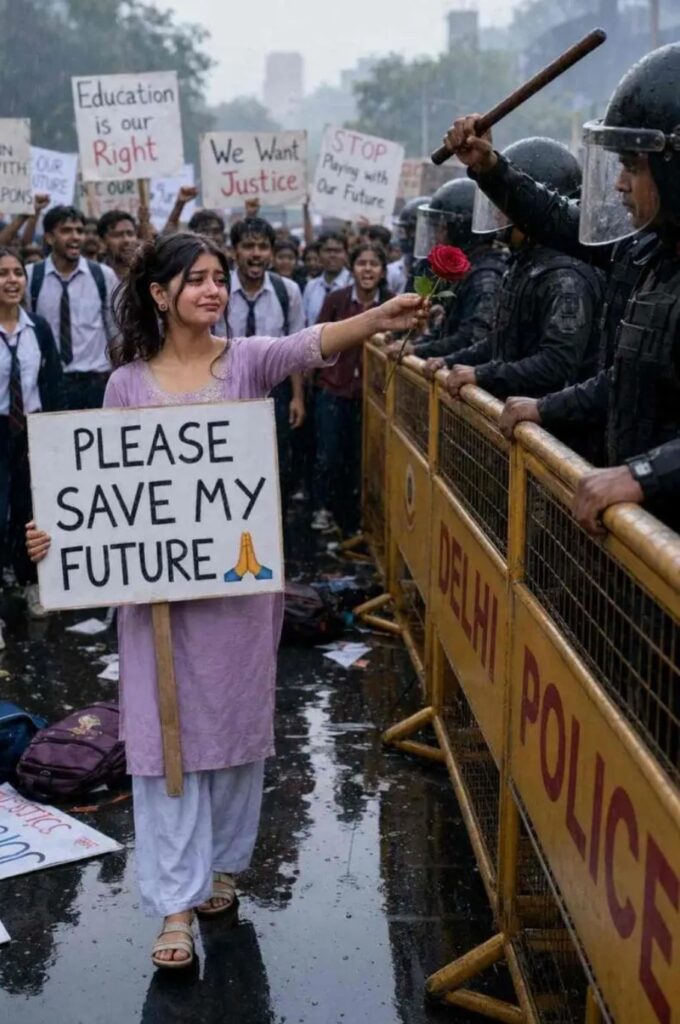
Keep every background element exactly the same, including the DELHI POLICE barricades, riot police officer, raised lathi, crowd of students, protest signs, wet road, scattered backpacks, placards, overcast sky, and soft rain.

The protest board must remain exactly the same with the text:

"PLEASE SAVE MY FUTURE "

Create a seamless, photorealistic edit that looks like an authentic camera photograph, with realistic skin texture, realistic fabric details, natural colors, documentary photojournalism style, cinematic lighting, HDR, shallow depth of field, ultra-sharp focus, professional color grading, and 8K quality.

Priority:

1. Preserve the girl's facial identity exactly from the uploaded face image.


2. Preserve the clothing exactly as shown in the uploaded protest image.


3. Preserve the entire composition, pose, camera angle, background, and atmosphere of the uploaded protest image.


4. Produce a realistic edited photograph with no visible AI artifacts or identity changes.


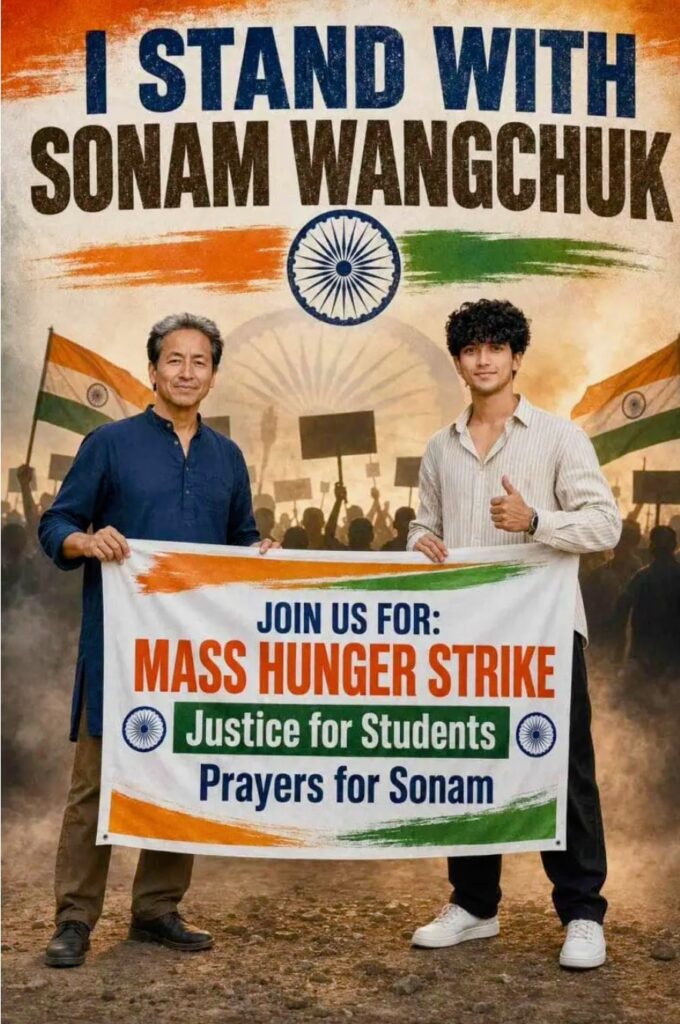
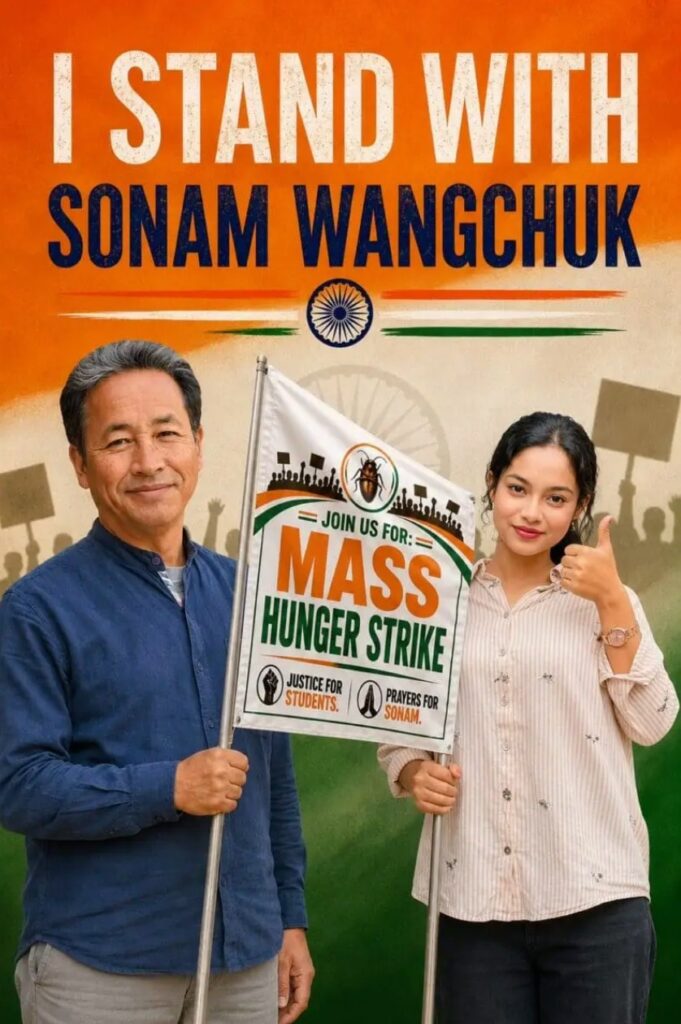
I Stand With Sonam Wangchuk” Patriotic Protest Poster

How to Use This Premium AI Protest Poster Prompt (Step-by-Step Guide)

If you want to create a premium ultra-realistic protest poster using the prompt above, follow these steps carefully for the best possible results.

1. Choose the Right AI Image GeneratorUse an advanced AI image generator such as ChatGPT Images, Midjourney, Google Imagen, Flux, or another model that supports detailed prompts. These models can produce highly realistic and high-quality poster designs.

2. Copy the Complete PromptCopy the entire prompt exactly as written. Every line contains important instructions about the subjects, clothing, background, lighting, typography, and overall composition. Avoid deleting any details unless you want to customize the design

3. Replace the Character (Optional)If you want the poster to feature yourself or another person, upload a reference photo (if supported) and replace the description of the young man while keeping the rest of the prompt unchanged for consistent results.

4. Select the Correct Aspect RatioChoose a 2:3 vertical aspect ratio. This format is ideal for posters and works well on Instagram, Facebook, Pinterest, and print media.

5. Use the Negative PromptAlways include the negative prompt. It helps reduce common AI mistakes such as blurry faces, distorted hands, text errors, extra fingers, poor lighting, and low-quality rendering.

6. Generate Multiple VersionsCreate at least 3–5 variations. AI image generators often produce different layouts, expressions, and lighting, allowing you to choose the best result

.7. Improve the Final ImageIf needed, use an upscale or enhancement feature to increase resolution, sharpen details, and improve textures before downloading or sharing.

8. Check the Final OutputBefore using the image, carefully review the text, faces, colors, hands, and flag elements. If anything looks incorrect, edit the prompt slightly and regenerate the image for a cleaner and more professional result.

Following these steps will help you achieve a premium-quality, ultra-realistic poster with better composition, sharper details, and a polished final appearance.

✦ AI PROMPT

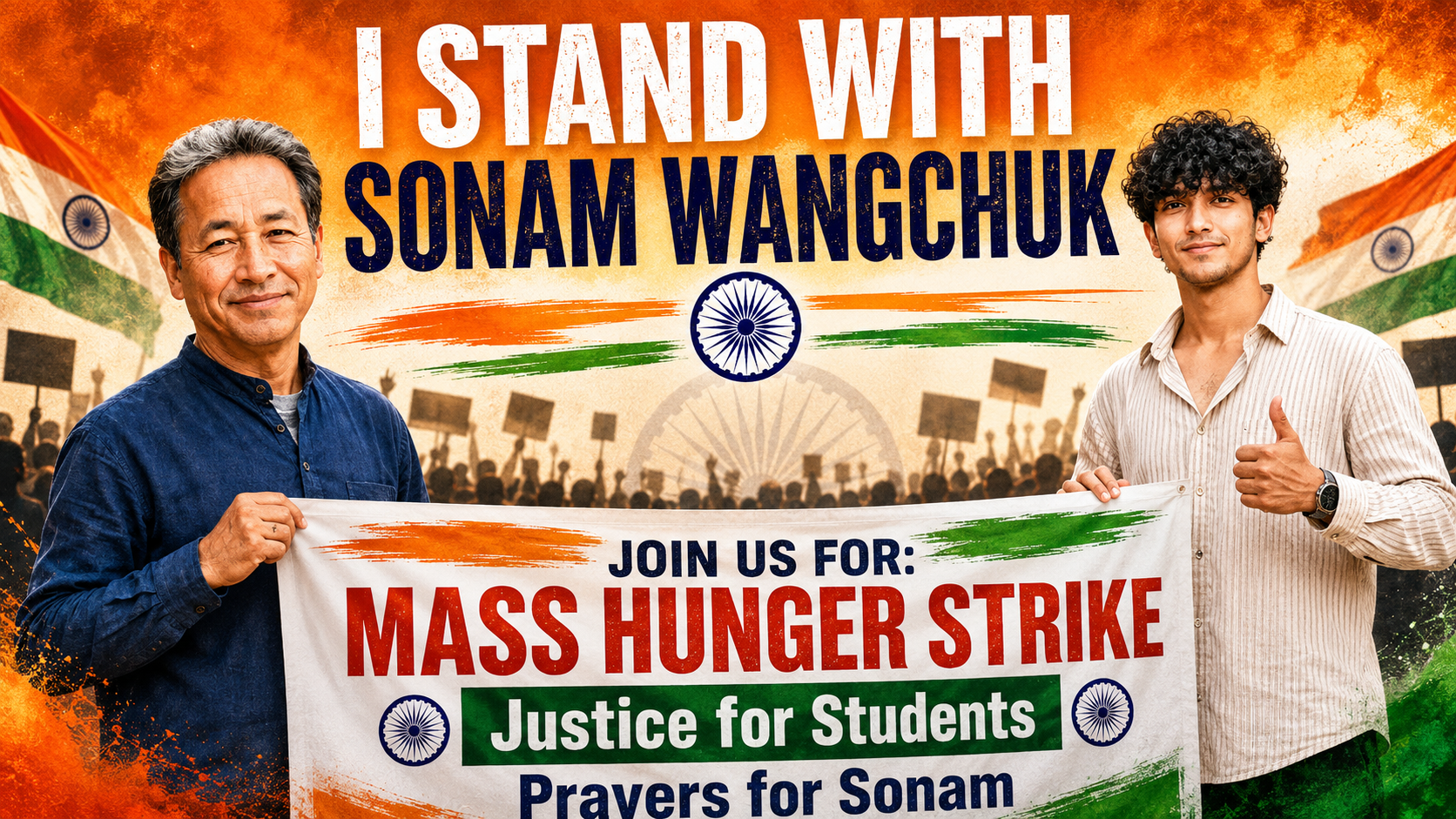
Create a premium ultra-realistic 2:3 vertical protest poster featuring Sonam Wangchuk standing confidently on the left wearing a navy blue kurta and smiling calmly. On the right, a young Indian man with a handsome natural face, neatly styled short black hair, light stubble, medium wheatish skin tone, wearing a cream striped oversized shirt, black pants, and clean white sneakers, gives a thumbs-up while smiling confidently at the camera. Both are holding a large protest banner together.

At the top, add bold distressed typography reading:

"I STAND WITH SONAM WANGCHUK"

in large uppercase letters.

Use an Indian tricolor (saffron, white, and green) themed background with a textured patriotic design. Place the Ashoka Chakra below the title with saffron and green brush strokes extending horizontally.

The protest banner should be white with Indian tricolor accents and contain bold, clean typography:

JOIN US FOR: MASS HUNGER STRIKE
Justice for Students
Prayers for Sonam

Include silhouettes of peaceful protesters holding placards in the background with a subtle faded Ashoka Chakra behind them. Add realistic Indian flag textures, patriotic smoke effects, cinematic volumetric lighting, premium HDR color grading, realistic skin textures, ultra-sharp focus, vibrant colors, high contrast, ultra-detailed 8K quality, professional political campaign poster design, clean composition, inspirational patriotic atmosphere, modern social media poster aesthetic, realistic shadows, premium depth of field, magazine-quality finishing.

Negative Prompt:
Blurry, low resolution, distorted faces, extra fingers, bad anatomy, cropped body, duplicated people, text glitches, watermark, logo, oversaturated colors, unrealistic lighting, low-quality rendering, artifacts, deformed hands, cartoon style, CGI look, plastic skin, noisy image, motion blur, poor typography, incorrect flag colors.


✦ AI PROMPT

Create a premium ultra-realistic 2:3 vertical protest poster featuring Sonam Wangchuk standing confidently on the left wearing a navy blue kurta and smiling calmly. On the right, a young Indian woman with a naturally face, tied-back black hair, minimal makeup, wearing a cream striped oversized shirt and black pants, gives a thumbs-up while smiling at the camera. Both are holding a large protest banner together.
At the top, add bold distressed typography reading "I STAND WITH SONAM WANGCHUK" in large uppercase letters. Use an Indian tricolor (saffron, white, and green) themed background with a textured patriotic design. Place the Ashoka Chakra below the title with saffron and green brush strokes extending horizontally.
The protest banner should be white with Indian tricolor accents and contain bold text:
JOIN US FOR: MASS HUNGER STRIKE
Justice for Students
Prayers for Sonam
Include silhouettes of peaceful protesters holding placards in the background with a subtle faded Ashoka Chakra behind them. Add a premium cinematic lighting effect, realistic skin textures, sharp focus, vibrant colors, high contrast, HDR quality, ultra-detailed 8K resolution, professional political campaign poster design, clean composition, inspirational patriotic atmosphere, realistic flag textures, and a modern social media poster aesthetic.
Negative Prompt: Blurry, low resolution, distorted faces, extra fingers, bad anatomy, cropped body, duplicated people, text glitches, watermark, logo, oversaturated colors, unrealistic lighting, low-quality rendering, artifacts, deformed hands, cartoon style.


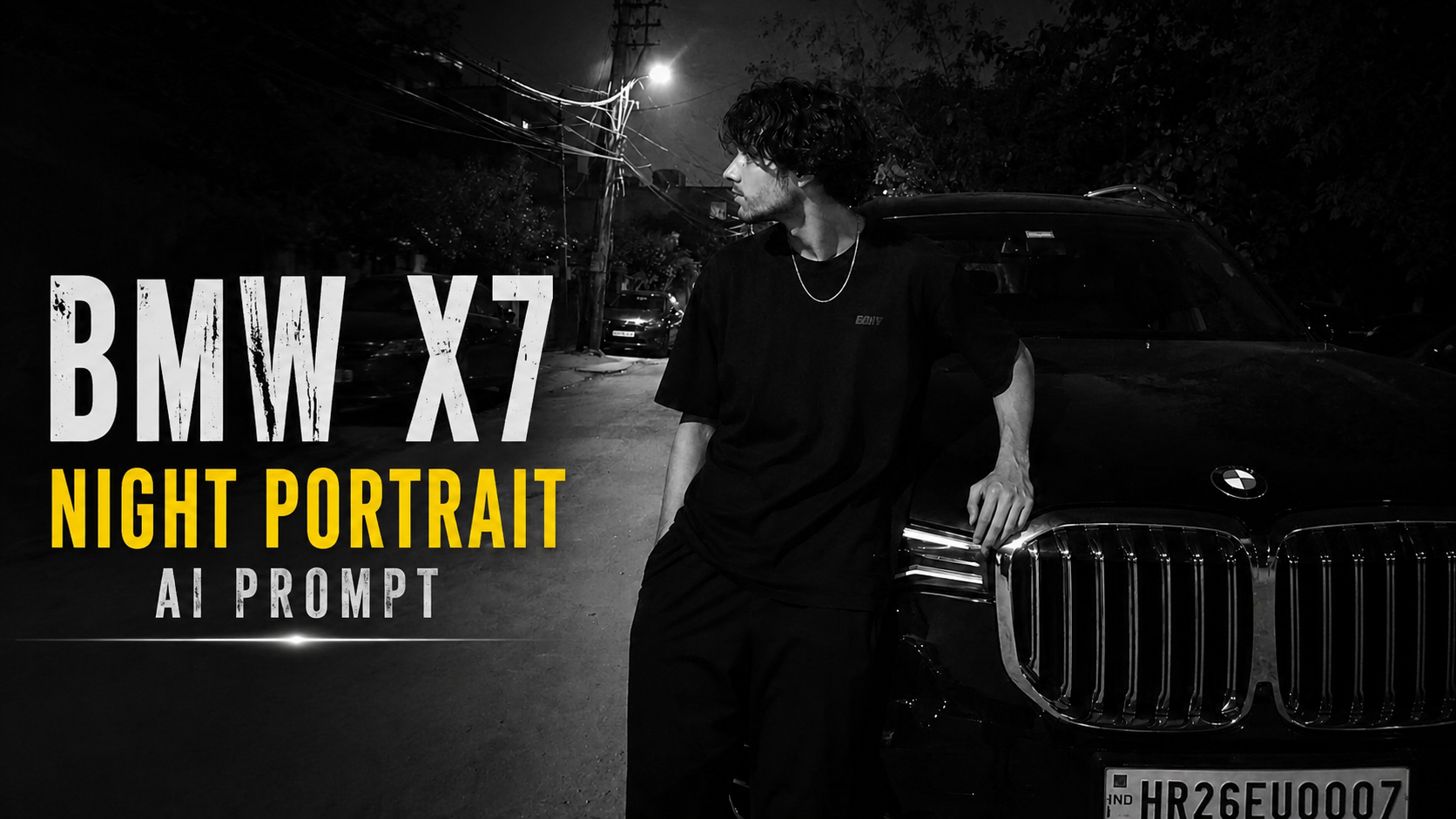
Ultra-Realistic BMW X7 Night Portrait AI Prompt

AI Prompt Ko Kaise Use Kare – Step by Step Guide

1. Reference Photo Upload KareSabse pehle apni ek clear reference photo upload kare. Ye photo hi AI ke liye identity reference hogi. Is prompt me Face Lock aur Identity Lock enable hai, isliye AI aapke facial features, hairstyle, skin tone aur overall look ko preserve karne ki koshish karega.

2. Prompt Ko Copy-Paste KarePura prompt bina kisi line ko delete kiye AI image generator me paste kare. Prompt jitna complete hoga, utna hi accurate result milne ke chances badhenge.

3. Image Generator Select KareIs prompt ko ChatGPT Image Generation, Gemini, Grok, Flux, Midjourney (required adjustments ke saath), ya kisi bhi advanced AI image generator me use kiya ja sakta hai jo reference image support karta ho.

4. Reference Image Zarur Add KarePrompt tabhi sahi kaam karega jab reference image upload ki jayegi. Sirf prompt use karne se exact face preserve nahi hoga.

5. Prompt Me Zarurat Ho To Edit KareAgar aap BMW ki jagah koi aur car, ya black outfit ki jagah dusre kapde chahte hain, to sirf un lines ko change kare. Identity preservation wali lines ko na badlein

.6. Aspect Ratio Check KarePrompt me 9:16 vertical frame diya gaya hai. Image generate karte waqt bhi 9:16 ratio hi select kare taaki composition same rahe.

7. Best Result Ke Liye Retry KareAgar pehli image perfect na aaye, to same prompt ke saath 2–3 baar regenerate kare. AI har generation me thoda different output deta hai.

8. Final Output Verify KareImage generate hone ke baad face, hairstyle, pose, lighting, background aur overall composition ko reference image se compare kare. Agar koi difference ho to prompt me chhote changes karke dobara generate kare.

In steps ko follow karke aap is prompt se bahut realistic, natural aur high-quality AI images generate kar sakte hain, jahan identity aur overall look reference image ke kaafi close rehte hain.

✦ AI PROMPT

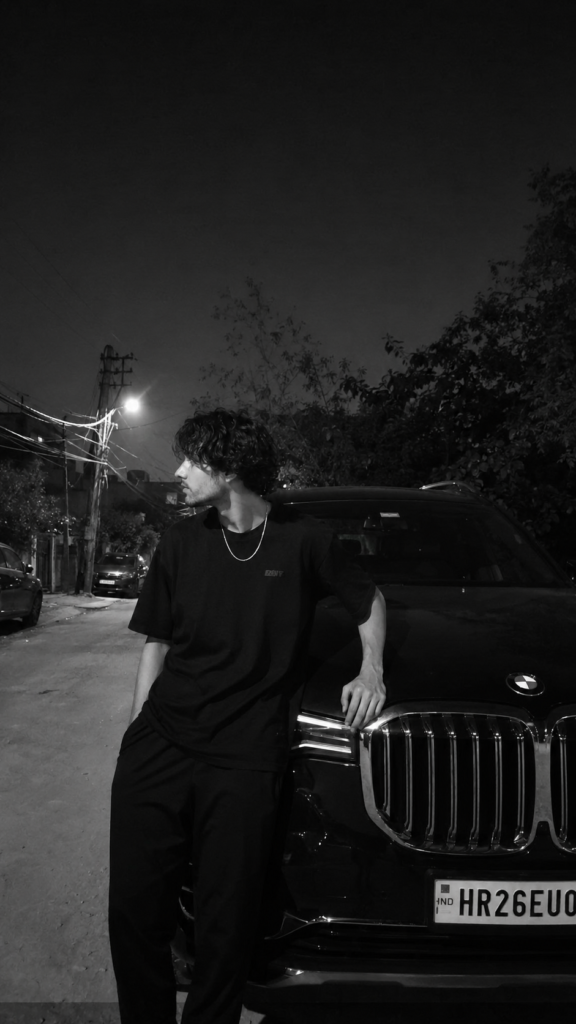
IMPORTANT: Use the uploaded reference image as the ONLY identity reference. Face Lock ON. Identity Lock ON. Preserve the person's face, hairstyle, skin tone, facial structure, jawline, body proportions, posture, and overall identity 100% exactly as in the reference image. Do NOT beautify, redesign, smooth skin, change facial features, or make the face look AI-generated. Keep the same natural expression and head angle. The face must remain approximately 40% visible from the side, exactly like the reference. Do not turn the face toward the camera.
Create an ultra-realistic candid Android smartphone night photo, not DSLR, not iPhone, not cinematic, not HDR. The image must look like it was casually captured by a friend using a normal mid-range Android phone. Keep slight softness, natural digital noise, realistic low-light grain, minor motion softness, authentic smartphone processing, and imperfect exposure. Do NOT sharpen or clean the image.
Apply a high-contrast black-and-white monochrome filter exactly like the reference. Keep the same moody aesthetic with deep blacks, soft glowing highlights around lights, natural shadow falloff, and realistic contrast. Do not convert it into a clean studio black-and-white image.
The subject is standing beside a black BMW X7 (G07 generation) luxury SUV. The vehicle must be instantly recognizable with its large twin kidney grille, squared LED headlights, tall SUV body, glossy black paint, and premium styling. The car is parked naturally on the roadside exactly like a real-life neighborhood parking area at night. The car should occupy most of the right side of the frame.
The subject wears an oversized plain black T-shirt, loose black pants, and a thin silver chain around the neck. No jacket, no graphics other than a small subtle chest logo. Hands and body position must match the reference exactly:
Left hand resting naturally on the BMW's front grille/headlight area.
Right hand inside the pants pocket.
Body slightly leaning toward the vehicle.
Legs relaxed with a natural stance.
Head turned completely to the left, looking away from the camera.
Face only partially visible (about 40%), matching the reference angle exactly.
The composition is a vertical 9:16 frame. The subject stands slightly left of center while the BMW fills the right side. Leave a large amount of empty dark sky in the upper portion of the frame for the same aesthetic balance.
Background: A realistic Indian residential roadside at night with rough concrete pavement, naturally parked cars in the distance, leafy trees, electric poles, overhead utility wires crossing the road, scattered bushes, and warm white streetlights creating soft light bloom. The environment should resemble a normal neighborhood or village-side residential road, not a city downtown or luxury location. Everything must look naturally lived-in and realistic.
Lighting: Only ambient streetlights illuminate the scene. Soft overhead streetlamp glow creates gentle highlights on the BMW and the subject's shoulders while leaving much of the scene in natural darkness. No flash, no artificial rim light, no cinematic lighting, no neon lighting.
Camera Style: Normal Android smartphone camera, handheld, candid photograph, slightly imperfect framing, realistic perspective, subtle lens softness, authentic mobile compression, natural low-light grain, and realistic black-and-white processing.
Negative Prompt: No AI look, no CGI, no beauty filter, no skin smoothing, no HDR, no DSLR sharpness, no unrealistic reflections, no fake lighting, no extra fingers, no body deformation, no incorrect BMW design, no different car model, no face changes, no hairstyle changes, no clothing changes, no pose changes, no head direction changes, no colorful image, no cinematic color grading, no anime, no illustration, no plastic skin, no unrealistic background, no luxury mansion, no empty road, no futuristic elements. The final image must look exactly like a naturally captured candid Android smartphone night photo with the same black-and-white aesthetic and composition as the reference.


Ultra-Realistic Fisheye Night Street Portrait AI Prompt

Is AI Prompt Ko Kaise Use Kare – Complete Guide

Yeh prompt ek ultra-realistic cinematic portrait generate karne ke liye design kiya gaya hai. Iska sabse important part hai “maintaining strict facial consistency and core facial structure”, jo AI ko instruction deta hai ki upload ki gayi photo ka original face, facial structure aur identity ko preserve rakhe.

Is prompt ko use karne ke liye sabse pehle apni ek clear, high-quality front-facing photo upload karein. Photo mein face clearly visible hona chahiye, achhi lighting honi chahiye aur face par koi object ya shadow nahi honi chahiye. Iske baad is prompt ko apne AI image generator mein paste karein aur reference image ke saath generate button par click karein.

Prompt AI ko batata hai ki subject ko dark city street par fisheye lens perspective mein capture karna hai. Ismein silver retro digital camera, Y2K sunglasses, black streetwear jacket aur red ambient lighting jaise details already define kiye gaye hain. Isliye AI in sab elements ko automatically include karne ki koshish karega, jabki aapka original face same rahega.

Agar aap aur bhi realistic result chahte hain, to AI model mein Image Reference ya Identity Reference feature available ho to uska use zarur karein. Isse face matching aur bhi accurate hoti hai. Best quality ke liye HD ya Ultra Quality mode select karein aur zarurat ho to 2–4 variations generate karke sabse accha result choose karein.

Yeh prompt social media profile pictures, Instagram edits, cinematic portraits aur professional AI photography ke liye bahut useful hai. Agar output pehli baar perfect na aaye, to reference photo ko change karke ya prompt mein chhote adjustments karke dobara generate karein. Ek clear reference image aur sahi AI settings ke saath aap highly detailed, cinematic aur realistic portrait hasil kar sakte hain.

✦ AI PROMPT

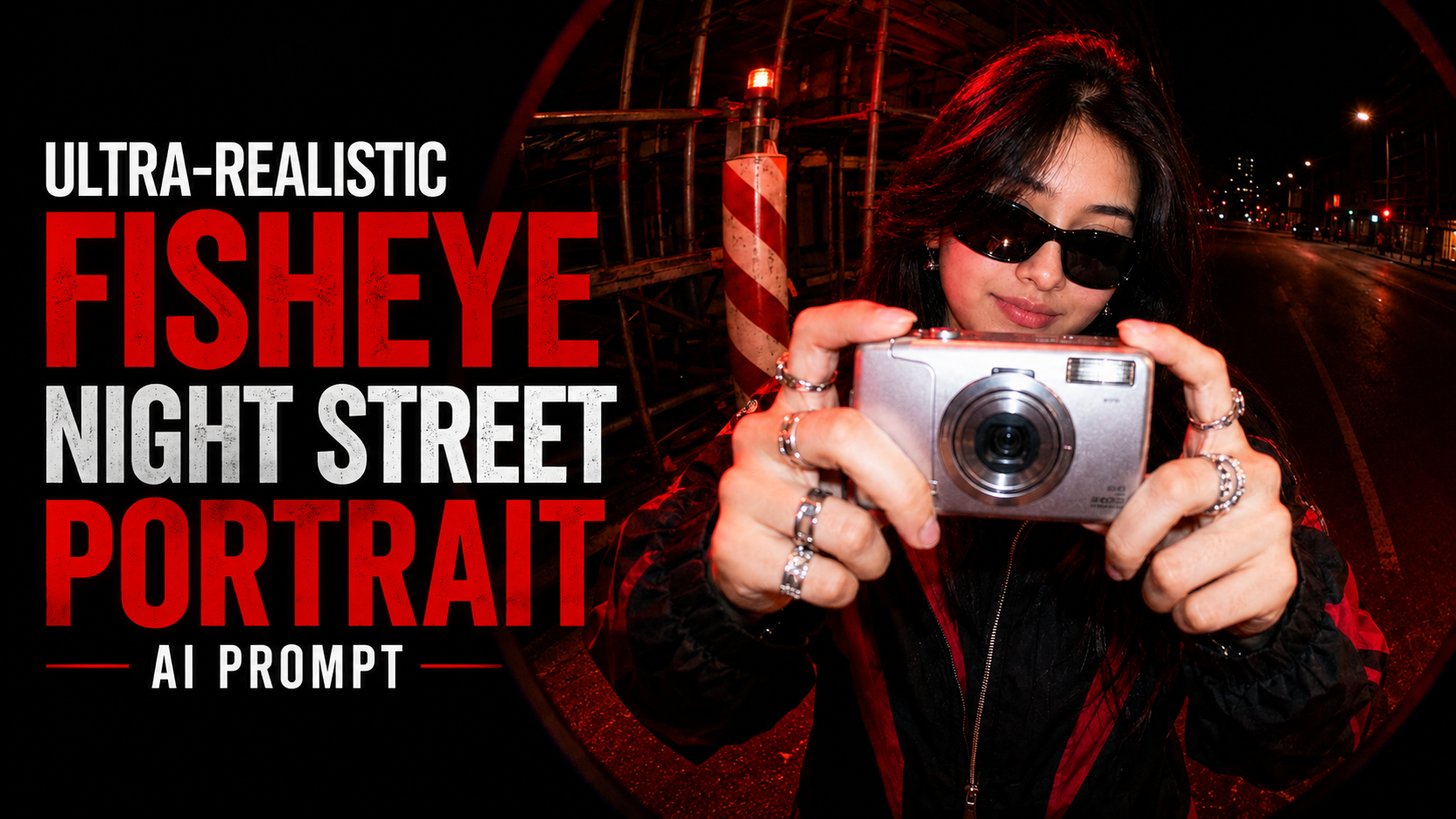
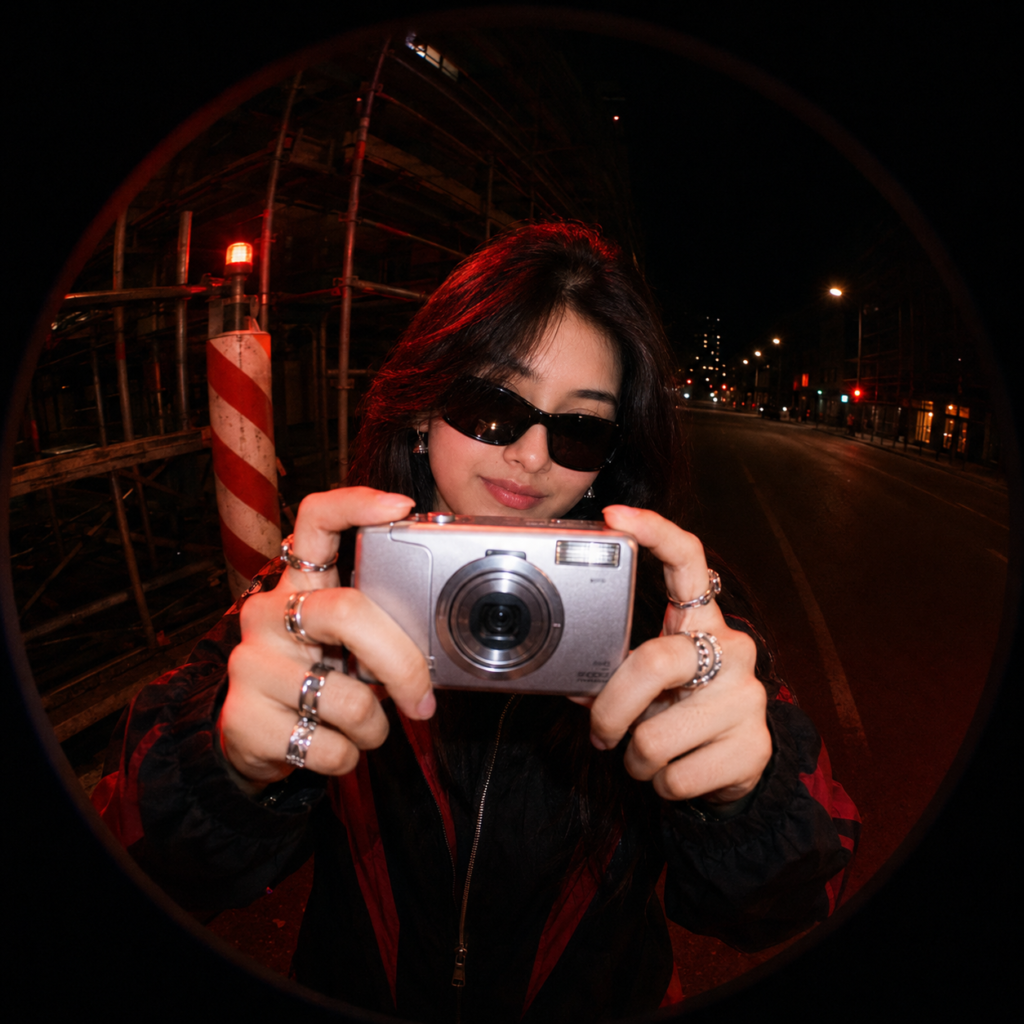
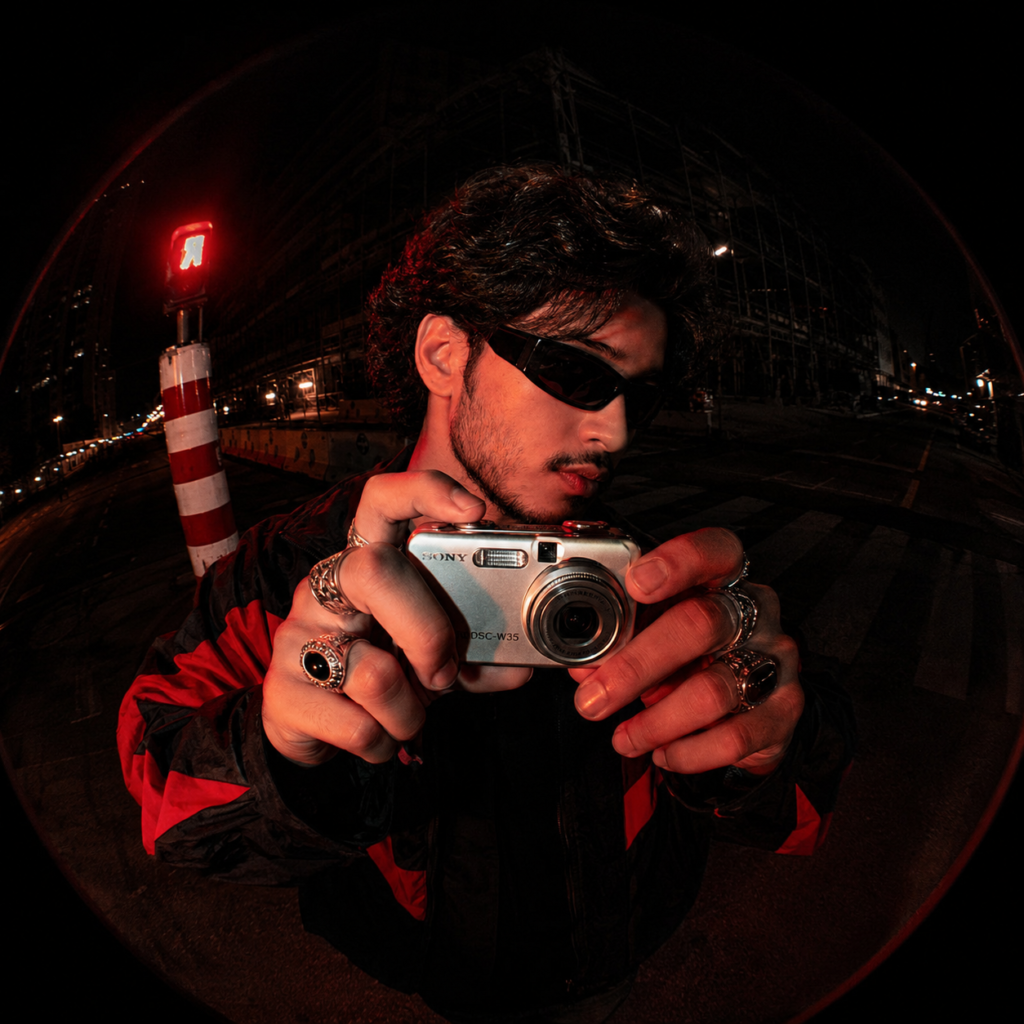
maintaining strict facial consistency and core facial structure. A fisheye lens perspective shot of this woman on a dark city street at night. She is holding a silver retro digital point-and-shoot camera directly toward the lens, appearing to take a picture. She is wearing dark Y2K wraparound sunglasses, chunky silver rings on multiple fingers, and a black streetwear jacket with red accents.
Lighting & Color Grading: Gritty urban night aesthetic, intense red ambient lighting illuminating her face, hands, and the camera, contrasting with deep, desaturated blacks. Harsh flash photography style with cinematic red highlights.
Background: An empty, dimly lit street featuring construction scaffolding, a red warning light, and a prominent red-and-white striped hazard pole on the left. The ultra-wide fisheye distortion creates a distinct circular black vignette framing the entire shot.