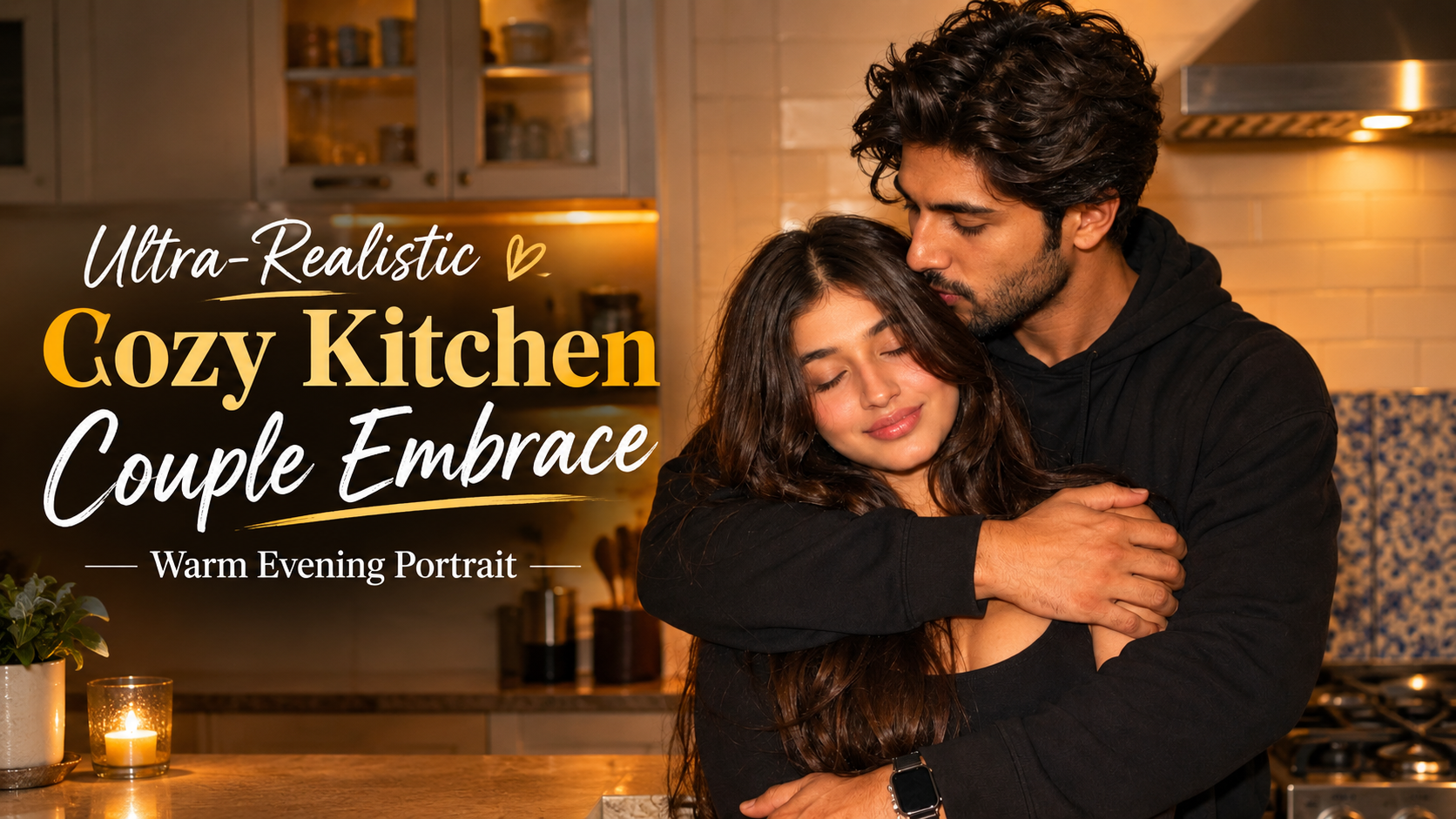
Ultra-Realistic Cozy Kitchen Couple Embrace – Warm Evening Portrait”

✦ AI PROMPT


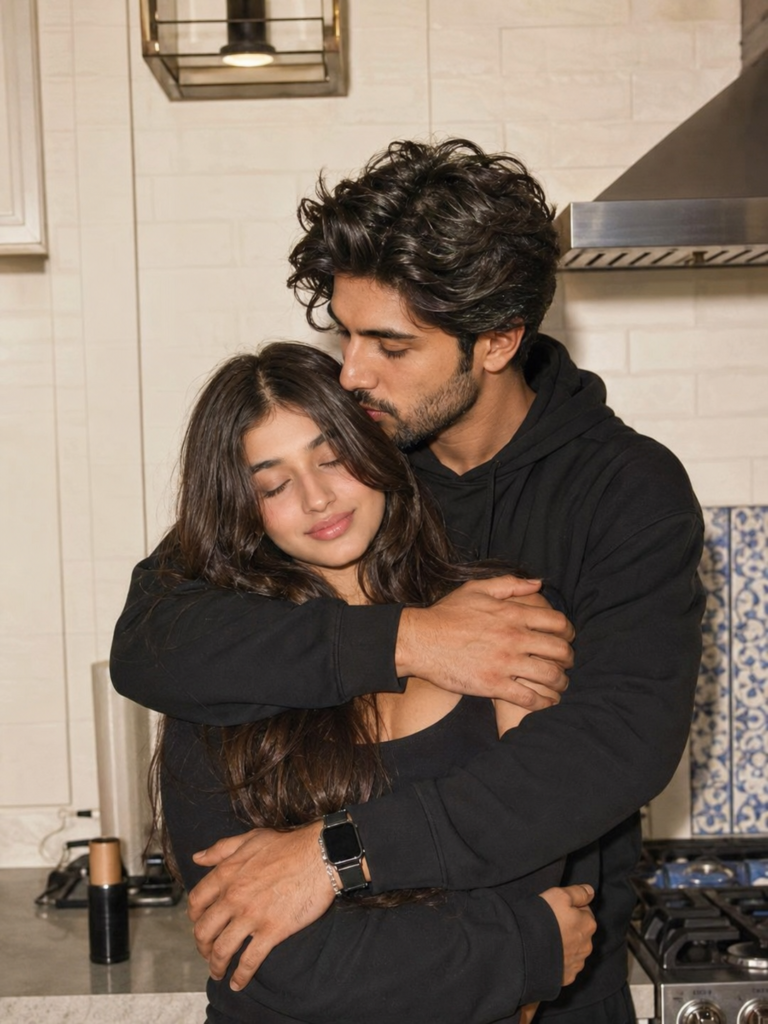
A warm indoor couple portrait set in a modern, cozy kitchen during the evening.


The kitchen has a white tiled wall, a dark range hood, a gas stovetop, a light-colored countertop, white kitchen cabinets, a decorative blue-and-white tile panel, a wall-mounted glass lantern, and a few small kitchen utensils.


There are two young adults in the scene.


The man has thick, tousled, naturally wavy black hair, a medium-warm skin tone, and a short, neatly trimmed beard and mustache. He is wearing a black oversized hoodie with black or very dark trousers. He has a dark smartwatch and a thin metallic bracelet.


He is standing directly behind the woman, wrapping both arms around her in a close embrace. His head is tilted downward toward her hair and face. He has a soft, affectionate, calm expression, with his eyes lowered toward her. He is positioned slightly to the right of the woman in the foreground.


The woman has long, voluminous, wavy brown hair falling over her shoulders and chest, with a light-warm skin tone. She is wearing a black fitted long-sleeve cropped top with black relaxed-fit sweatpants.


She is standing in front of the man within his embrace. Her body is relaxed, her arms are loosely folded across the front, and she is leaning slightly back into him. Her eyes are closed, and she has a peaceful, contented smile.


The photograph uses an eye-level, straight-on perspective with a medium full-body framing. The camera is at a medium-close distance. The couple is sharply in focus while the kitchen background is slightly softened. The composition is vertical, with the couple occupying most of the center of the frame. The man is positioned behind and slightly to the right of the woman, while their intertwined arms create the main visual focal point. The kitchen counter and appliances provide environmental context.


The lighting combines direct smartphone flash with warm indoor ambient lighting. There is a frontal camera flash along with soft overhead illumination. The overall lighting is soft and frontal, with mild hard highlights from the flash. Skin has bright, natural-looking highlights, with subtle shadows around the hair and clothing folds and a gentle warm glow throughout the kitchen.


The color palette is dominated by warm cream and neutral tones, deep blacks, charcoal, and warm brown. Subtle blue accents appear in the decorative kitchen tiles. The neutral cream kitchen contrasts strongly with the coordinated black outfits, while maintaining natural skin tones.


The photographic style is candid smartphone couple photography. The mood is intimate, affectionate, cozy, and peaceful. The image should have high detail, soft warm neutrals, deep blacks, natural skin tones, and slightly lifted highlights.


Post-processing should have subtle smartphone sharpening, a warm white balance, gentle highlight bloom, mild film grain, slightly softened contrast, and an overall natural candid aesthetic.


At the upper center of the image, there are social-media-style graphic overlays consisting of a pink heart emoji, a smiling face with hearts-style emoji, and a heart-hands emoji.https://indicatemeant.com/31/ae/d8/31aed8db7f5051104cbaa2abface4cee.js

Prompt:
      

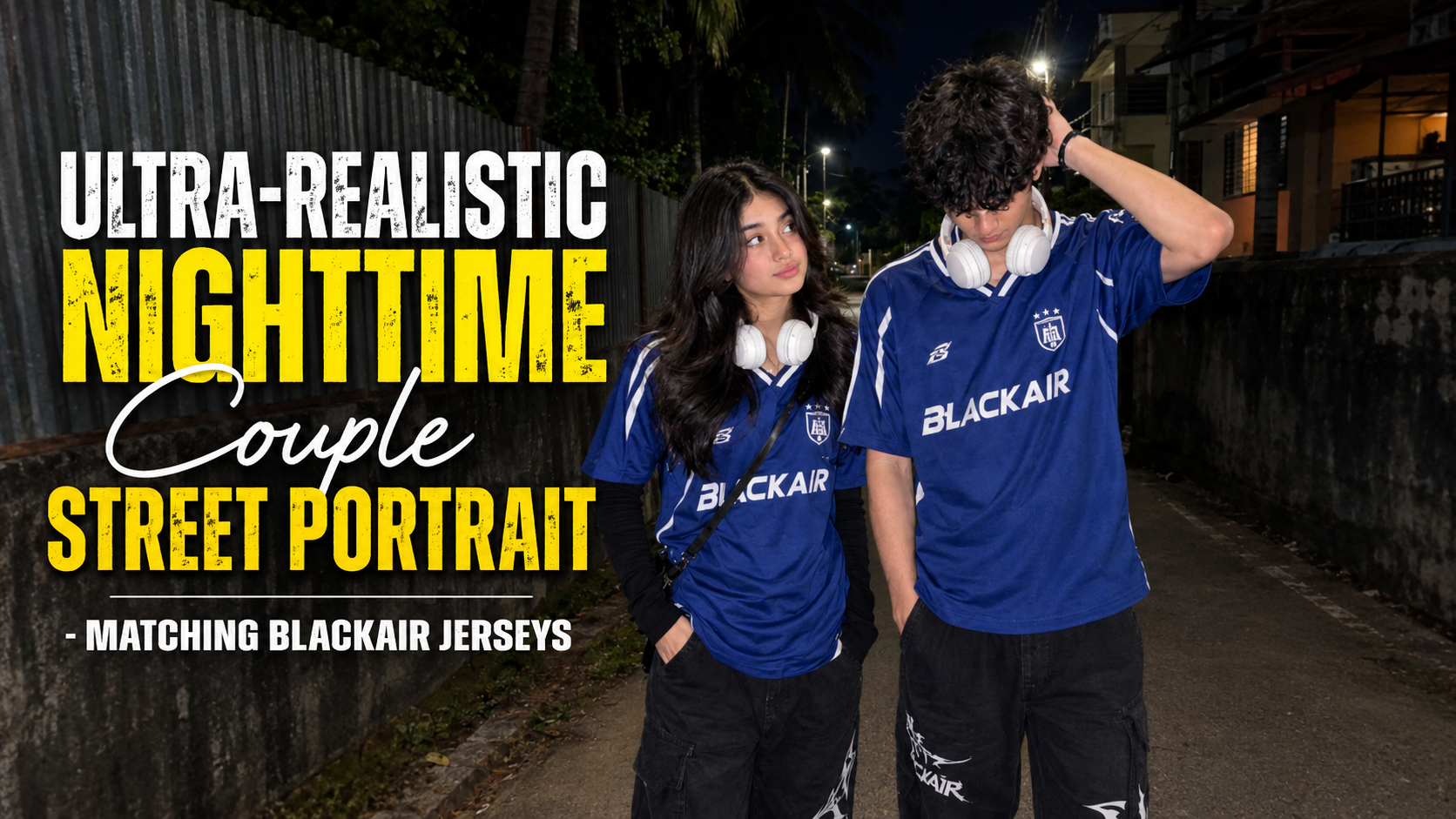
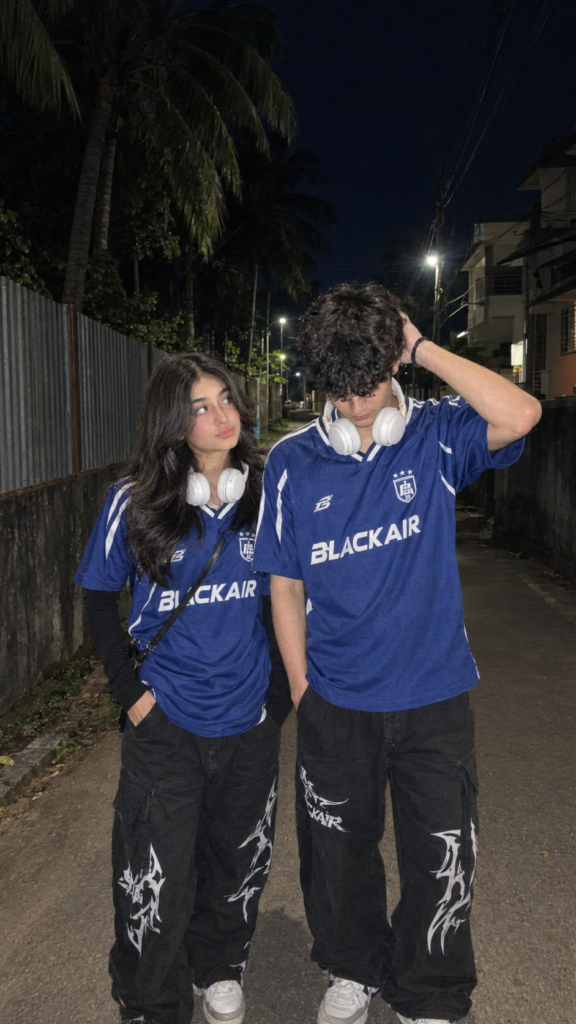
Ultra-Realistic Nighttime Couple Street Portrait – Matching BLACKAIR Jerseys

✦ AI PROMPT


Sure. Use this prompt with the uploaded image as the reference image for both faces:

> Create an ultra-realistic recreation of the reference image. Preserve the facial identity of both people from the reference image as accurately as possible — strict face lock, same facial structure, eyes, nose, lips, skin tone, hairstyle, and natural proportions.


A realistic candid nighttime street photograph of a young couple standing closely together on a narrow residential road. The girl is standing on the left, slightly turned toward the boy and looking at him with a soft, shy expression. She has long straight dark hair falling naturally over her shoulders and wears a blue oversized BLACKAIR football/soccer jersey with white detailing, a black long-sleeve layer underneath, loose black baggy pants with large white graphic prints, and white over-ear headphones resting around her neck. A thin black crossbody bag strap runs diagonally across her torso. Her left hand is casually near her pants pocket.

The boy is standing on the right, slightly taller, wearing the same matching blue BLACKAIR football jersey, loose black baggy pants with large white graphics, and white over-ear headphones around his neck. His head is tilted downward with his dark hair partially covering his face. His right hand is raised to the back/top of his hair, casually adjusting it, while his other hand rests inside his pants pocket. Keep his pose and body proportions exactly like the reference.

Environment: quiet narrow residential street at night, corrugated metal fencing and dark walls on the left, houses/buildings on the right, tall tropical palm trees behind them, overhead electrical wires, distant streetlights. Deep dark blue-black night sky.

Lighting: direct camera flash illuminating the couple, realistic skin highlights, subtle shadows, slightly moody cinematic nighttime atmosphere, natural flash falloff, detailed fabric texture, realistic hair strands and skin texture.

Composition: vertical 9:16 portrait, full-body framing, couple centered, girl on the left and boy on the right, camera positioned approximately at chest/eye level, natural candid smartphone photography, slight wide-angle perspective.

Style: photorealistic, high detail, realistic smartphone camera quality, natural anatomy, authentic street photography, no artificial beauty filter, no excessive HDR, no cartoon/anime appearance.

IMPORTANT: Use the uploaded reference image to preserve both faces and identities. Do not change their facial features or make them look like different people. Maintain the same clothing, colors, poses, proportions, background, camera angle, framing, lighting, and overall mood as the reference image.
Prompt:
      

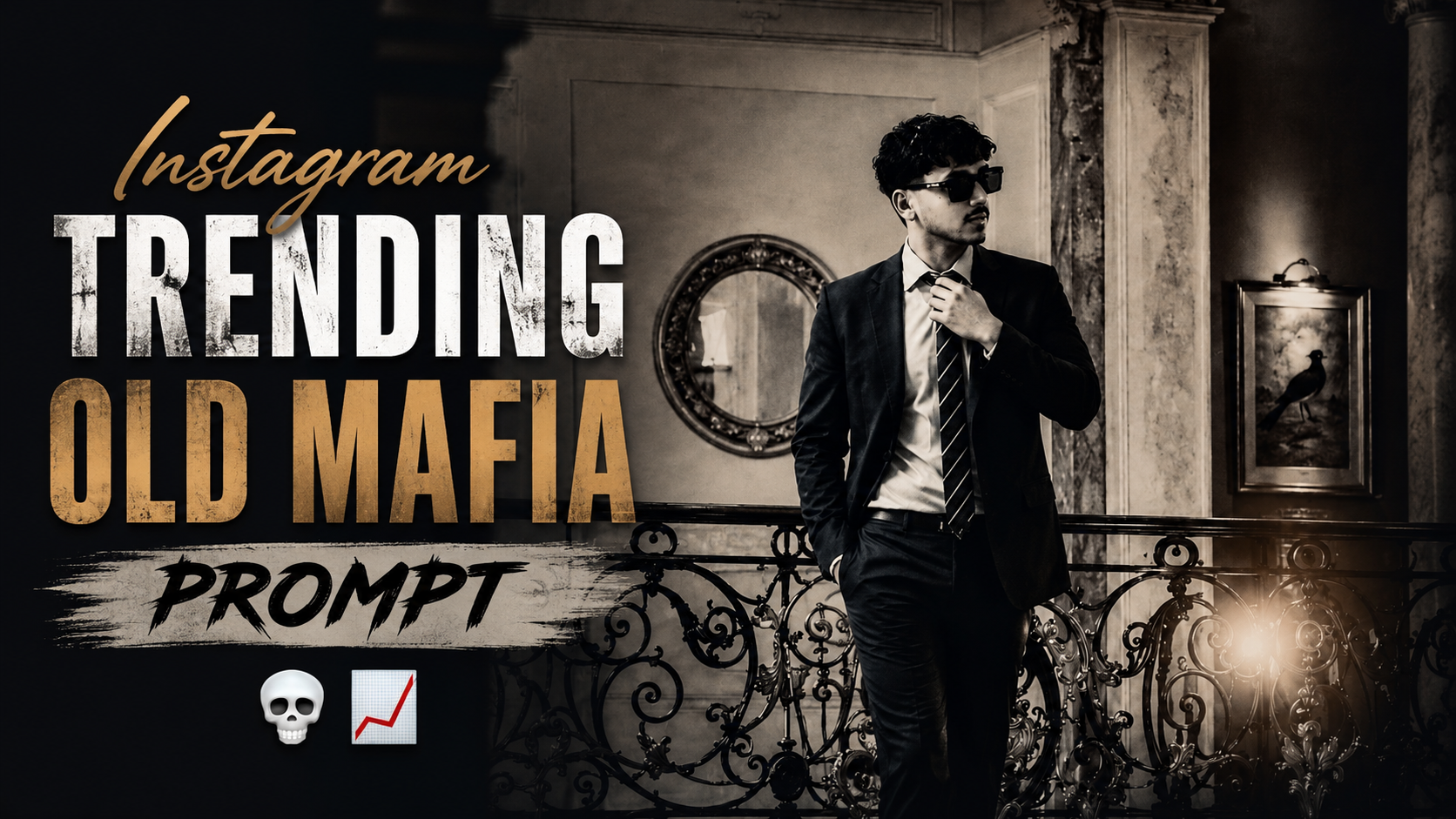
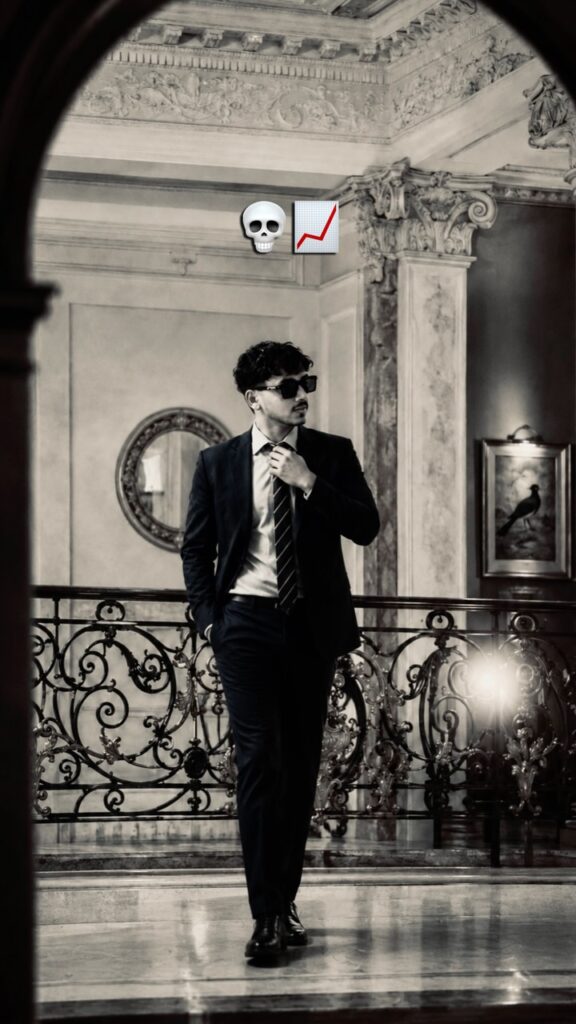
Trending Old Mafia Prompt

1. Pehle apni face-reference image upload karo — agar kisi specific person ka face chahiye, reference image ko primary identity reference rakho.

2. Pura prompt ek saath paste karo — prompt ke dono paragraphs ko combine karke use karna better hai, kyunki dono mein similar instructions repeat ho rahi hain.

3. “the man in reference” ko maintain karo — isse generator ko samajh aayega ki face/body reference image se lena hai.

4. Aspect ratio 9:16 rakho — portrait/vertical image ke liye.

5. Camera framing ko exactly follow karvao — distant shot, slightly low angle, aur head se shoes tak pura body visible ho; head ya feet crop na hon

.6. Pose ko clearly prioritize karo — man balcony railing par ho aur ek haath tie adjust kar raha ho.

7. Clothing details preserve karo — navy-blue suit coat, light-blue shirt aur loosely tied striped necktie.

8. Background ko prompt ke according rakho — ornate palace-style interior, decorative ceiling, pillars, gilded railing, round mirror aur bird painting.

9. Lighting aur color palette ko preserve karo — warm golden/amber lighting, soft shadows, lens flare, gentle grain aur diye gaye HEX colors ko overall palette ke liye use karo.

10. Final instruction zaroor add karo: “Photorealistic, natural anatomy, realistic face, realistic hands, no extra people, no cropped body parts, no text, no watermark.” Isse unwanted elements kam honge.

✦ AI PROMPT


A distant, slightly low-angle photograph, his full head and body clearly visible with comfortable headroom above him and around his feet, nothing cropped: a young adult man of Mediterranean or Middle Eastern descent, late 20s to early 30s, one hand adjusting his tie, at a balcony railing in an ornate interior space. He wears a navy blue suit coat, light blue shirt, loosely tied striped necktie. Dark wavy hair, striking model-like facial features. A warm lens flare blooms off the gilded ironwork. Ornate interior with decorative stucco ceilings, pillars with ornate capitals, intricate gilded ironwork on the railing. Background has a round wall mirror and a framed painting of a bird, warm artificial interior lighting casting golden amber glow, softened shadows. Palette of cream, gold, rich blues, dark wrought iron, restricted to: #a46f46, #ae784d, #97643f, #11130f, #ba8255, #885735, #dc9849, #2a1a0f, #c49165, #d1a478, #3c2b1e, #73472a, #c47938, #5b351d, #eeaf67. Level composition with the railing, shot through a foreground opening creating a sott vignette, rich dittused color, gentle grain, introspective elegant atmosphere.
A distant, slightly low-angle photograph, the man in reference, his full head and body clearly visible with comfortable headroom above him and around his feet, nothing cropped, one hand adjusting his tie, at a balcony railing in an ornate interior space. He wears a navy blue suit coat, light blue shirt, loosely tied striped necktie. A warm lens flare blooms off the gilded ironwork. Ornate interior with decorative stucco ceilings, pillars with ornate capitals, intricate gilded ironwork on the railing. Background has a round wall mirror and a framed painting of a bird, warm artificial interior lighting casting golden amber glow, softened shadows. Palette of cream, gold, rich blues, dark wrought iron, restricted to: #a46f46, #ae784d, #97643f, #11130f, #ba8255, #885735, #dc9849, #2a1a0f, #c49165, #d1a478, #3c2b1e, #73472a, #c47938, #5b351d, #eeaf67. Level composition with the railing, shot through a foreground opening creating a soft vignette, rich diffused color, gentle grain, introspective elegant atmosphere.
Prompt:
      

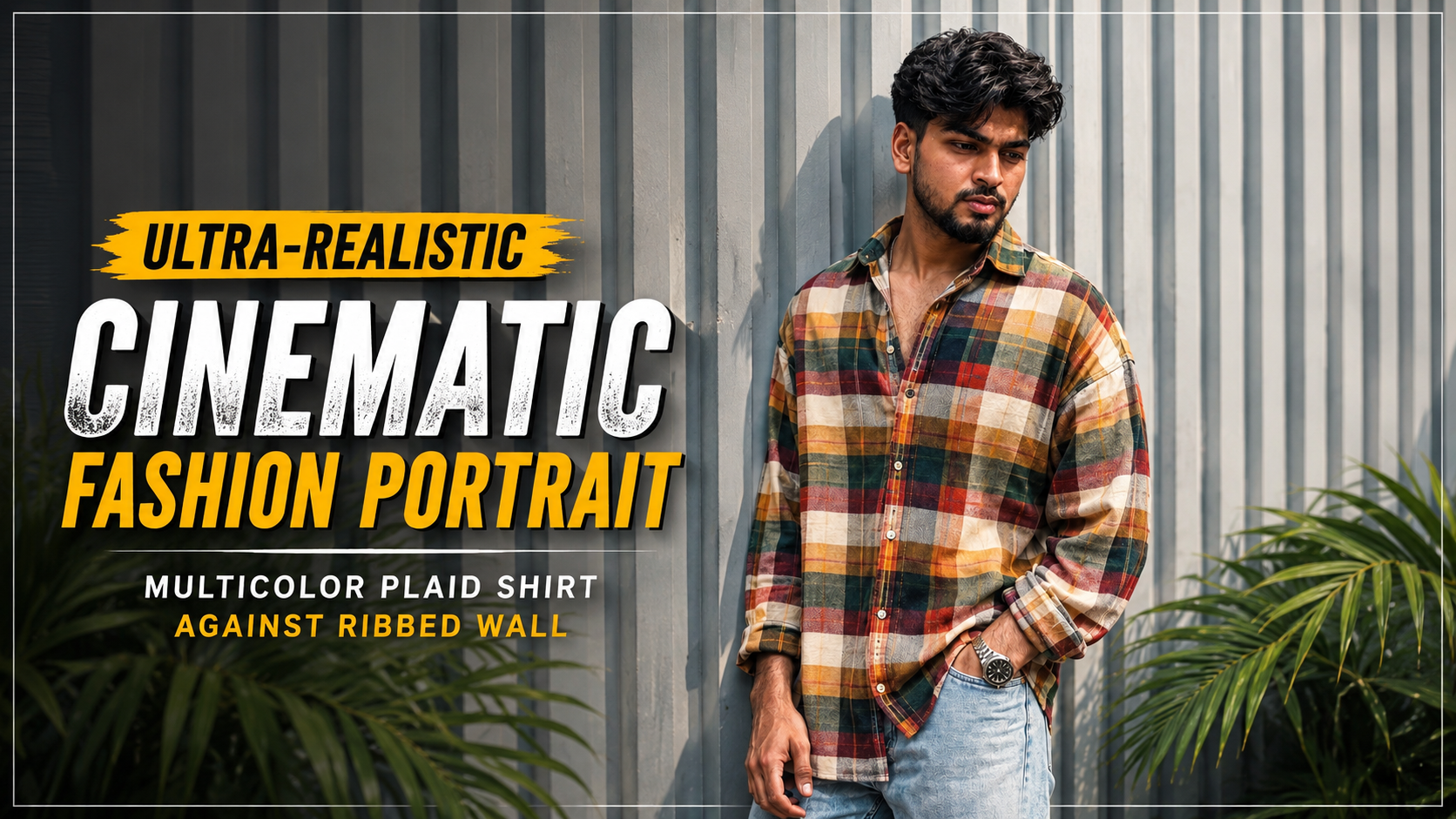
Ultra-Realistic Cinematic Fashion Portrait – Multicolor Plaid Shirt Against Ribbed Wall

How to Use the Ultra-Realistic Cinematic Fashion Portrait Prompt

If you want to create an ultra-realistic cinematic fashion portrait while keeping the subject’s facial identity close to a reference image, this prompt can help you achieve a detailed and professional result. Follow these steps for the best outcome.

1. Upload the Reference ImageStart by uploading a clear, high-quality image of the person you want to recreate. Make sure the face is clearly visible and not heavily blurred or obstructed

.2. Copy the Complete PromptCopy the entire prompt and paste it into your preferred AI image generator that supports reference-image generation or image editing. The prompt contains detailed instructions for the face, hairstyle, outfit, pose, background, lighting, and photography style.

3. Prioritize Facial IdentityThe “Absolute Face Lock” section tells the AI to prioritize the reference image when generating the face. It describes important details such as the face shape, jawline, eyebrows, eyes, nose, lips, beard, hairline, and natural skin texture.

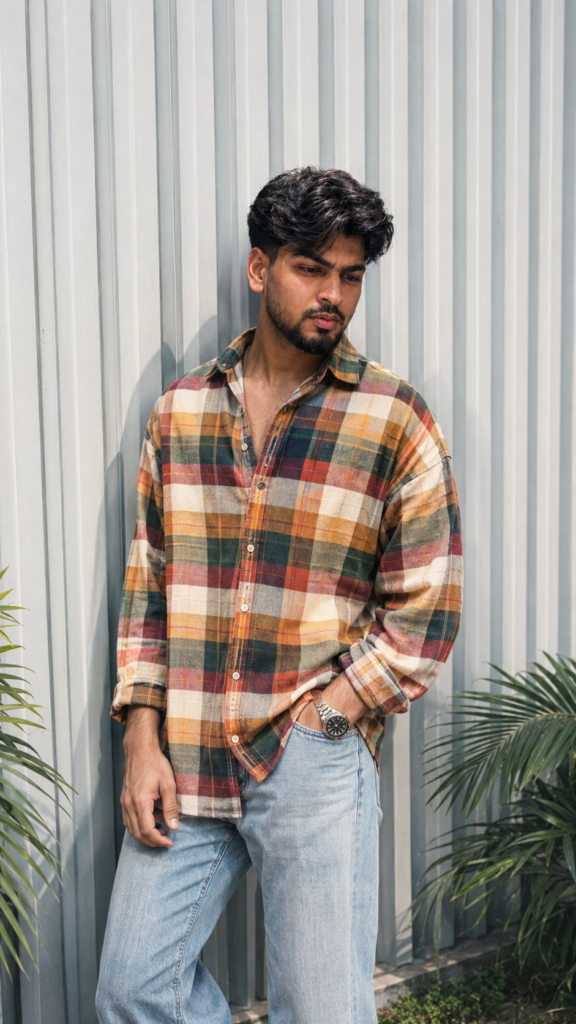
4. Follow the Pose and Outfit DetailsThe subject is designed to stand casually against a modern ribbed metal wall. The oversized multicolor plaid shirt, light-wash jeans, and metallic wristwatch create a stylish and premium fashion-editorial appearance.

5. Maintain the Background and LightingThe pale gray vertical ribbed wall and subtle green tropical leaves create a clean urban environment. Soft natural daylight, gentle shadows, and warm cinematic tones help produce a realistic fashion-photography look.

6. Use the Correct Aspect RatioSet the image to a 9:16 vertical aspect ratio. This format is ideal for Instagram Reels, Stories, Shorts, and other mobile-focused platforms.

7. Add the Negative PromptIf your AI image generator supports negative prompts, include the provided negative prompt. It helps reduce common issues such as distorted faces, extra fingers, bad anatomy, blurry details, plastic-looking skin, and AI artifacts

.8. Review and Regenerate if NecessaryAfter generating the image, carefully check the face, hands, hair, clothing, and body proportions. If any details look incorrect, regenerate the image using the same reference and prompt until you achieve the desired realistic result.

✦ AI PROMPT


Use the uploaded image as the primary and highest-priority visual reference for the subject’s facial identity, appearance, pose, outfit, composition, lighting, and overall atmosphere.

Create an ultra-realistic cinematic fashion portrait of the same young South Asian man standing casually against a modern light-gray vertically ribbed metal wall.

Face & Identity — Absolute Face Lock: Preserve the subject’s exact facial identity from the reference image with zero deviation. Keep the same face shape, jawline, cheekbones, eyebrows, eyes, nose, lips, ears, beard and mustache pattern, hairline, hairstyle, skin tone, natural skin texture, and facial proportions. Do not beautify, smooth, reshape, age, de-age, or alter the face. No identity drift.

Hair: Thick, naturally voluminous black hair with a slightly messy textured finish, styled upward and backward with natural strands and realistic detail.

Pose & Composition: Full upper-body to thighs visible. The man is leaning casually against the wall with his body slightly angled. His head is turned subtly toward the right side of the frame, looking away from the camera with a confident, calm expression. One hand is naturally placed inside the front pocket of his jeans while the other hangs relaxed near his thigh. Natural relaxed posture, realistic anatomy and proportions.

Outfit: Oversized long-sleeve multicolor plaid/checkered shirt featuring warm mustard yellow, orange, cream, dark green, red, and white checks. Shirt worn casually with several upper buttons open, relaxed oversized fit and natural fabric folds. Light-wash relaxed-fit denim jeans with realistic faded texture. Add a premium metallic wristwatch on the wrist.

Environment: Minimal modern architectural background with pale gray vertical corrugated/ribbed metal panels. Subtle green tropical plant leaves visible near the bottom edges of the frame. Clean, stylish urban fashion setting.

Lighting: Soft natural daylight with gentle directional shadows, realistic highlights on the face and clothing, subtle warm cinematic tones, balanced exposure, natural skin rendering.

Photography: High-end fashion editorial photography, realistic DSLR look, 50mm lens, shallow depth of field, crisp subject detail, soft background separation, natural perspective, HDR, ultra-detailed fabric texture, realistic skin pores, physically accurate shadows, premium color grading.

Quality: Photorealistic, ultra-detailed, 4K/8K quality, sharp focus, realistic anatomy, authentic clothing texture, cinematic Instagram fashion aesthetic, no artificial-looking AI artifacts.

Aspect ratio: 9:16 vertical.

Negative prompt: distorted face, identity change, different person, facial reconstruction, excessive skin smoothing, plastic skin, beauty filter, unrealistic body proportions, extra fingers, malformed hands, duplicate limbs, warped clothing, distorted sunglasses, blurry face, low resolution, oversaturated colors, cartoon, CGI, illustration, artificial skin, excessive sharpening, bad anatomy.

Use the uploaded reference face as the highest priority. Preserve 100% facial identity accuracy. Keep the exact face shape, jawline, eyes, eyebrows, nose, lips, skin texture, torehead, hairline, and natural proportions unchanged. Do not beautify, stylize, modify, or reinterpret facial features.
Maintain the same age, expression, and ethnicity as the reference image. Ensure the face is instantly recognizable as the same person in real life. Ultra-realistic photography, natural skin details, authentic facial structure, no face swapping artifacts, no Al-generated facial alterations, no exaggerated features, no symmetry correction, no cosmetic enhancements.

Prompt:

      

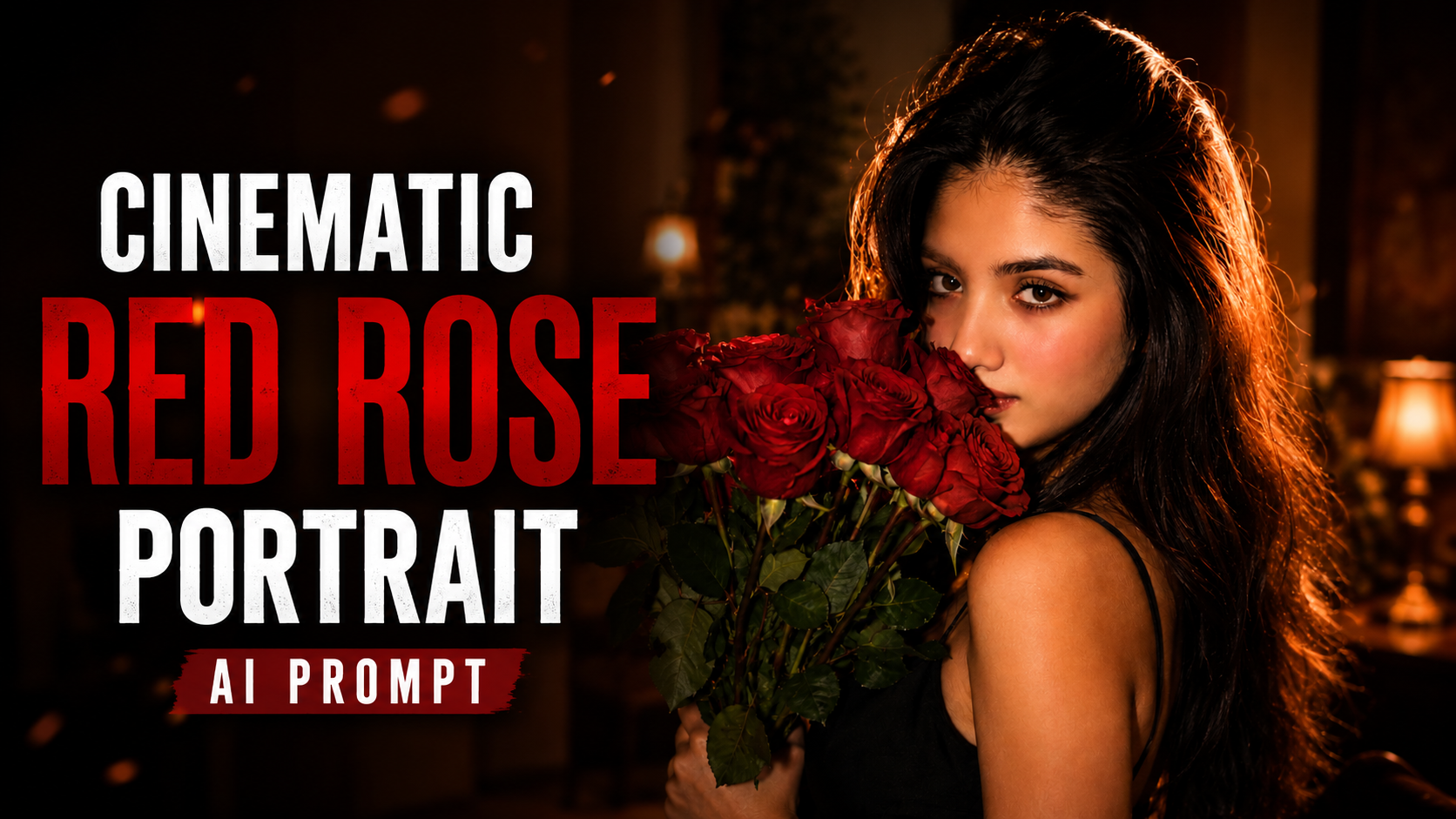
Cinematic Red Rose Portrait AI Prompt

How to Use This AI Portrait Prompt: Step-by-Step Guide

Creating a realistic cinematic portrait with AI is easy when you use the right prompt and follow a few simple steps. This prompt is designed to create a warm, romantic, vintage-inspired portrait of a South Asian woman with red roses, natural beauty, and cinematic lighting

.1. Choose an AI Image GeneratorFirst, open your preferred AI image-generation tool. You can use platforms such as ChatGPT, Gemini, or another AI image generator that supports detailed prompts.

2. Prepare Your Reference PhotoIf you want the AI-generated image to resemble a specific person, upload a clear, high-quality reference photo. Choose an image where the face is clearly visible and well-lit.

3. Upload Your PhotoOpen the image-generation feature and upload your reference photo. Wait until the image is completely uploaded before entering the prompt.

4. Copy the Complete PromptCopy the entire prompt provided above. Make sure you copy all the important details, including the hairstyle, facial expression, red roses, black dress, camera angle, and lighting.

5. Paste the PromptPaste the complete prompt into the AI image generator. If you are using a reference image, mention that the uploaded image should be used as the primary reference for the person’s identity.

6. Select the Image RatioChoose the aspect ratio according to your purpose. For Instagram Stories, Reels, and phone wallpapers, 9:16 is recommended. For Instagram posts, 4:5 works well, while 16:9 is suitable for YouTube thumbnails.

7. Generate the ImageAfter uploading the photo and pasting the prompt, click Generate or the equivalent button. The AI will process your instructions and create the portrait

.8. Check the ResultCarefully check the face, hair, roses, dress, lighting, and overall composition. If something looks incorrect, modify the prompt and generate another version.

9. Improve the Prompt if NeededYou can add instructions such as natural skin texture, realistic eyes, detailed hair, cinematic depth of field, and photorealistic quality to improve the final result.

10. Save Your Final ImageOnce you are satisfied with the result, save the generated image and use it for your social media posts, profile pictures, wallpapers, or creative projects.

✦ AI PROMPT


Prompt:

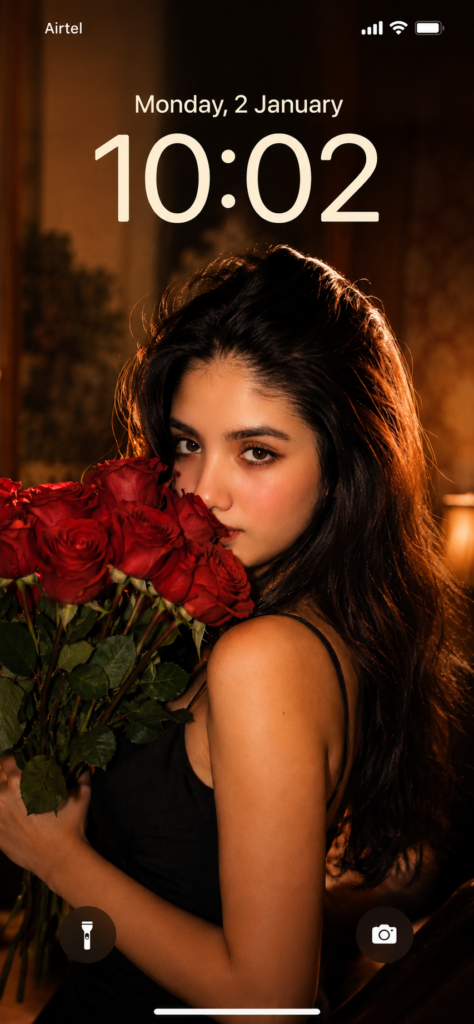
Create an ultra-realistic cinematic portrait of a young South Asian woman in a warm, romantic, vintage-inspired setting. She is shown in a close-up three-quarter profile, looking directly toward the camera with a soft, mysterious expression.

She has long, thick, naturally wavy dark-brown/black hair cascading over one shoulder and down her back, with subtle warm brown highlights catching the light. Her facial features are soft and natural, with expressive dark eyes, neatly shaped eyebrows, smooth glowing skin, subtle eyeliner, and muted red lipstick.

She holds a large bouquet of fresh vivid red roses close to her face, with several roses and green leaves partially covering the lower half of her face. She wears a simple elegant black spaghetti-strap dress.

Use warm golden-orange lighting coming from the side, creating soft highlights on her face, shoulders, and hair.


Prompt:
      

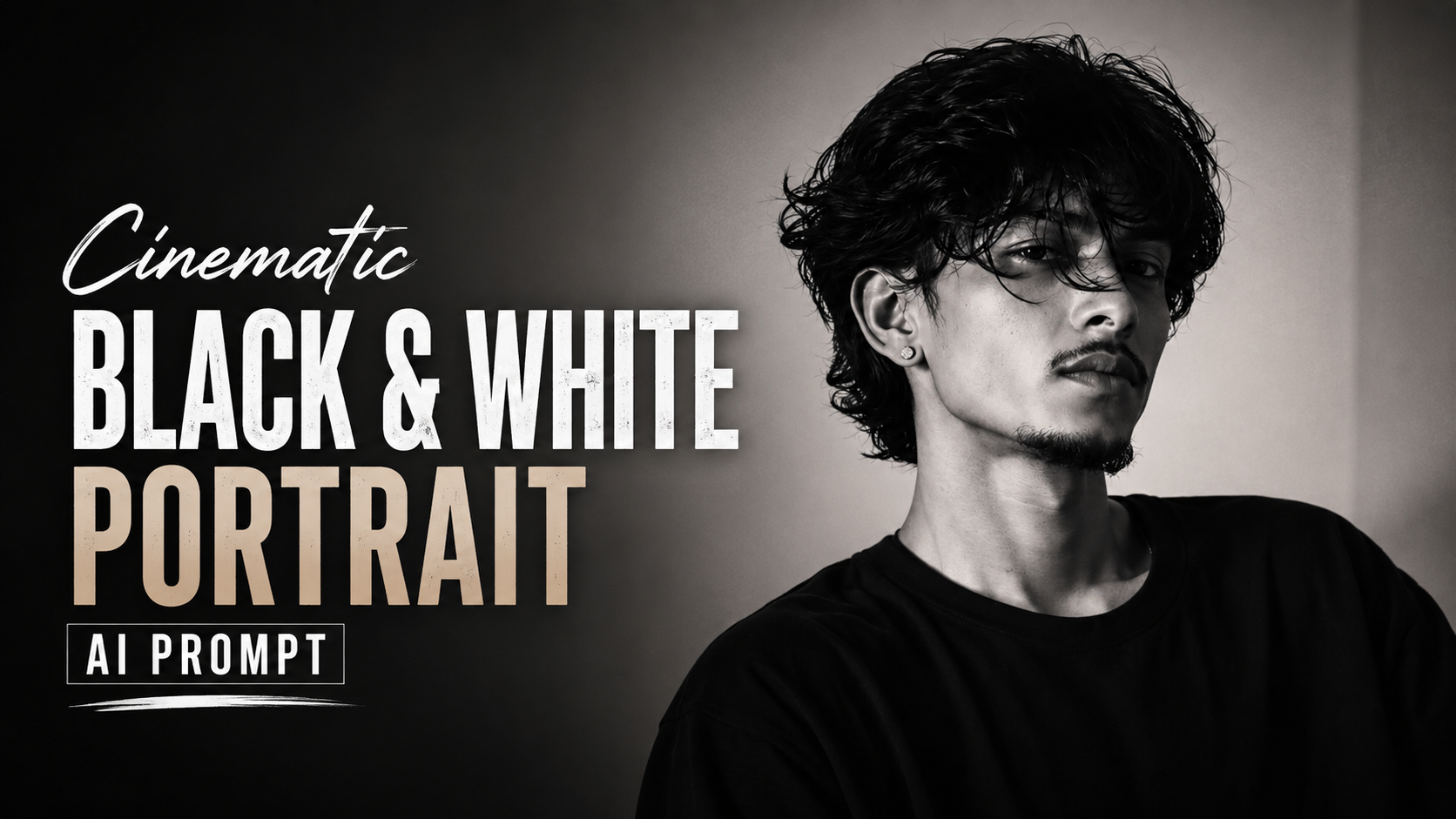
Cinematic Black & White Portrait AI Prompt

Is AI Image Prompt Ka Use Kaise Karein?

Agar aap apni photo ko ek ultra-realistic cinematic black-and-white portrait mein convert karna chahte hain, to is prompt ka use bahut easily kar sakte hain. Neeche iska complete process point-wise diya gaya hai

.1. Apni Clear Photo Choose KareinSabse pehle aisi photo choose karein jisme aapka face clearly visible ho. Achhi lighting aur high-quality image hone par result aur bhi better aayega.

2. AI Image Generator Open KareinChatGPT ya koi aisa AI image generator open karein jo image upload aur image generation/editing ki facility provide karta ho.

3. Apni Photo Upload KareinJis photo ko transform karna hai, use AI tool mein upload karein. Koshish karein ki photo mein face zyada blur ya cropped na ho.

4. Prompt Ko Completely Copy KareinUpar diya gaya complete prompt copy karein aur AI image generator ke prompt box mein paste karein. Prompt mein di gayi “ONLY reference” instruction AI ko aapki uploaded photo ko identity reference ke roop mein use karne ke liye kehti hai.

5. Identity PreservationIs prompt mein exact face, hairstyle, facial hair, skin tone aur natural features ko preserve karne ke liye kaha gaya hai. Isse AI ko aapki identity aur natural appearance ko maintain karne mein help milti hai.

6. Black-and-White Cinematic LookPrompt mein cinematic black-and-white, high contrast, moody lighting aur subtle film grain diya gaya hai. Isse photo ko ek professional editorial aur cinematic look milta hai

.7. Outfit Aur BackgroundIs prompt mein plain black oversized T-shirt aur dark minimalist background rakha gaya hai. Isse poora focus face aur portrait par bana rehta hai.

8. Image Generate KareinSab kuch check karne ke baad Generate/Create button par click karein. AI aapki uploaded image aur prompt ke basis par naya portrait create karega.

9. Result Ko Check KareinImage generate hone ke baad face similarity, hairstyle, skin texture aur overall composition ko carefully check karein. Agar result aapki expectation ke according nahi hai, to prompt ko use karke dobara generate kar sakte hain.

10. Final Image Save KareinJab aapko apni desired image mil jaaye, to usse social media posts, thumbnails, profile pictures ya other creative content ke liye use kar sakte hain.

✦ AI PROMPT


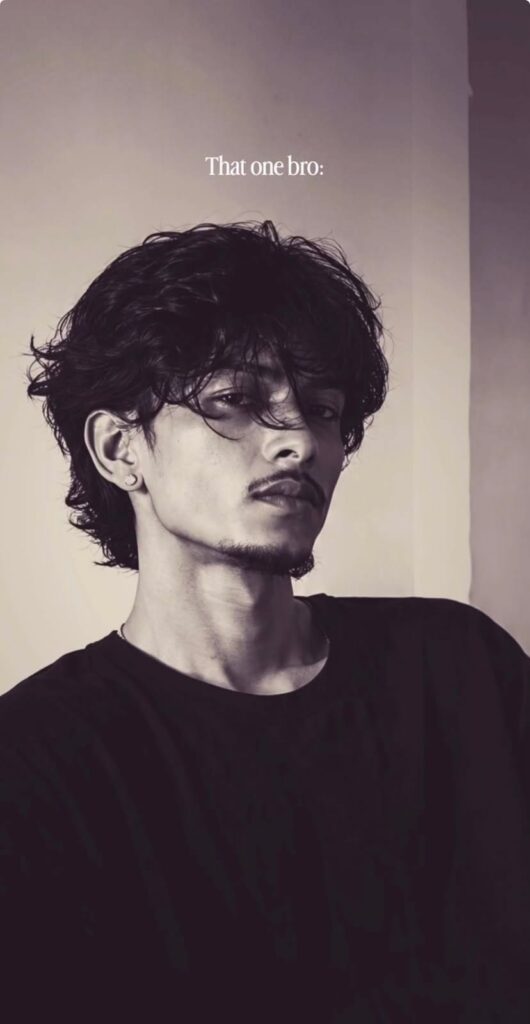
Use the uploaded image as the ONLY reference. Preserve the exact face, hairstyle, facial hair, skin tone, body proportions, and natural features. Create an ultra-realistic cinematic black-and-white portrait with messy textured hair, a plain black oversized T-shirt, moody soft lighting, high contrast, subtle film grain, shallow depth of field, and a dark minimalist background. 4K photorealistic quality, natural skin texture, editorial aesthetic.
Prompt:
      

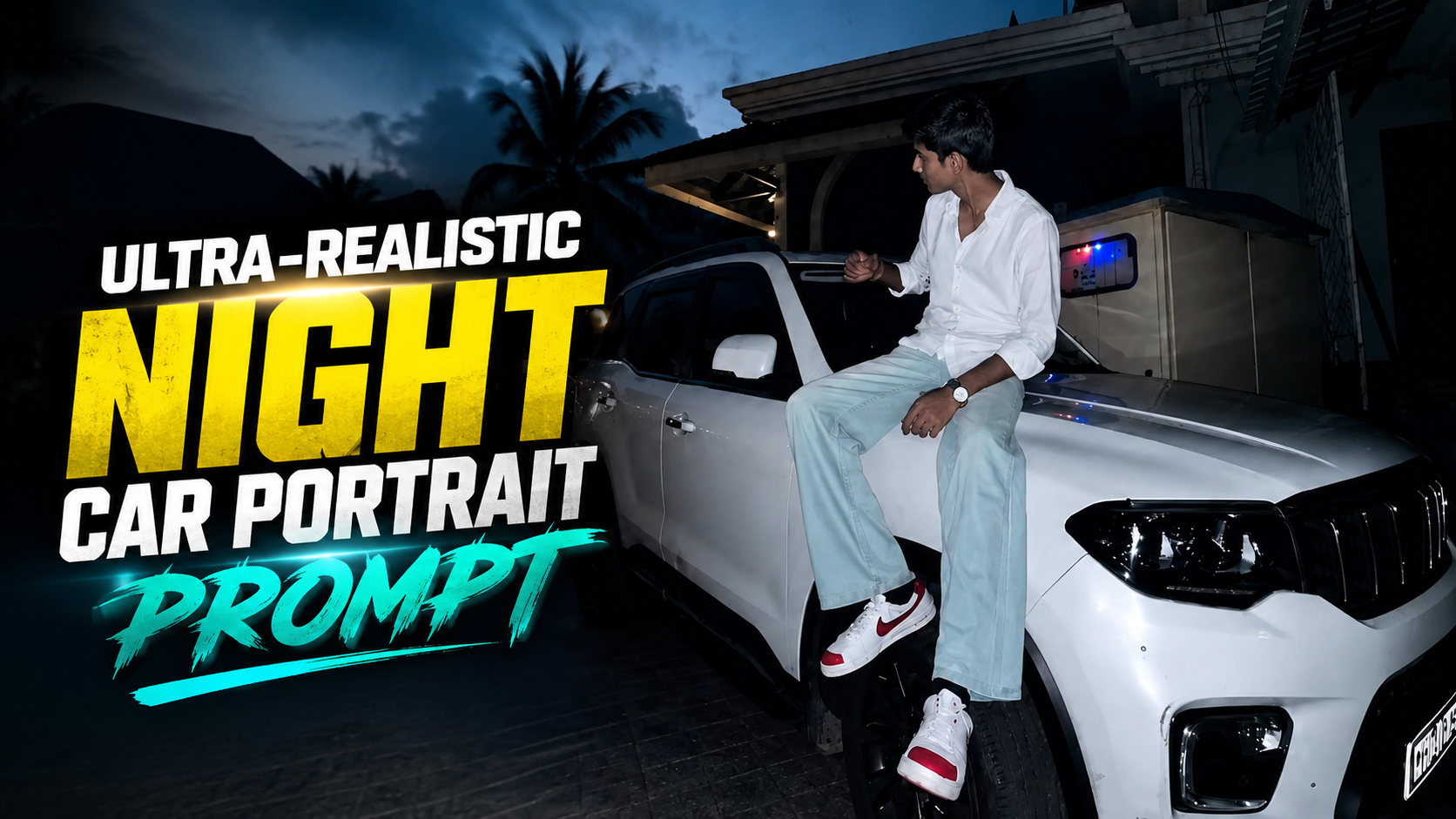
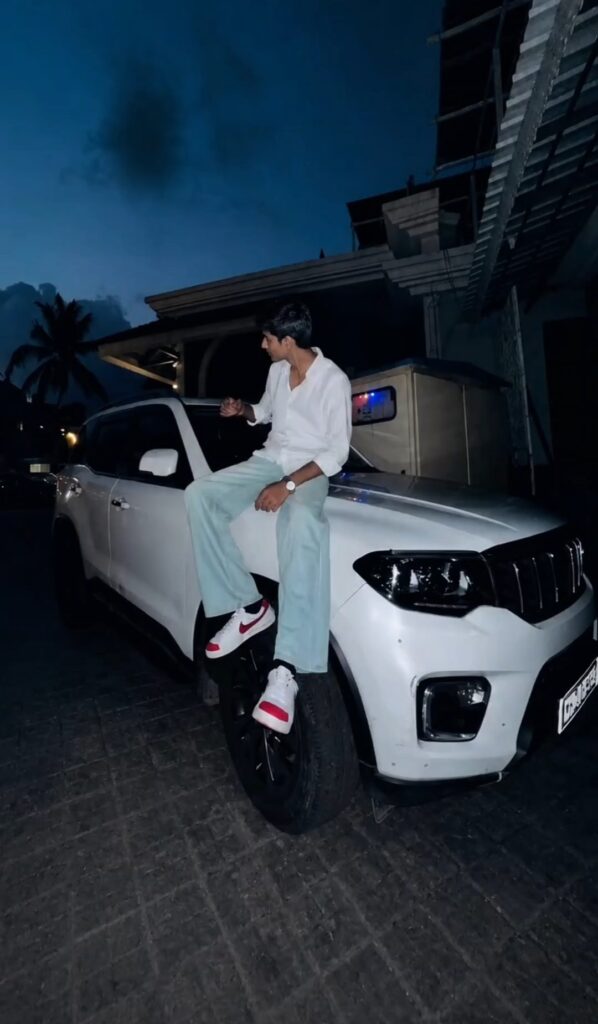
Ultra-Realistic Night Car Portrait Prompt

Ultra-Realistic Night Car Portrait Prompt Ko Kaise Use Karein

AI image generation mein detailed prompts ka sahi use karna bahut important hai. Yeh Ultra-Realistic Night Car Portrait Prompt specifically ek cinematic night-time SUV portrait create karne ke liye designed hai. Is prompt ko use karte waqt neeche diye gaye points follow karein:

1. Reference Photo Upload Karein Agar aap image mein apna face use karna chahte hain, to sabse pehle ek clear, high-resolution reference photo upload karein. Face clearly visible hona chahiye.

2. Prompt Ko Complete Paste Karein Prompt ke saare sections—outfit, pose, SUV, background, lighting, camera quality aur negative prompt—ko ek saath paste karein. Important details remove na karein.

3. Identity Preserve Karne Ke Liye Agar AI tool reference image support karta hai, to facial identity ko strongly preserve karne ke liye instructions add karein, jaise natural facial structure, hairstyle, skin tone aur facial features ko maintain karna

.4. Portrait Ratio Select Karein Instagram Reels/Stories ke liye 9:16 vertical aspect ratio select karein. Isse subject aur SUV dono frame mein properly fit honge.

5. Night Lighting Ko Maintain Karein Prompt mein mentioned direct smartphone flash + dark blue ambient lighting ko maintain karein. Flash subject aur SUV ko bright rakhega, jabki background cinematic dark appearance dega.

6. Pose Aur Vehicle Interaction Check Karein Generate hone ke baad check karein ki person naturally SUV ke hood/front-wheel area par sitting position mein hai. Hands, legs, shoes aur body proportions realistic hone chahiye.

7. Negative Prompt Zaroor Use Karein Extra fingers, distorted car, plastic skin, CGI look, excessive blur aur unrealistic reflections jaise problems avoid karne ke liye negative prompt ko bhi include karein

.8. Multiple Variations Generate Karein Pehli generation perfect na ho to 3–4 variations try karein. Camera angle, pose aur facial expression mein subtle differences ke saath better result mil sakta hai.

9. Final Image Quality Check Karein Final image mein face, hands, clothing folds, SUV grille, headlights, wheels, shadows aur reflections ko zoom karke check karein. Best result wahi hoga jisme details natural aur physically realistic appear karein.

10. Instagram Ke Liye Final Touch Image select karne ke baad light sharpening aur minimal contrast adjustment kar sakte hain. Excessive filters avoid karein, taaki original smartphone-photography look realistic bana rahe.

✦ AI PROMPT


Ultra-Realistic Night Car Portrait Prompt

Create an ultra-realistic cinematic smartphone photograph of a young Indian man sitting casually on the front-left side/hood area of a white premium SUV, photographed at night in a residential street.

The man is wearing a crisp white full-sleeve shirt with the sleeves slightly rolled/folded, loose light mint/sea-green trousers, and white sneakers with red and black accents. He is wearing a silver/metal wristwatch on his left wrist. His posture is relaxed and natural, sitting sideways on the vehicle with one leg hanging down and the other slightly bent. His upper body is turned toward the left side of the frame, and he is looking away from the camera toward the left, creating a candid, effortless pose.

The vehicle is a large white modern SUV with a bold black grille, sharp LED headlamps, sculpted hood, large black alloy wheels and premium detailing. The man should appear naturally positioned on the front wheel/hood area, with realistic body proportions and correct interaction with the vehicle.

Set the scene in a quiet Indian residential neighborhood at blue hour/night, with a dark deep-blue evening sky, silhouettes of tall coconut/palm trees in the background, partially visible residential houses, unfinished concrete construction, balconies, metal roofing and narrow street surroundings.

Use direct smartphone flash photography illuminating the man and the white SUV strongly against the dark surroundings. Preserve realistic flash reflections on the vehicle's glossy paint, headlights, windows and metal surfaces. The background should remain naturally dark with subtle ambient blue lighting.

Composition: vertical 9:16 portrait, low-to-medium camera angle from the front-left of the SUV, full vehicle front section visible, subject placed around the center-right of the frame. Include the SUV's front wheel, grille, headlight and hood prominently. Slight wide-angle smartphone perspective, natural perspective distortion, candid Instagram-style photography.

Make the image extremely photorealistic, with realistic Indian skin texture, natural facial features, authentic hair strands, realistic clothing folds, detailed sneakers, accurate hands and fingers, physically correct shadows, reflections and proportions. No artificial beauty filter, no plastic skin, no CGI appearance.

Camera & quality: modern flagship smartphone camera, night photography, direct on-camera flash, HDR, high dynamic range, sharp subject, realistic exposure, subtle natural grain, detailed highlights and shadows, ultra-detailed 4K/8K quality, realistic depth, professional color grading, cinematic contrast.

Negative prompt: cartoon, anime, illustration, CGI, 3D render, plastic skin, over-smooth face, excessive HDR, unrealistic body proportions, distorted hands, extra fingers, missing fingers, duplicated limbs, deformed shoes, floating body, warped car, distorted grille, incorrect wheel geometry, excessive blur, artificial bokeh, oversaturated colors, fake reflections, daylight, studio background, text, watermark, logo, low resolution.


Prompt:
      

15 August Cinematic Indian Patriotic Portrait Prompt

Tiranga Patriotic Portrait Prompt Kaise Use Karein

1. AI Image Generator Open Karein Sabse pehle ChatGPT, Gemini ya koi bhi AI image generator open karein jo image generate karne ka option deta ho

.2. Apni Photo Upload Karein Agar aap image mein apna face use karna chahte hain, to ek clear aur high-quality photo upload karein. Photo mein face clearly visible hona chahiye, taaki AI aapke facial features ko better understand kar sake

.3. Prompt Copy Karein Upar diya gaya complete Tiranga patriotic portrait prompt copy karein. Is prompt mein flag, kurta, pose, background, lighting aur camera style ki details already di gayi hain.

4. Prompt Paste Karein Ab copied prompt ko AI image generator ke prompt box mein paste karein. Agar aapne apni photo upload ki hai, to us photo ko reference image ke roop mein use karein.

5. Face Ko Natural Rakhein Agar aap apna original face maintain karna chahte hain, to AI ko clearly batayein ki uploaded photo ko identity reference ke roop mein use kare. Face shape, hairstyle, skin tone aur facial features ko unnecessarily change na kare.

6. 9:16 Ratio Select Karein Ye prompt vertical smartphone-style image ke liye banaya gaya hai. Isliye 9:16 aspect ratio select karein. Ye Instagram Reels, Stories, YouTube Shorts aur WhatsApp Status ke liye perfect rahega

.7. Image Generate Karein Ab Generate button par click karein. AI aapke liye ek cinematic patriotic image create karega, jisme Tiranga upper portion mein waving hoga aur person lower-right side mein flag ki taraf dekhta hua nazar aayega.

8. Generated Image Check Karein Image generate hone ke baad face, hands, fingers, Ashoka Chakra, flag ke colors aur kurta ki details ko check karein. Agar koi mistake ho, to AI ko specific correction instruction dekar image ko regenerate karein

.9. Best Quality Ke Liye Hamesha clear reference photo use karein aur prompt ki important details ko remove na karein. Detailed prompt AI ko exact composition aur realistic look samajhne mein help karta hai.

10. Final Image Use Karein Jab final result perfect lage, to ise Instagram post, Reel cover, Story, WhatsApp Status ya Independence Day ke patriotic content ke liye use kar sakte hain.

✦ AI PROMPT


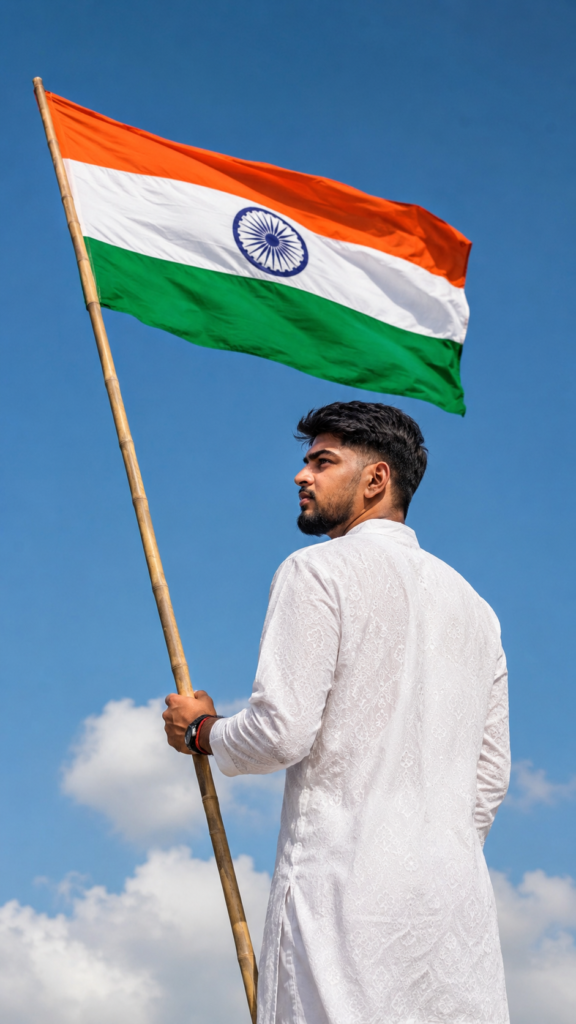
Ultra-realistic cinematic patriotic portrait of a young Indian man standing outdoors beneath a bright clear blue sky, holding a large Indian national flag (Tiranga) attached to a long natural bamboo pole. The Indian flag is prominently waving in the upper-left and upper-center portion of the frame, with vivid saffron, white and green horizontal bands and a clearly visible navy-blue Ashoka Chakra in the center.
The young man is positioned on the right side of the frame, photographed from behind and slightly from the side, showing his right-side facial profile as he looks upward toward the flag with a calm, proud and thoughtful expression. He has naturally thick, slightly messy black hair, dark eyebrows, warm medium-brown skin, and natural realistic facial features.
He is wearing a traditional white Indian kurta with a subtle intricate white-on-white geometric/embroidered pattern throughout the fabric. The kurta has long sleeves and a loose traditional fit. His left hand is firmly holding the bamboo flagpole near the lower-middle portion of the frame. A simple dark wristwatch and red/black thread bracelets are visible on his wrist.
Composition: vertical smartphone-style portrait, 9:16 aspect ratio. The flag occupies the upper half of the image while the man occupies the lower-right portion, creating a strong patriotic composition. The bamboo pole runs diagonally upward from the lower portion toward the upper-left corner. The man's full upper body and most of his kurta are visible, with his head positioned below the flag.
Background: expansive clear bright blue sky with a few soft white clouds near the bottom of the frame. Bright natural daylight, crisp outdoor atmosphere, realistic sunlight, subtle natural shadows, vivid but realistic colors.
Photography style: ultra-realistic DSLR photography, highly detailed natural skin texture, realistic fabric texture, sharp facial profile, realistic flag fabric folds and movement, natural depth, cinematic composition, high dynamic range, professional outdoor photography, photorealistic, 8K detail, crisp focus, natural color grading, realistic proportions.
No text, no logos, no watermark, no extra people, no artificial-looking face, no distorted hands, no extra fingers, no duplicated flag, no cartoon or illustration style.


Prompt:
      

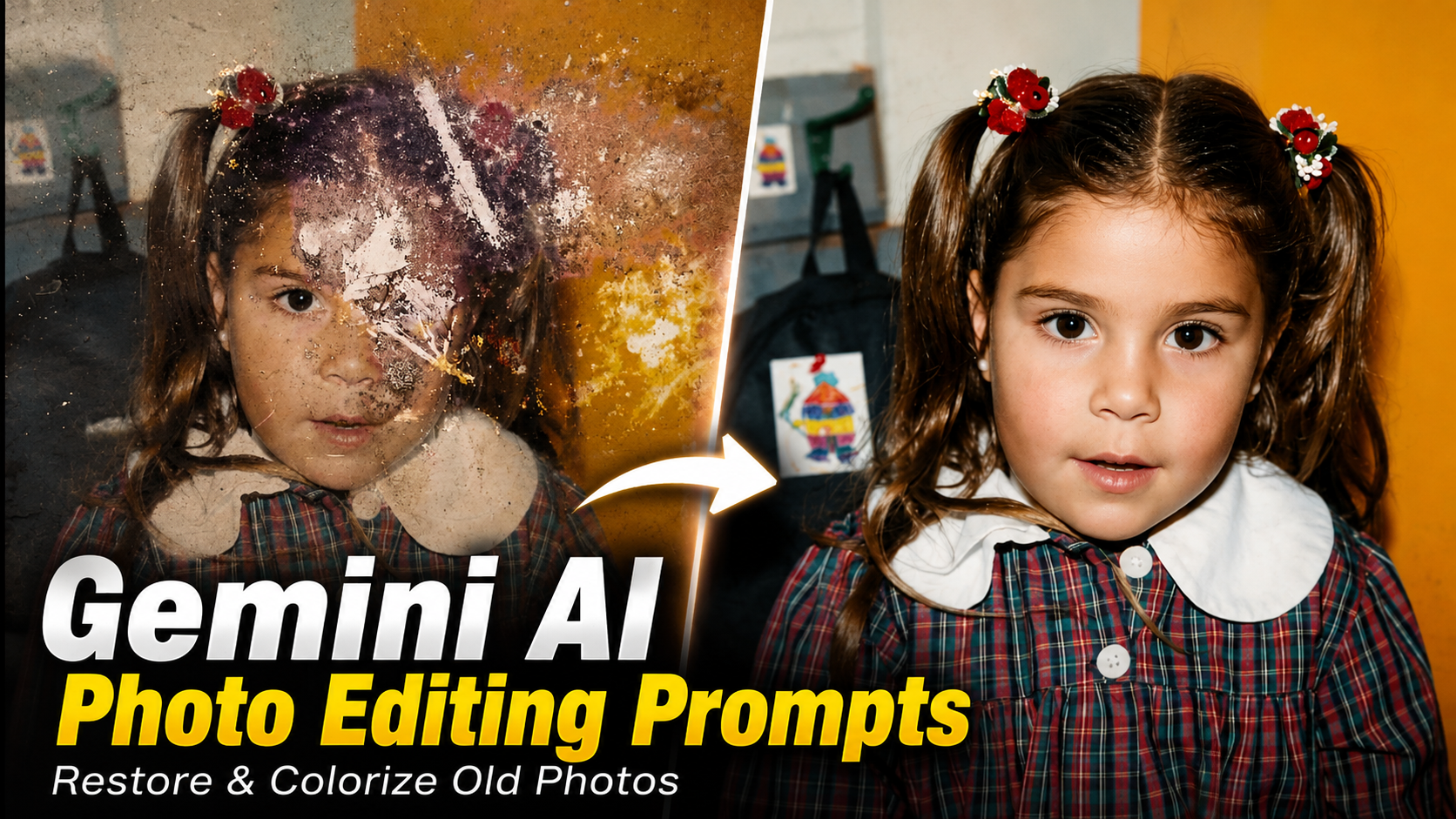
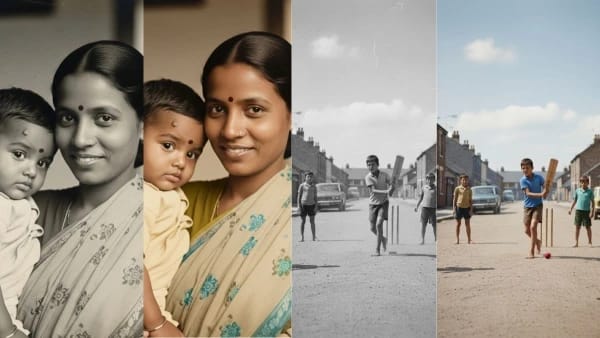
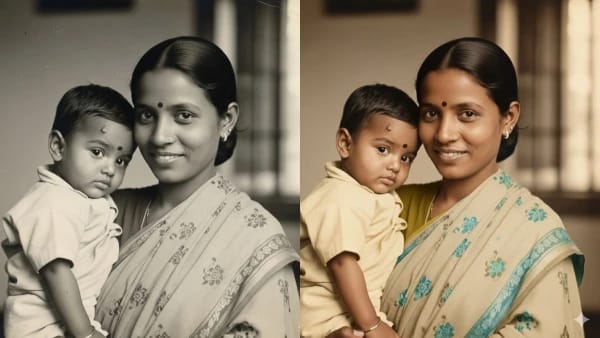
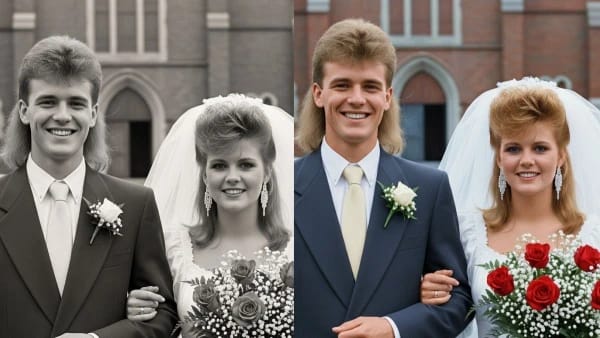
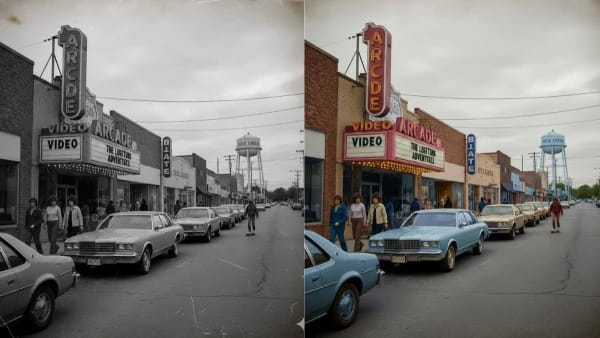
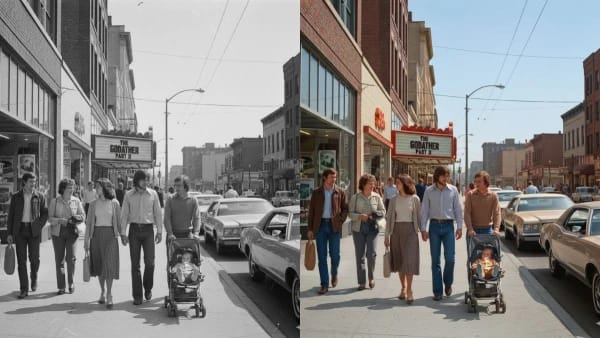
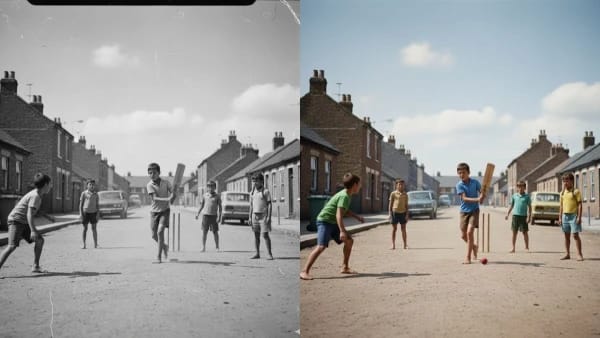
Gemini AI Photo Editing Prompts for Restore & Colorize Old Photos in Seconds

Restore and colorize old photos in seconds using Gemini AI photo editing prompts for instant, realistic results. Transform faded memories into vibrant, professionally enhanced images effortlessly with a simple prompt.

Gemini AI Photo Editing Prompts for Restore & Colorize Old Photos in Seconds

Gemini AI allows anyone to restore and colorize old photos instantly using simple, effective prompts and its powerful image editing models. With a detailed yet concise prompt, such as “Can you please restore and colorize this photo,” Gemini can repair damage, remove scratches, and add lifelike colors to vintage black-and-white photos in seconds

.Gemini AI is an advanced tool by Google that offers automatic photo restoration and colorization features with its 2.5 Flash image model (also known as Nano Banana). It is popular for bringing faded, damaged, or black-and-white photos back to life with realistic enhancements and color tones, requiring no editing expertise

How to Create Gemini AI Photo Editing Prompts?

Follow these simple steps to use Gemini AI for restoring and colorizing old photos:

Go to the Gemini AI platform (gemini.google.com/app) and select the Flash 2.5/Nano Banana model.

Click “Create images” or upload tool, and upload your old or damaged photo (black-and-white, faded, or scratched).

Use a straightforward prompt, such as: “Can you please restore and colorize this photo?”.

Click “Generate” to let Gemini AI process the image. It will repair visible damage and apply natural or vibrant colors based on the era and subject.

Review the restored result. Optionally, refine using additional prompts to adjust color tones or brightness, if desired.

Gemini AI Photo Editing Prompts for Restore & Colorize Old Photos

1) Use This: Can you please restore and colorize this photo

2) Use This: Can you please restore and colorize this photo

3) Use This: Can you please restore and colorize this photo

4) Use This: Can you please restore and colorize this photo

5) Use This: Can you please restore and colorize this photo

Tags: Gemini AI Photo Editing Prompts for Restore & Colorize Old Photos in Seconds, Gemini AI Photo Editing Prompts for Restore & Colorize, Gemini AI Photo Editing Prompts for Restore