
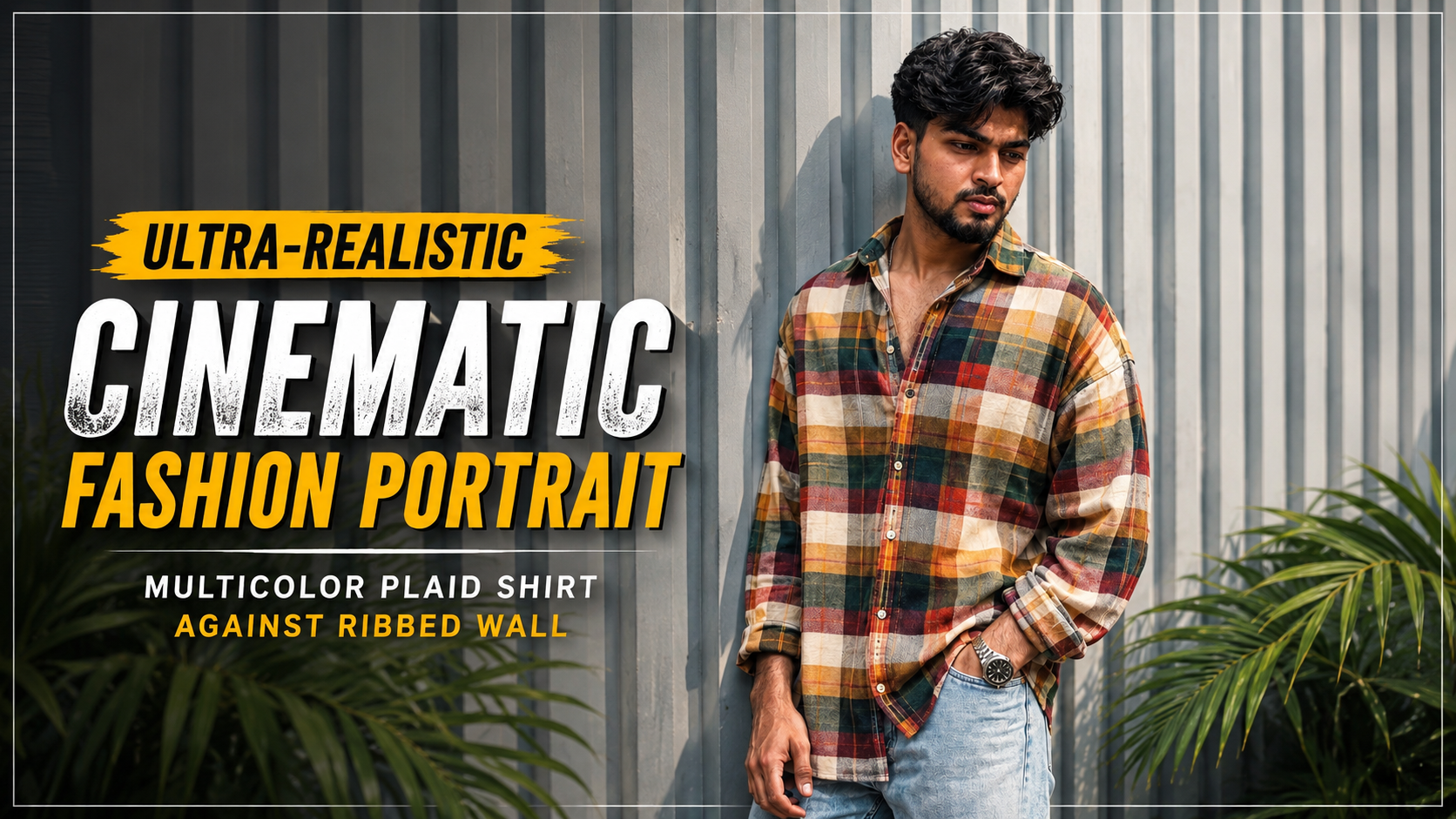
How to Use the Ultra-Realistic Cinematic Fashion Portrait Prompt
If you want to create an ultra-realistic cinematic fashion portrait while keeping the subject’s facial identity close to a reference image, this prompt can help you achieve a detailed and professional result. Follow these steps for the best outcome.
1. Upload the Reference ImageStart by uploading a clear, high-quality image of the person you want to recreate. Make sure the face is clearly visible and not heavily blurred or obstructed
.2. Copy the Complete PromptCopy the entire prompt and paste it into your preferred AI image generator that supports reference-image generation or image editing. The prompt contains detailed instructions for the face, hairstyle, outfit, pose, background, lighting, and photography style.
3. Prioritize Facial IdentityThe “Absolute Face Lock” section tells the AI to prioritize the reference image when generating the face. It describes important details such as the face shape, jawline, eyebrows, eyes, nose, lips, beard, hairline, and natural skin texture.
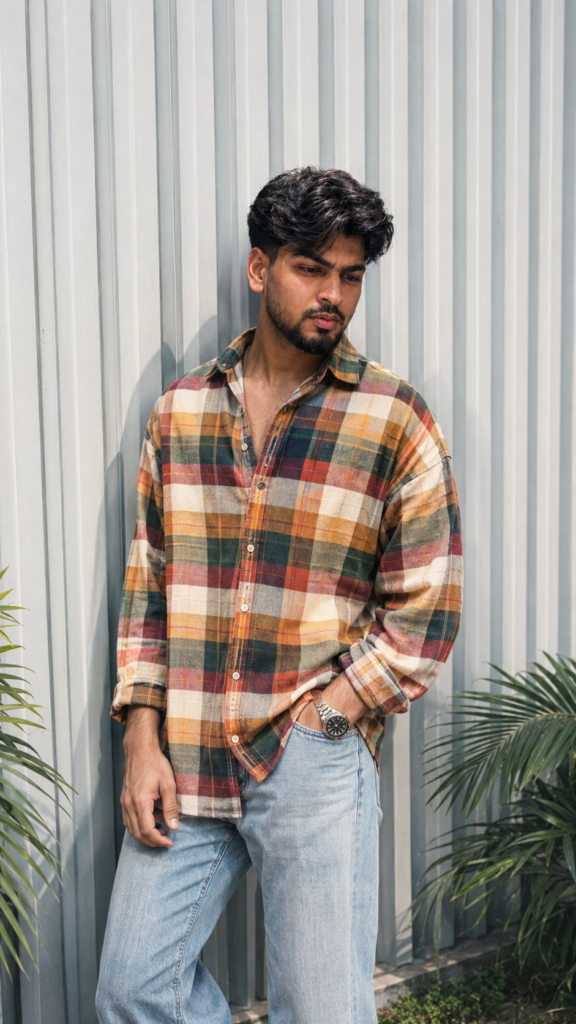
4. Follow the Pose and Outfit DetailsThe subject is designed to stand casually against a modern ribbed metal wall. The oversized multicolor plaid shirt, light-wash jeans, and metallic wristwatch create a stylish and premium fashion-editorial appearance.
5. Maintain the Background and LightingThe pale gray vertical ribbed wall and subtle green tropical leaves create a clean urban environment. Soft natural daylight, gentle shadows, and warm cinematic tones help produce a realistic fashion-photography look.
6. Use the Correct Aspect RatioSet the image to a 9:16 vertical aspect ratio. This format is ideal for Instagram Reels, Stories, Shorts, and other mobile-focused platforms.
7. Add the Negative PromptIf your AI image generator supports negative prompts, include the provided negative prompt. It helps reduce common issues such as distorted faces, extra fingers, bad anatomy, blurry details, plastic-looking skin, and AI artifacts
.8. Review and Regenerate if NecessaryAfter generating the image, carefully check the face, hands, hair, clothing, and body proportions. If any details look incorrect, regenerate the image using the same reference and prompt until you achieve the desired realistic result.
Use the uploaded image as the primary and highest-priority visual reference for the subject’s facial identity, appearance, pose, outfit, composition, lighting, and overall atmosphere.

Create an ultra-realistic cinematic fashion portrait of the same young South Asian man standing casually against a modern light-gray vertically ribbed metal wall.

Face & Identity — Absolute Face Lock: Preserve the subject’s exact facial identity from the reference image with zero deviation. Keep the same face shape, jawline, cheekbones, eyebrows, eyes, nose, lips, ears, beard and mustache pattern, hairline, hairstyle, skin tone, natural skin texture, and facial proportions. Do not beautify, smooth, reshape, age, de-age, or alter the face. No identity drift.

Hair: Thick, naturally voluminous black hair with a slightly messy textured finish, styled upward and backward with natural strands and realistic detail.

Pose & Composition: Full upper-body to thighs visible. The man is leaning casually against the wall with his body slightly angled. His head is turned subtly toward the right side of the frame, looking away from the camera with a confident, calm expression. One hand is naturally placed inside the front pocket of his jeans while the other hangs relaxed near his thigh. Natural relaxed posture, realistic anatomy and proportions.

Outfit: Oversized long-sleeve multicolor plaid/checkered shirt featuring warm mustard yellow, orange, cream, dark green, red, and white checks. Shirt worn casually with several upper buttons open, relaxed oversized fit and natural fabric folds. Light-wash relaxed-fit denim jeans with realistic faded texture. Add a premium metallic wristwatch on the wrist.

Environment: Minimal modern architectural background with pale gray vertical corrugated/ribbed metal panels. Subtle green tropical plant leaves visible near the bottom edges of the frame. Clean, stylish urban fashion setting.

Lighting: Soft natural daylight with gentle directional shadows, realistic highlights on the face and clothing, subtle warm cinematic tones, balanced exposure, natural skin rendering.

Photography: High-end fashion editorial photography, realistic DSLR look, 50mm lens, shallow depth of field, crisp subject detail, soft background separation, natural perspective, HDR, ultra-detailed fabric texture, realistic skin pores, physically accurate shadows, premium color grading.

Quality: Photorealistic, ultra-detailed, 4K/8K quality, sharp focus, realistic anatomy, authentic clothing texture, cinematic Instagram fashion aesthetic, no artificial-looking AI artifacts.

Aspect ratio: 9:16 vertical.

Negative prompt: distorted face, identity change, different person, facial reconstruction, excessive skin smoothing, plastic skin, beauty filter, unrealistic body proportions, extra fingers, malformed hands, duplicate limbs, warped clothing, distorted sunglasses, blurry face, low resolution, oversaturated colors, cartoon, CGI, illustration, artificial skin, excessive sharpening, bad anatomy.

Use the uploaded reference face as the highest priority. Preserve 100% facial identity accuracy. Keep the exact face shape, jawline, eyes, eyebrows, nose, lips, skin texture, torehead, hairline, and natural proportions unchanged. Do not beautify, stylize, modify, or reinterpret facial features.
Maintain the same age, expression, and ethnicity as the reference image. Ensure the face is instantly recognizable as the same person in real life. Ultra-realistic photography, natural skin details, authentic facial structure, no face swapping artifacts, no Al-generated facial alterations, no exaggerated features, no symmetry correction, no cosmetic enhancements.

Prompt: