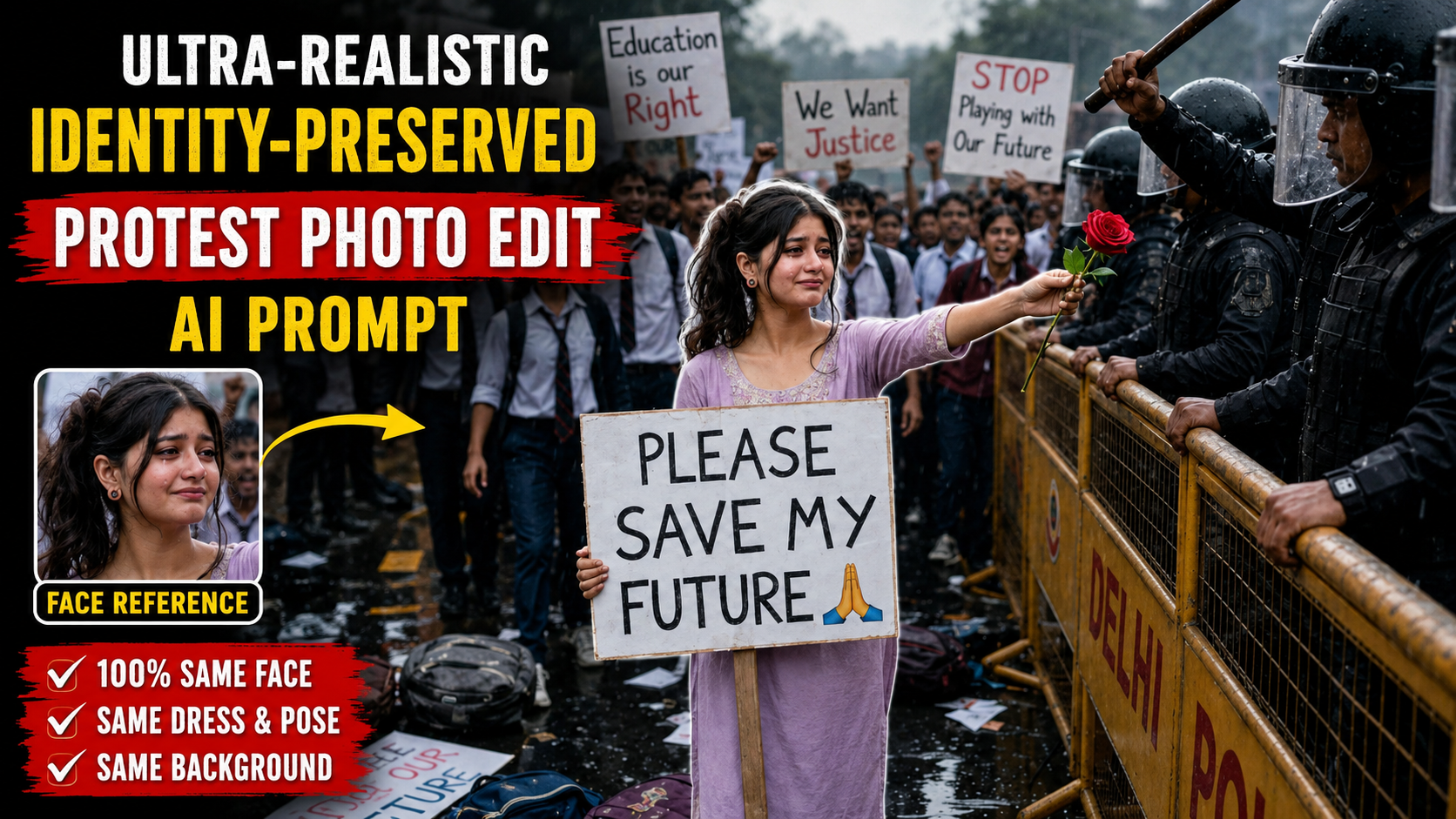
Ultra-Realistic Identity-Preserved Protest Photo Edit AI Prompt

How to Use This AI Protest Photo Editing Prompt

1. Upload Both ImagesBefore using the prompt, upload two images:- A clear front-facing photo of the person’s face (identity reference).- The original protest image that you want to edit (base image)

.2. Keep the Prompt UnchangedCopy and paste the complete prompt exactly as written. Avoid removing important instructions because every line helps the AI preserve identity, clothing, and the overall scene accurately.

3. Use an AI Image Editing ToolThis prompt is designed for AI image editing models that support reference images. Upload the face photo as the identity reference and the protest photo as the image to edit, then paste the prompt into the text box.

4. Identity PreservationThe prompt instructs the AI to keep the person’s face exactly the same as the uploaded reference image. It requests preservation of facial structure, hairstyle, skin tone, expression, and other unique features to minimize unwanted changes

.5. Preserve the Original SceneThe prompt also tells the AI not to modify the clothing, body posture, camera angle, background, lighting, rain, police barricades, crowd, or other visual elements. This helps maintain the original composition while updating only the intended face.

6. Best ResultsFor the most realistic output, use:- A high-resolution face photo.- A sharp, high-quality protest image.- Good lighting in the reference face image.- A face that is clearly visible without heavy filters or obstructions.

7. Review the Final ImageAfter generation, carefully check whether the facial identity, expression, clothing, and background have been preserved as intended. If needed, regenerate the image with the same prompt for improved consistency.

8. Use ResponsiblyWhen creating or sharing edited images of real people, make sure you have appropriate permission and avoid using them in ways that could mislead, impersonate, or falsely represent real events or individuals. Responsible use helps protect privacy and maintains trust in AI-generated content.
✦ AI PROMPT

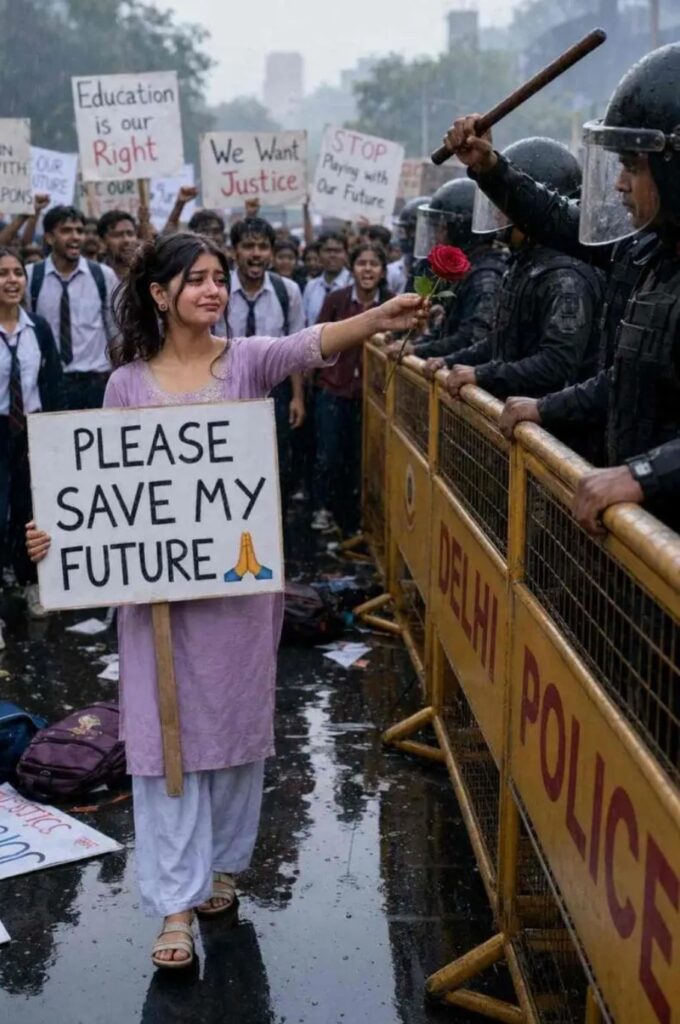
Use the uploaded face image as the primary identity reference and the uploaded protest image as the base image for editing.

The uploaded protest image is the base image for this edit. Preserve everything from it exactly unless specifically instructed otherwise.

Preserve the girl's facial identity with maximum accuracy. The final face must look exactly like the uploaded face reference. Do not change her facial structure, eye shape, eyebrows, eyelashes, nose, lips, jawline, forehead, ears, hairstyle, hairline, skin tone, facial proportions, or any unique facial features. No beautification, no stylization, no face-swapping artifacts, no AI-generated facial changes, and no identity modifications. The girl must remain instantly recognizable.

Keep the clothing exactly the same as shown in the uploaded protest image. Do not change the outfit, colors, fabric, texture, folds, fit, sleeves, accessories, shoes, or any clothing details.

Keep the body exactly the same, including height, physique, posture, pose, hand placement, arm position, leg position, and body proportions.

Preserve the original facial expression, teary eyes, sadness, emotional expression, and peaceful demeanor exactly as shown in the protest image.

Do not change the camera angle, framing, perspective, focal length, crop, composition, subject placement, police position, barricade position, crowd placement, background depth, lighting direction, weather, road reflections, rain, or overall scene layout.

Keep every background element exactly the same, including the DELHI POLICE barricades, riot police officer, raised lathi, crowd of students, protest signs, wet road, scattered backpacks, placards, overcast sky, and soft rain.

The protest board must remain exactly the same with the text:

"PLEASE SAVE MY FUTURE "

Create a seamless, photorealistic edit that looks like an authentic camera photograph, with realistic skin texture, realistic fabric details, natural colors, documentary photojournalism style, cinematic lighting, HDR, shallow depth of field, ultra-sharp focus, professional color grading, and 8K quality.

Priority:

1. Preserve the girl's facial identity exactly from the uploaded face image.


2. Preserve the clothing exactly as shown in the uploaded protest image.


3. Preserve the entire composition, pose, camera angle, background, and atmosphere of the uploaded protest image.


4. Produce a realistic edited photograph with no visible AI artifacts or identity changes.
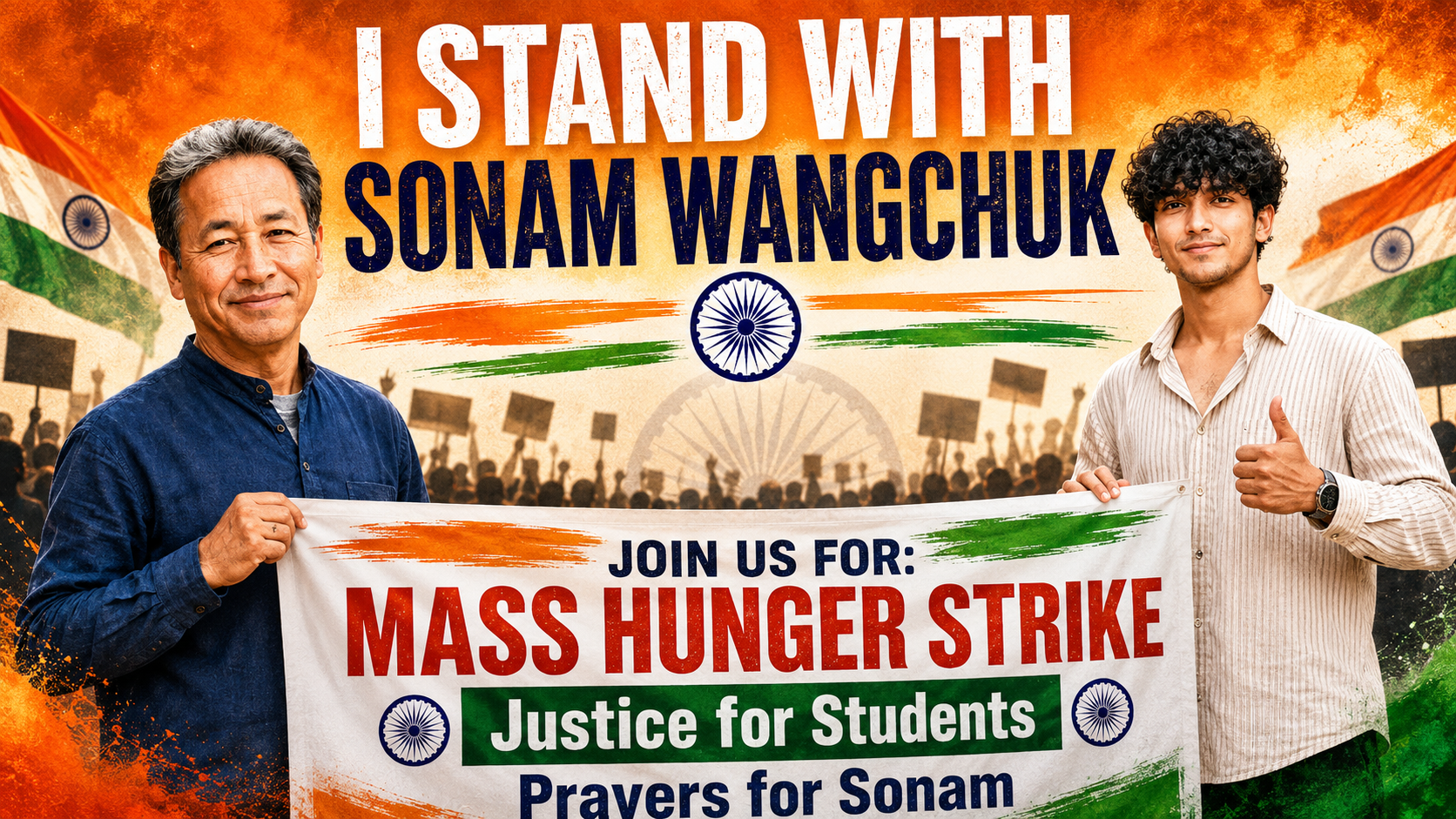
      

I Stand With Sonam Wangchuk” Patriotic Protest Poster

How to Use This Premium AI Protest Poster Prompt (Step-by-Step Guide)

If you want to create a premium ultra-realistic protest poster using the prompt above, follow these steps carefully for the best possible results.

1. Choose the Right AI Image GeneratorUse an advanced AI image generator such as ChatGPT Images, Midjourney, Google Imagen, Flux, or another model that supports detailed prompts. These models can produce highly realistic and high-quality poster designs.

2. Copy the Complete PromptCopy the entire prompt exactly as written. Every line contains important instructions about the subjects, clothing, background, lighting, typography, and overall composition. Avoid deleting any details unless you want to customize the design

3. Replace the Character (Optional)If you want the poster to feature yourself or another person, upload a reference photo (if supported) and replace the description of the young man while keeping the rest of the prompt unchanged for consistent results.

4. Select the Correct Aspect RatioChoose a 2:3 vertical aspect ratio. This format is ideal for posters and works well on Instagram, Facebook, Pinterest, and print media.

5. Use the Negative PromptAlways include the negative prompt. It helps reduce common AI mistakes such as blurry faces, distorted hands, text errors, extra fingers, poor lighting, and low-quality rendering.

6. Generate Multiple VersionsCreate at least 3–5 variations. AI image generators often produce different layouts, expressions, and lighting, allowing you to choose the best result

.7. Improve the Final ImageIf needed, use an upscale or enhancement feature to increase resolution, sharpen details, and improve textures before downloading or sharing.

8. Check the Final OutputBefore using the image, carefully review the text, faces, colors, hands, and flag elements. If anything looks incorrect, edit the prompt slightly and regenerate the image for a cleaner and more professional result.

Following these steps will help you achieve a premium-quality, ultra-realistic poster with better composition, sharper details, and a polished final appearance.

✦ AI PROMPT

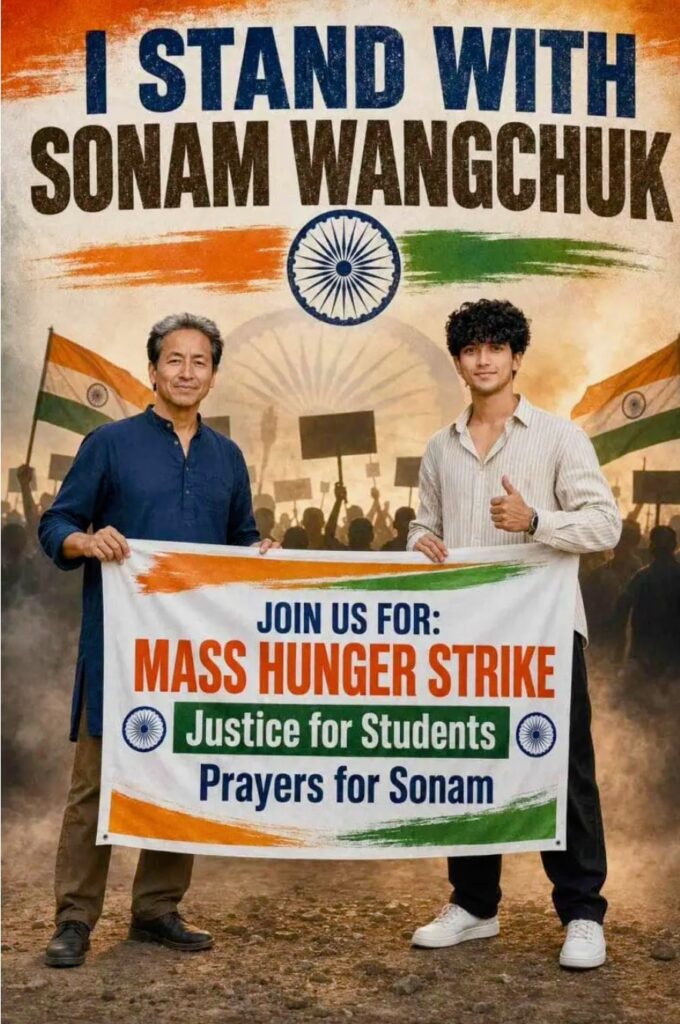
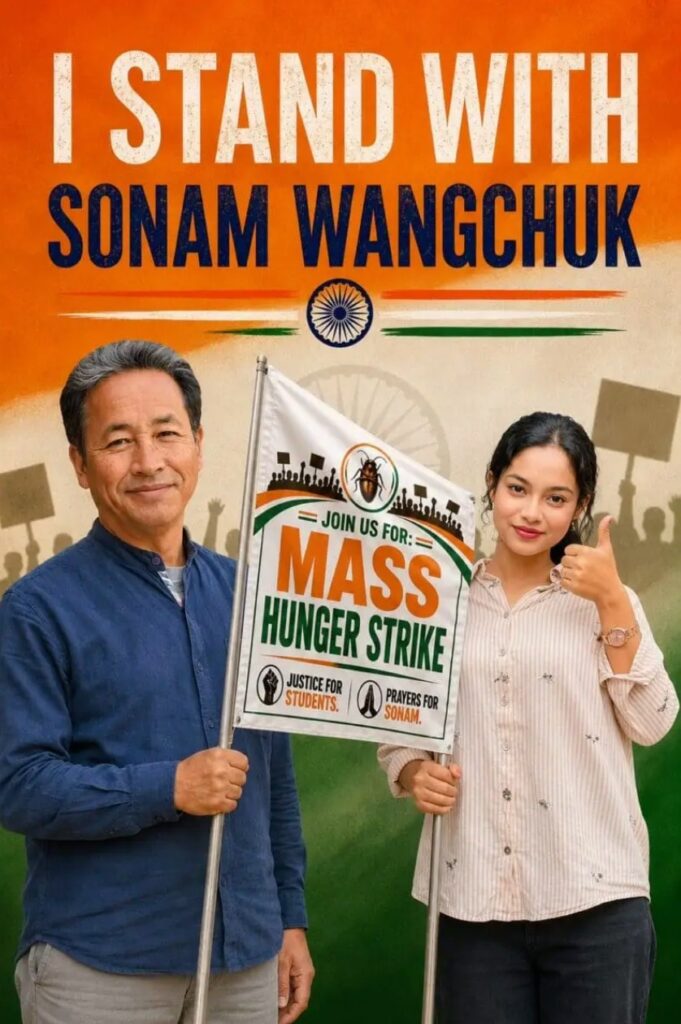
Create a premium ultra-realistic 2:3 vertical protest poster featuring Sonam Wangchuk standing confidently on the left wearing a navy blue kurta and smiling calmly. On the right, a young Indian man with a handsome natural face, neatly styled short black hair, light stubble, medium wheatish skin tone, wearing a cream striped oversized shirt, black pants, and clean white sneakers, gives a thumbs-up while smiling confidently at the camera. Both are holding a large protest banner together.

At the top, add bold distressed typography reading:

"I STAND WITH SONAM WANGCHUK"

in large uppercase letters.

Use an Indian tricolor (saffron, white, and green) themed background with a textured patriotic design. Place the Ashoka Chakra below the title with saffron and green brush strokes extending horizontally.

The protest banner should be white with Indian tricolor accents and contain bold, clean typography:

JOIN US FOR: MASS HUNGER STRIKE
Justice for Students
Prayers for Sonam

Include silhouettes of peaceful protesters holding placards in the background with a subtle faded Ashoka Chakra behind them. Add realistic Indian flag textures, patriotic smoke effects, cinematic volumetric lighting, premium HDR color grading, realistic skin textures, ultra-sharp focus, vibrant colors, high contrast, ultra-detailed 8K quality, professional political campaign poster design, clean composition, inspirational patriotic atmosphere, modern social media poster aesthetic, realistic shadows, premium depth of field, magazine-quality finishing.

Negative Prompt:
Blurry, low resolution, distorted faces, extra fingers, bad anatomy, cropped body, duplicated people, text glitches, watermark, logo, oversaturated colors, unrealistic lighting, low-quality rendering, artifacts, deformed hands, cartoon style, CGI look, plastic skin, noisy image, motion blur, poor typography, incorrect flag colors.


✦ AI PROMPT

Create a premium ultra-realistic 2:3 vertical protest poster featuring Sonam Wangchuk standing confidently on the left wearing a navy blue kurta and smiling calmly. On the right, a young Indian woman with a naturally face, tied-back black hair, minimal makeup, wearing a cream striped oversized shirt and black pants, gives a thumbs-up while smiling at the camera. Both are holding a large protest banner together.
At the top, add bold distressed typography reading "I STAND WITH SONAM WANGCHUK" in large uppercase letters. Use an Indian tricolor (saffron, white, and green) themed background with a textured patriotic design. Place the Ashoka Chakra below the title with saffron and green brush strokes extending horizontally.
The protest banner should be white with Indian tricolor accents and contain bold text:
JOIN US FOR: MASS HUNGER STRIKE
Justice for Students
Prayers for Sonam
Include silhouettes of peaceful protesters holding placards in the background with a subtle faded Ashoka Chakra behind them. Add a premium cinematic lighting effect, realistic skin textures, sharp focus, vibrant colors, high contrast, HDR quality, ultra-detailed 8K resolution, professional political campaign poster design, clean composition, inspirational patriotic atmosphere, realistic flag textures, and a modern social media poster aesthetic.
Negative Prompt: Blurry, low resolution, distorted faces, extra fingers, bad anatomy, cropped body, duplicated people, text glitches, watermark, logo, oversaturated colors, unrealistic lighting, low-quality rendering, artifacts, deformed hands, cartoon style.


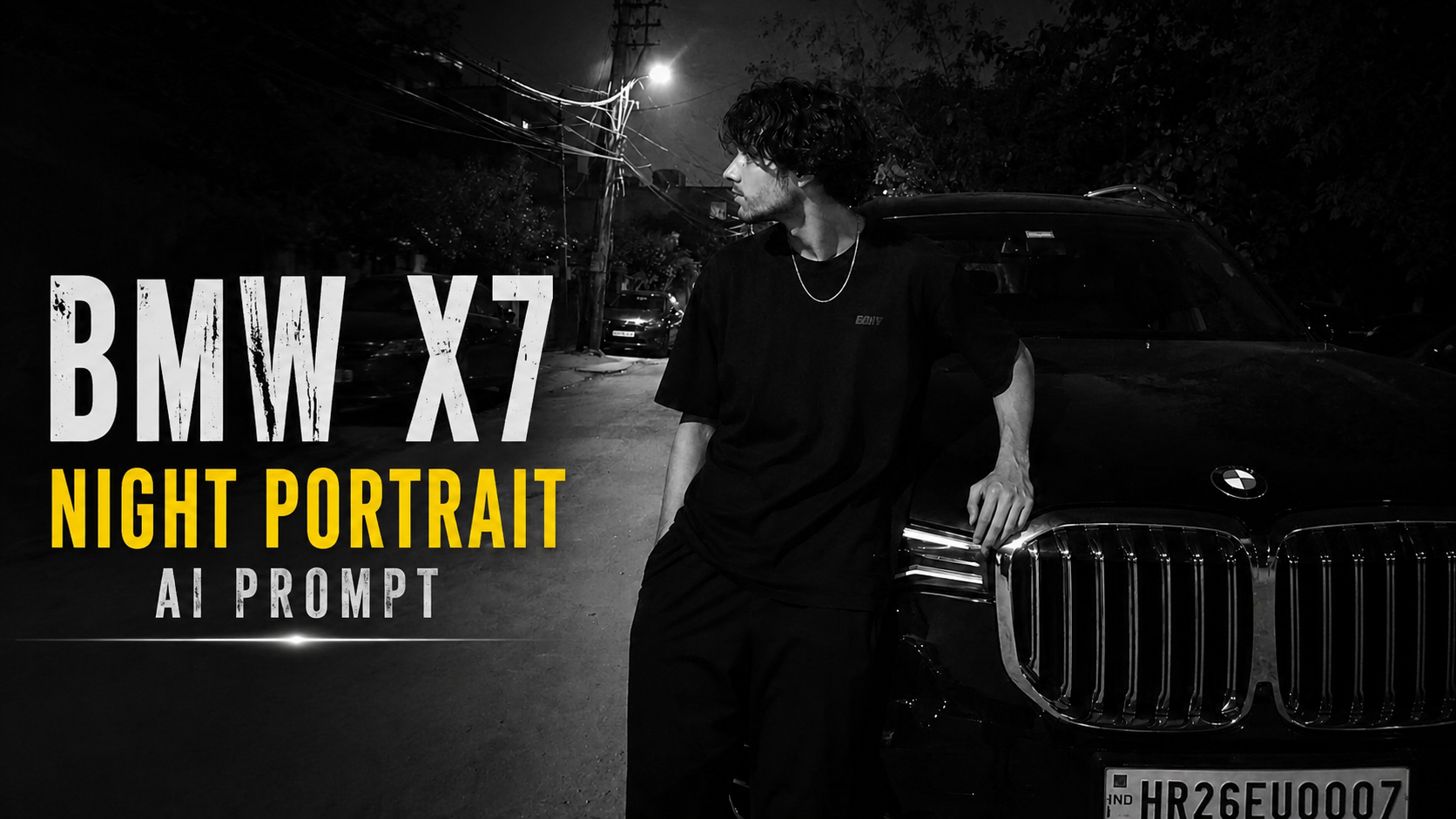
Ultra-Realistic BMW X7 Night Portrait AI Prompt

AI Prompt Ko Kaise Use Kare – Step by Step Guide

1. Reference Photo Upload KareSabse pehle apni ek clear reference photo upload kare. Ye photo hi AI ke liye identity reference hogi. Is prompt me Face Lock aur Identity Lock enable hai, isliye AI aapke facial features, hairstyle, skin tone aur overall look ko preserve karne ki koshish karega.

2. Prompt Ko Copy-Paste KarePura prompt bina kisi line ko delete kiye AI image generator me paste kare. Prompt jitna complete hoga, utna hi accurate result milne ke chances badhenge.

3. Image Generator Select KareIs prompt ko ChatGPT Image Generation, Gemini, Grok, Flux, Midjourney (required adjustments ke saath), ya kisi bhi advanced AI image generator me use kiya ja sakta hai jo reference image support karta ho.

4. Reference Image Zarur Add KarePrompt tabhi sahi kaam karega jab reference image upload ki jayegi. Sirf prompt use karne se exact face preserve nahi hoga.

5. Prompt Me Zarurat Ho To Edit KareAgar aap BMW ki jagah koi aur car, ya black outfit ki jagah dusre kapde chahte hain, to sirf un lines ko change kare. Identity preservation wali lines ko na badlein

.6. Aspect Ratio Check KarePrompt me 9:16 vertical frame diya gaya hai. Image generate karte waqt bhi 9:16 ratio hi select kare taaki composition same rahe.

7. Best Result Ke Liye Retry KareAgar pehli image perfect na aaye, to same prompt ke saath 2–3 baar regenerate kare. AI har generation me thoda different output deta hai.

8. Final Output Verify KareImage generate hone ke baad face, hairstyle, pose, lighting, background aur overall composition ko reference image se compare kare. Agar koi difference ho to prompt me chhote changes karke dobara generate kare.

In steps ko follow karke aap is prompt se bahut realistic, natural aur high-quality AI images generate kar sakte hain, jahan identity aur overall look reference image ke kaafi close rehte hain.

✦ AI PROMPT

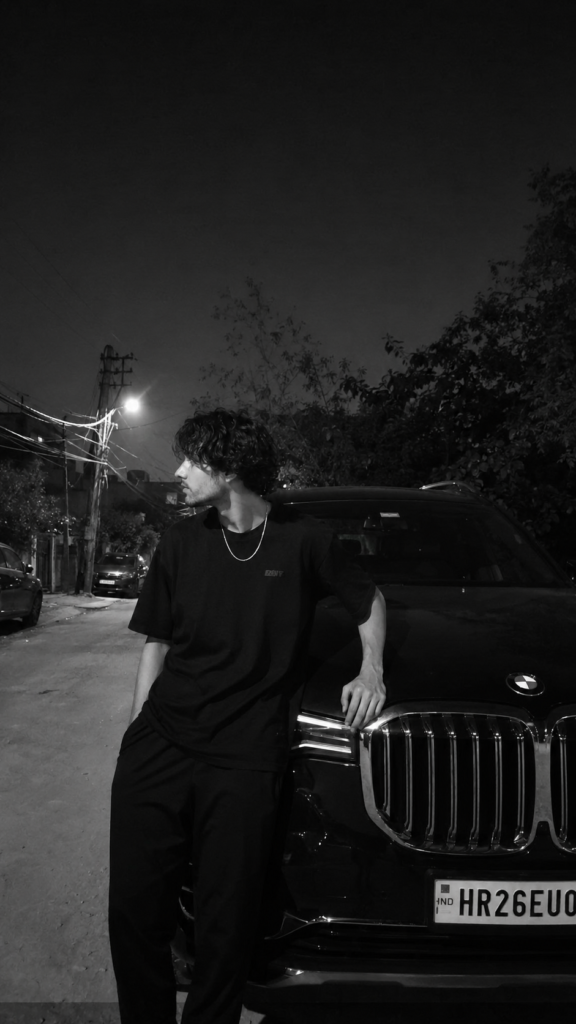
IMPORTANT: Use the uploaded reference image as the ONLY identity reference. Face Lock ON. Identity Lock ON. Preserve the person's face, hairstyle, skin tone, facial structure, jawline, body proportions, posture, and overall identity 100% exactly as in the reference image. Do NOT beautify, redesign, smooth skin, change facial features, or make the face look AI-generated. Keep the same natural expression and head angle. The face must remain approximately 40% visible from the side, exactly like the reference. Do not turn the face toward the camera.
Create an ultra-realistic candid Android smartphone night photo, not DSLR, not iPhone, not cinematic, not HDR. The image must look like it was casually captured by a friend using a normal mid-range Android phone. Keep slight softness, natural digital noise, realistic low-light grain, minor motion softness, authentic smartphone processing, and imperfect exposure. Do NOT sharpen or clean the image.
Apply a high-contrast black-and-white monochrome filter exactly like the reference. Keep the same moody aesthetic with deep blacks, soft glowing highlights around lights, natural shadow falloff, and realistic contrast. Do not convert it into a clean studio black-and-white image.
The subject is standing beside a black BMW X7 (G07 generation) luxury SUV. The vehicle must be instantly recognizable with its large twin kidney grille, squared LED headlights, tall SUV body, glossy black paint, and premium styling. The car is parked naturally on the roadside exactly like a real-life neighborhood parking area at night. The car should occupy most of the right side of the frame.
The subject wears an oversized plain black T-shirt, loose black pants, and a thin silver chain around the neck. No jacket, no graphics other than a small subtle chest logo. Hands and body position must match the reference exactly:
Left hand resting naturally on the BMW's front grille/headlight area.
Right hand inside the pants pocket.
Body slightly leaning toward the vehicle.
Legs relaxed with a natural stance.
Head turned completely to the left, looking away from the camera.
Face only partially visible (about 40%), matching the reference angle exactly.
The composition is a vertical 9:16 frame. The subject stands slightly left of center while the BMW fills the right side. Leave a large amount of empty dark sky in the upper portion of the frame for the same aesthetic balance.
Background: A realistic Indian residential roadside at night with rough concrete pavement, naturally parked cars in the distance, leafy trees, electric poles, overhead utility wires crossing the road, scattered bushes, and warm white streetlights creating soft light bloom. The environment should resemble a normal neighborhood or village-side residential road, not a city downtown or luxury location. Everything must look naturally lived-in and realistic.
Lighting: Only ambient streetlights illuminate the scene. Soft overhead streetlamp glow creates gentle highlights on the BMW and the subject's shoulders while leaving much of the scene in natural darkness. No flash, no artificial rim light, no cinematic lighting, no neon lighting.
Camera Style: Normal Android smartphone camera, handheld, candid photograph, slightly imperfect framing, realistic perspective, subtle lens softness, authentic mobile compression, natural low-light grain, and realistic black-and-white processing.
Negative Prompt: No AI look, no CGI, no beauty filter, no skin smoothing, no HDR, no DSLR sharpness, no unrealistic reflections, no fake lighting, no extra fingers, no body deformation, no incorrect BMW design, no different car model, no face changes, no hairstyle changes, no clothing changes, no pose changes, no head direction changes, no colorful image, no cinematic color grading, no anime, no illustration, no plastic skin, no unrealistic background, no luxury mansion, no empty road, no futuristic elements. The final image must look exactly like a naturally captured candid Android smartphone night photo with the same black-and-white aesthetic and composition as the reference.


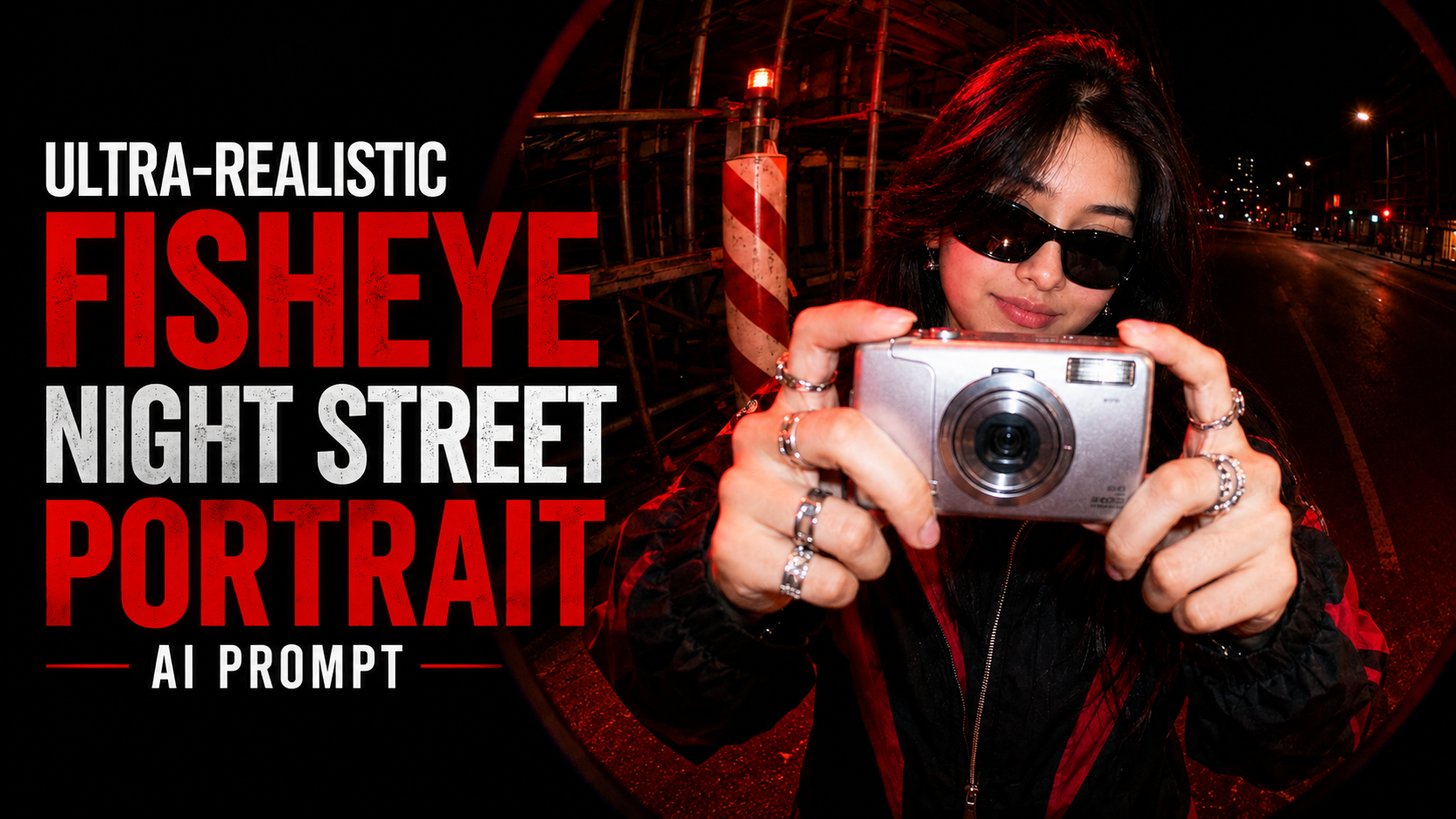
Ultra-Realistic Fisheye Night Street Portrait AI Prompt

Is AI Prompt Ko Kaise Use Kare – Complete Guide

Yeh prompt ek ultra-realistic cinematic portrait generate karne ke liye design kiya gaya hai. Iska sabse important part hai “maintaining strict facial consistency and core facial structure”, jo AI ko instruction deta hai ki upload ki gayi photo ka original face, facial structure aur identity ko preserve rakhe.

Is prompt ko use karne ke liye sabse pehle apni ek clear, high-quality front-facing photo upload karein. Photo mein face clearly visible hona chahiye, achhi lighting honi chahiye aur face par koi object ya shadow nahi honi chahiye. Iske baad is prompt ko apne AI image generator mein paste karein aur reference image ke saath generate button par click karein.

Prompt AI ko batata hai ki subject ko dark city street par fisheye lens perspective mein capture karna hai. Ismein silver retro digital camera, Y2K sunglasses, black streetwear jacket aur red ambient lighting jaise details already define kiye gaye hain. Isliye AI in sab elements ko automatically include karne ki koshish karega, jabki aapka original face same rahega.

Agar aap aur bhi realistic result chahte hain, to AI model mein Image Reference ya Identity Reference feature available ho to uska use zarur karein. Isse face matching aur bhi accurate hoti hai. Best quality ke liye HD ya Ultra Quality mode select karein aur zarurat ho to 2–4 variations generate karke sabse accha result choose karein.

Yeh prompt social media profile pictures, Instagram edits, cinematic portraits aur professional AI photography ke liye bahut useful hai. Agar output pehli baar perfect na aaye, to reference photo ko change karke ya prompt mein chhote adjustments karke dobara generate karein. Ek clear reference image aur sahi AI settings ke saath aap highly detailed, cinematic aur realistic portrait hasil kar sakte hain.

✦ AI PROMPT

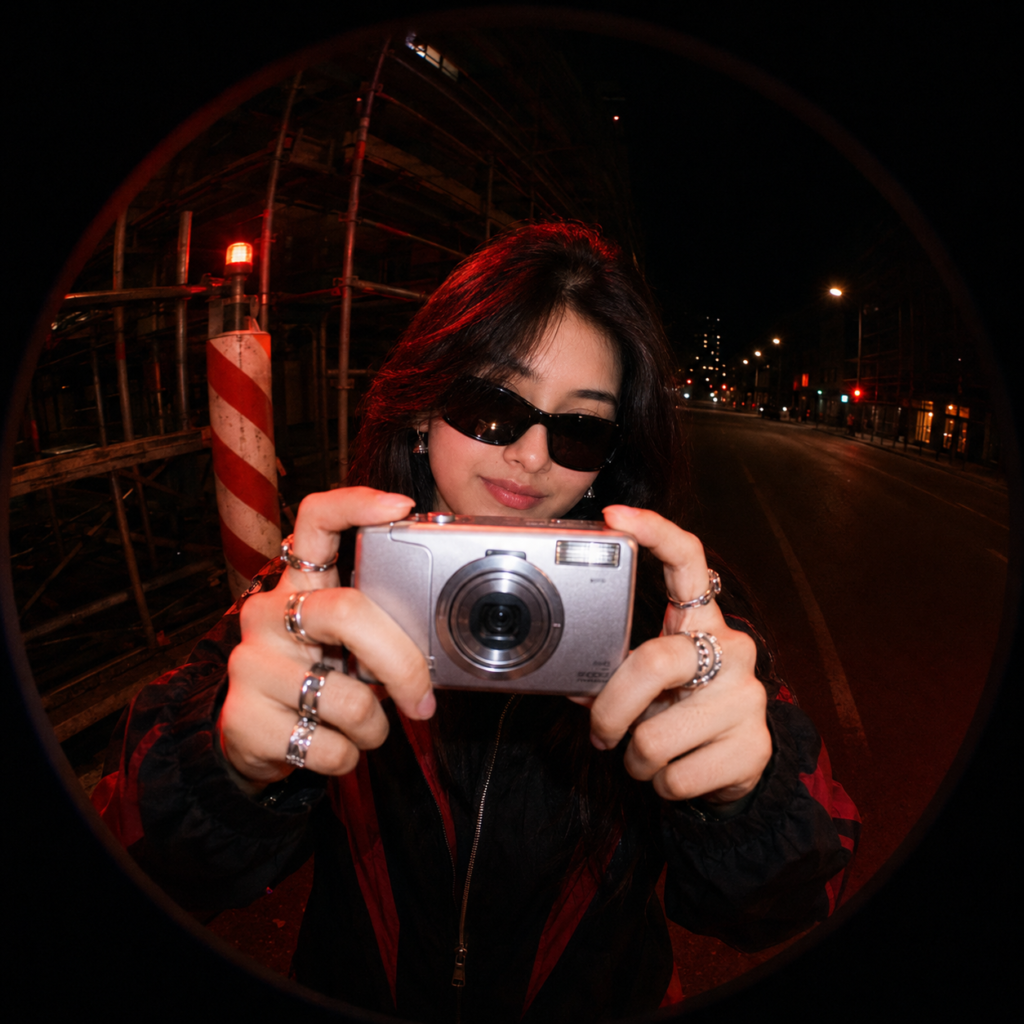
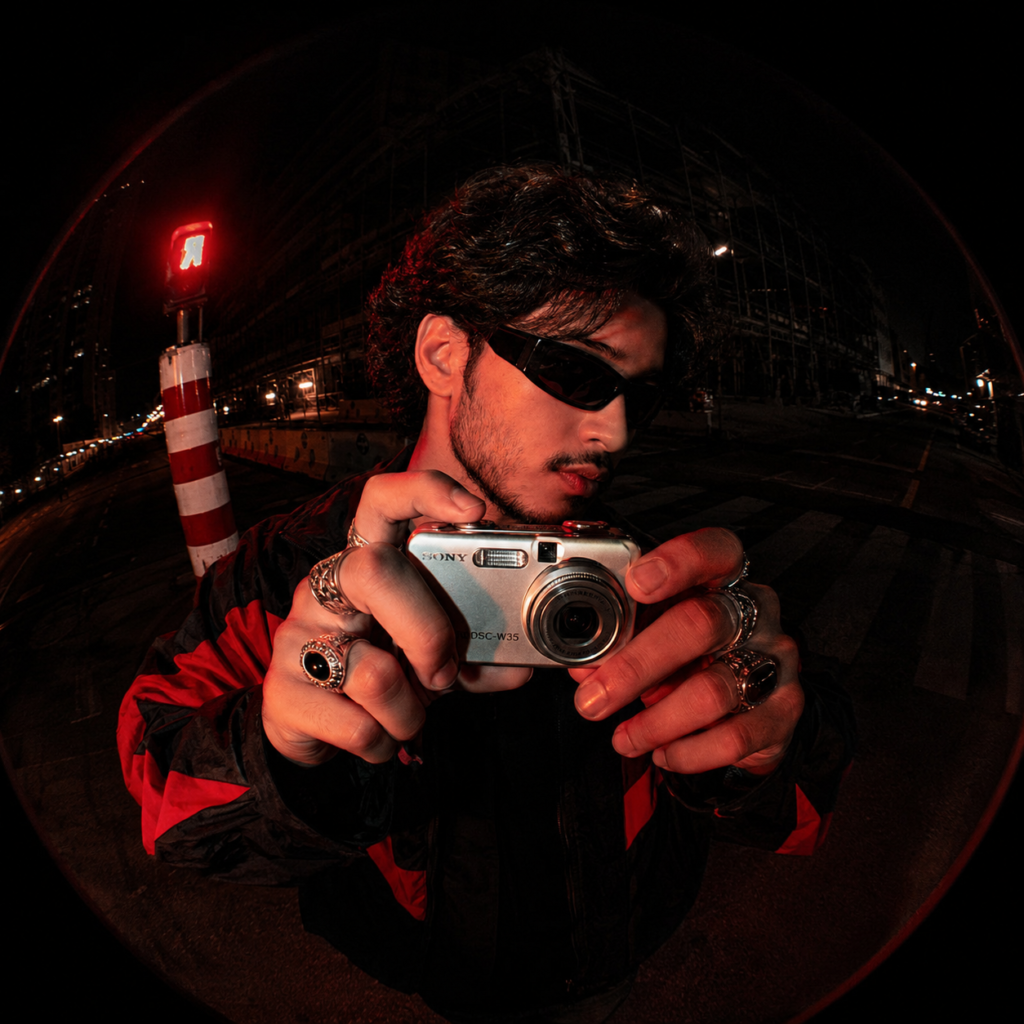
maintaining strict facial consistency and core facial structure. A fisheye lens perspective shot of this woman on a dark city street at night. She is holding a silver retro digital point-and-shoot camera directly toward the lens, appearing to take a picture. She is wearing dark Y2K wraparound sunglasses, chunky silver rings on multiple fingers, and a black streetwear jacket with red accents.
Lighting & Color Grading: Gritty urban night aesthetic, intense red ambient lighting illuminating her face, hands, and the camera, contrasting with deep, desaturated blacks. Harsh flash photography style with cinematic red highlights.
Background: An empty, dimly lit street featuring construction scaffolding, a red warning light, and a prominent red-and-white striped hazard pole on the left. The ultra-wide fisheye distortion creates a distinct circular black vignette framing the entire shot.


Dark Aesthetic Fashion Portrait AI Prompt

How to Use This AI Portrait Prompt (Point-wise Guide)

1. Choose an AI Image GeneratorSabse pehle kisi AI image generator jaise ChatGPT Images, Midjourney, Flux, Stable Diffusion, ya kisi aur image AI tool ko open karein jo detailed prompts support karta ho.

2. Copy the Entire PromptDiya gaya prompt poora ka poora copy karein. Prompt ke har detail ka image quality par asar padta hai, isliye kisi bhi line ko bina zarurat remove na karein.

3. Upload a Face Photo (Optional)Agar aap apna ya kisi aur ka same face maintain karna chahte hain, to ek clear front-facing photo upload karein aur prompt ke saath use karein. Isse facial identity zyada accurately preserve hoti hai.

4. Set the Correct Aspect RatioPortrait-style image ke liye 9:16 aspect ratio select karein. Yeh Instagram Reels, YouTube Shorts aur mobile wallpapers ke liye ideal hai.

5. Generate the ImagePrompt paste karne ke baad Generate button par click karein. AI kuch hi seconds ya minutes mein cinematic portrait create kar dega.

6. Review the OutputAgar hairstyle, pose, lighting ya accessories expected result ke hisaab se na aaye, to prompt mein chhote changes karke dobara generate karein.

7. Keep the Prompt IntactCamera settings, lighting, lens details, HDR, skin texture aur color grading jaise technical keywords image ko premium aur realistic banate hain. Inhe remove na karein.

8. Experiment with Small ChangesOutfit, background color, sunglasses, watch ya expression ko change karke naye cinematic variations create kar sakte hain, jabki baaki prompt same rakhein.

9. Use High-Quality Reference PhotosAgar face reference use kar rahe hain, to high-resolution aur well-lit image upload karein. Isse final result aur bhi natural aur sharp dikhega.

10. Best Use CasesIs prompt se YouTube thumbnails, Instagram posts, profile pictures, fashion portfolios, branding photos aur premium social media content ke liye magazine-quality cinematic portraits create kiye ja sakte hain.

✦ AI PROMPT

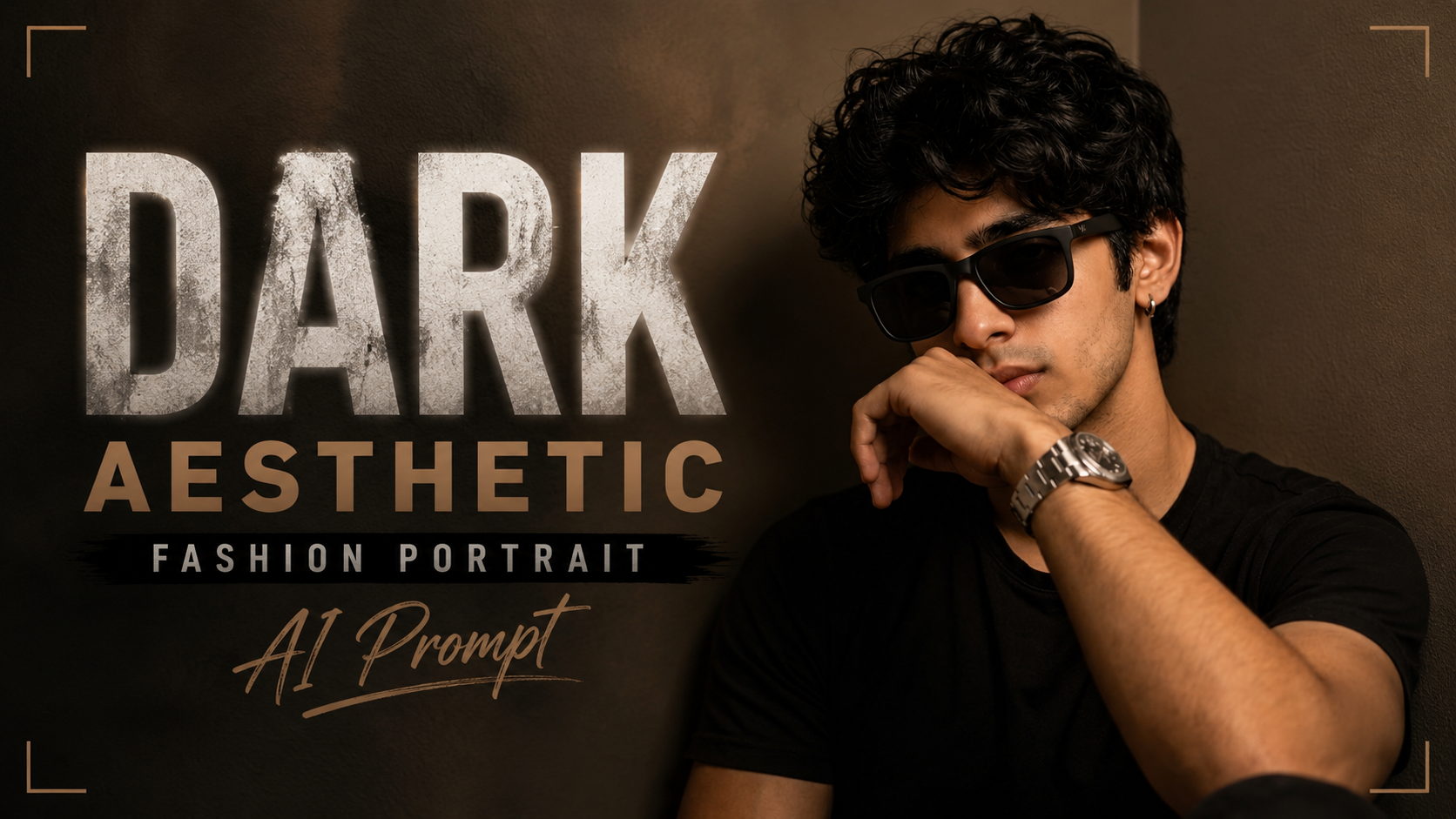
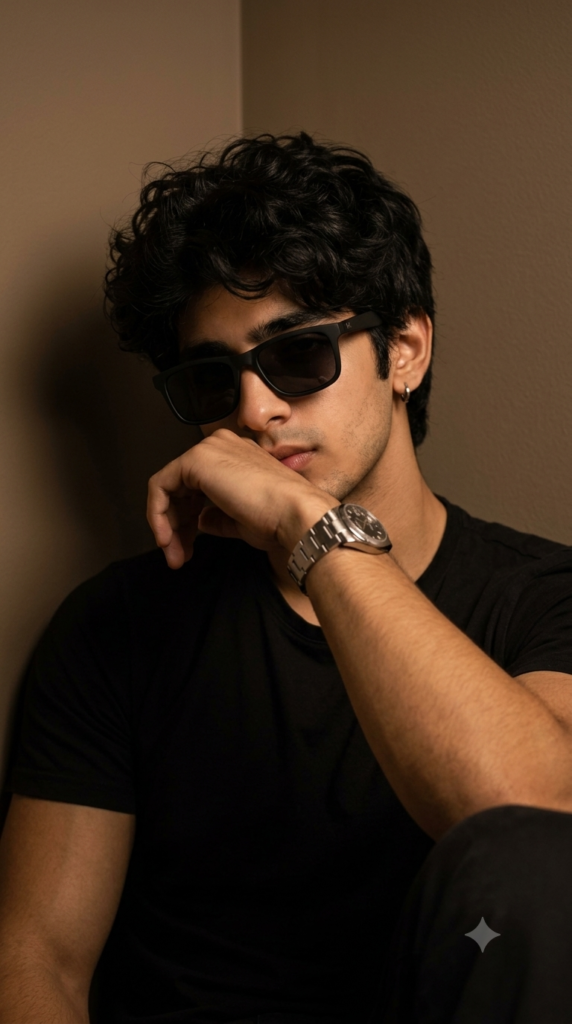
Ultra-realistic cinematic portrait of a stylish young man sitting indoors in a dark room, leaning against the corner of a wall. Medium close-up composition, one forearm raised across the mouth in a relaxed pose, head slightly tilted downward with a confident and mysterious expression. Thick messy curly black hair with natural texture falling over the forehead. Well-groomed beard and mustache, small silver hoop earring in the left ear. Wearing matte black rectangular sunglasses with a minimalist frame, plain black crew-neck t-shirt, and a luxury stainless steel silver wristwatch.

Warm moody tungsten lighting from the front-left creating soft shadows and dramatic depth. Dark beige wall background with subtle gradients, shallow depth of field, soft bokeh, cinematic contrast, muted earthy tones, premium editorial fashion photography, realistic skin texture, high dynamic range, ultra-sharp facial details, natural hair strands, luxury lifestyle aesthetic, DSLR quality, 85mm lens, f/1.8, ISO 400, 1/125s shutter speed, soft diffused lighting, color graded in warm brown and black tones, photorealistic, magazine-quality, ultra-detailed, 9:16 portrait orientation.


8K Cinematic Luxury Lounge Fashion Photo AI Prompt

How to Use This AI Prompt (Step-by-Step Guide)

Upload a Clear Face Photo: Sabse pehle jis vyakti ki image generate karni hai, uski ek high-quality, front-facing face photo upload karein. Face clear hona chahiye aur lighting achhi honi chahiye taaki AI identity ko sahi tarah preserve kar sake.

Prompt Copy Karein: Upar diya gaya poora prompt bina kisi line ko remove kiye copy karein. Isme identity preservation, outfit, pose, lighting aur camera details pehle se optimized hain.

AI Image Generator Open Karein: Kisi bhi AI image generator ka use karein jo image reference support karta ho. Wahan face photo upload karein aur copied prompt paste kar dein.

Reference Image Select Karein: Upload ki hui face photo ko reference image ke roop mein select karna na bhoolein. Isse AI same facial identity ko maintain karega.

Image Size Choose Karein: Apni zarurat ke hisaab se aspect ratio select karein. Social media portrait ke liye 9:16 aur YouTube thumbnail ya wallpaper ke liye 16:9 achha option hai.

Generate Image: Sab settings complete hone ke baad Generate button par click karein. AI kuch hi samay mein cinematic luxury fashion portrait create kar dega.

Best Result ke Liye Tips: Hamesha high-resolution face photo use karein. Face par sunglasses, mask ya heavy shadow na ho. Agar pehla result perfect na aaye, to wahi prompt dobara generate karein ya seed change karein.

Prompt Ko Customize Karein: Agar aap background, outfit, pose ya lighting change karna chahte hain, to prompt ke sirf unhi sections ko edit karein. Identity Preservation aur Negative Prompt ko same rakhein taaki face bilkul original jaisa rahe.

Is tarah aap is prompt ka use karke kisi bhi uploaded face photo se ultra-realistic, premium fashion magazine style cinematic portrait generate kar sakte hain, jisme original identity naturally preserve rahegi aur final image professional quality ki dikhegi.

✦ AI PROMPT

STRICT IDENTITY PRESERVATION — Use the uploaded face photo as the ONLY identity reference. Preserve the person's EXACT SAME FACE, facial structure, hairstyle (or closely match it if only the face is visible), hairline, eyebrows, eyes, nose, lips, ears, jawline, skin tone, expression, age, gender, ethnicity, and overall identity. The generated person must look instantly recognizable as the same individual. Never replace or alter the face with another person. Blend the preserved face naturally with the new scene.

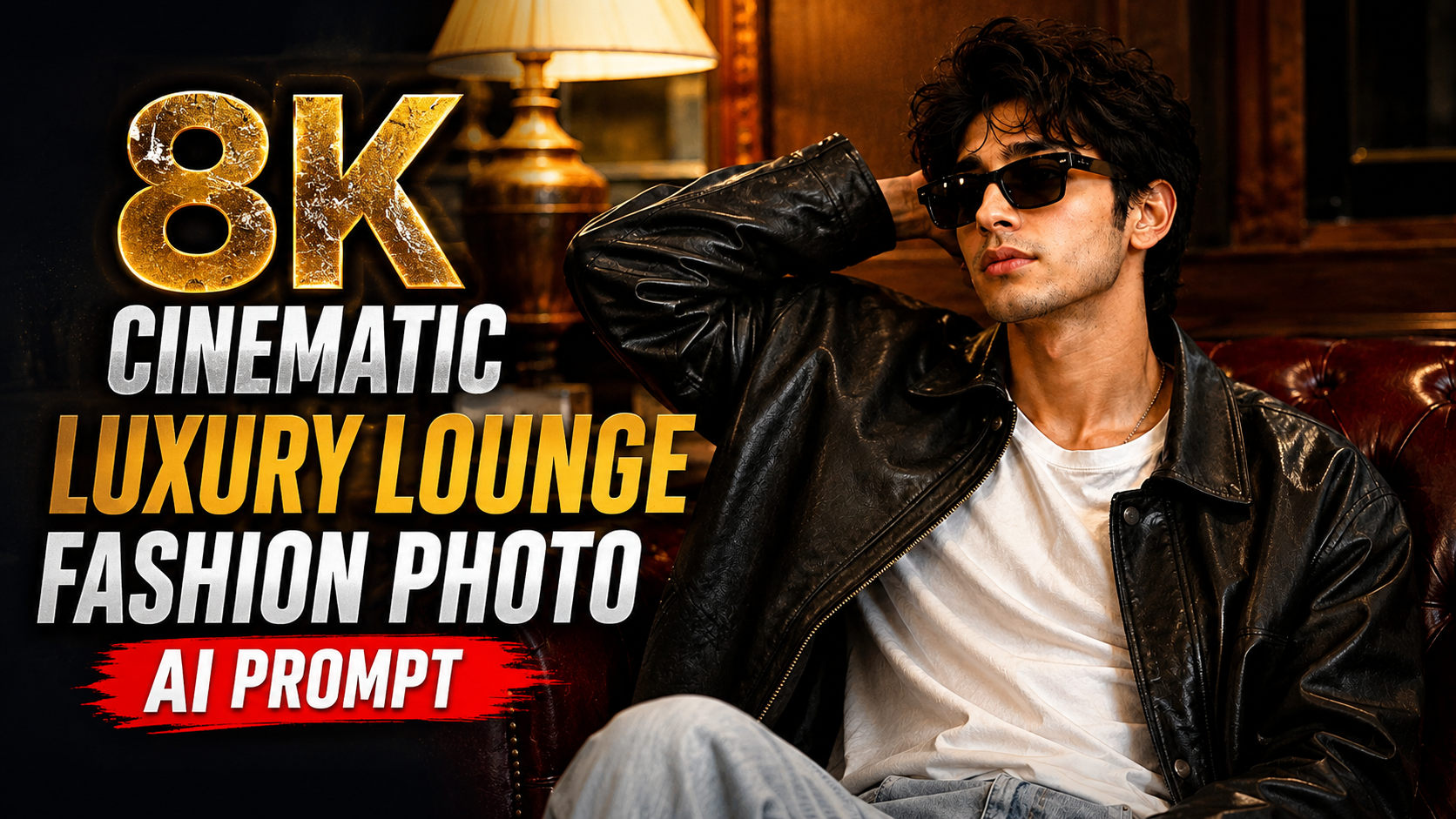
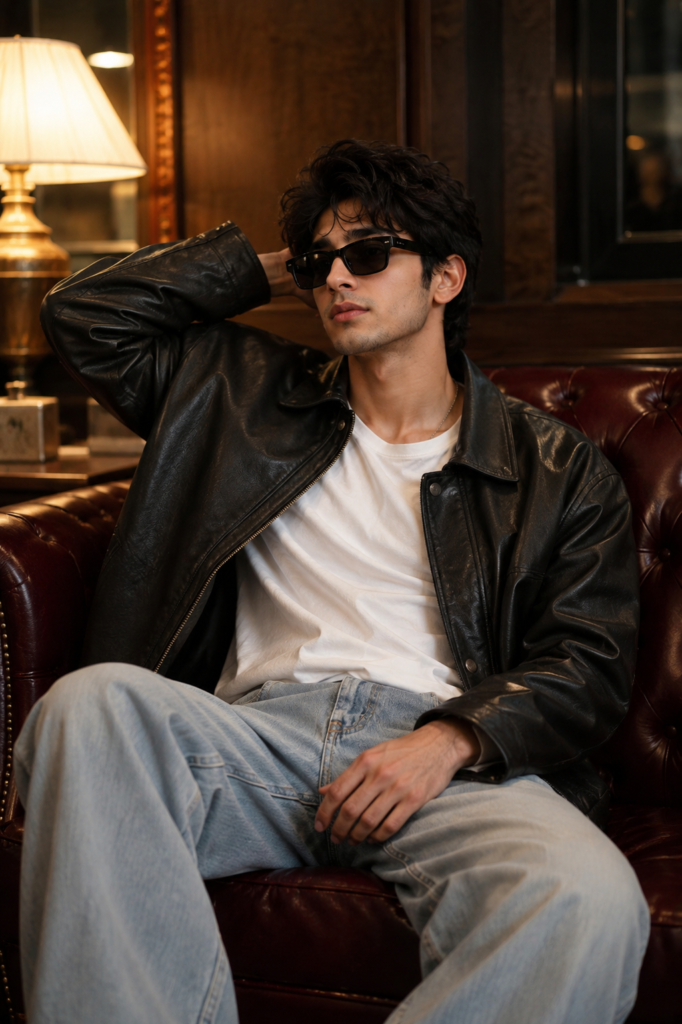
Create an ultra-realistic cinematic luxury fashion portrait of the same person sitting casually on a premium deep burgundy Chesterfield tufted leather sofa in a modern luxury lounge.

Outfit: • Oversized premium black leather bomber jacket. • Plain white crew-neck T-shirt. • Light-wash relaxed-fit wide-leg jeans. • Matte black rectangular sunglasses.

Pose: The subject sits comfortably on the sofa with one hand resting behind the head and the other hand naturally placed on the lap while looking sideways with a calm, confident expression. Relaxed editorial fashion pose.

Background: Luxury modern lounge with rich walnut wooden geometric wall panels, warm ambient lighting, elegant curtains, premium hotel atmosphere, clean interior design.

Lighting: Warm cinematic tungsten lighting combined with realistic smartphone flash. Natural skin tones, glossy reflections on the leather jacket, soft shadows, premium editorial color grading.

Camera: Shot on iPhone 16 Pro rear camera, 26mm lens, f/1.78, HDR, realistic smartphone photography, shallow depth of field, ultra-sharp focus on the face, realistic skin pores, natural textures, subtle depth, premium composition.

Quality: Ultra-realistic, photorealistic, hyper-detailed, 8K UHD, fashion magazine quality, cinematic composition, realistic leather texture, detailed clothing folds, natural hand anatomy, realistic proportions, luxury lifestyle aesthetic.

Negative Prompt: different face, face swap, identity change, cartoon, anime, CGI, painting, blurry, low quality, low resolution, extra fingers, extra hands, bad anatomy, deformed face, duplicate person, unrealistic skin, distorted body, cropped head, watermark, logo, text, oversaturated, overprocessed, artifacts.


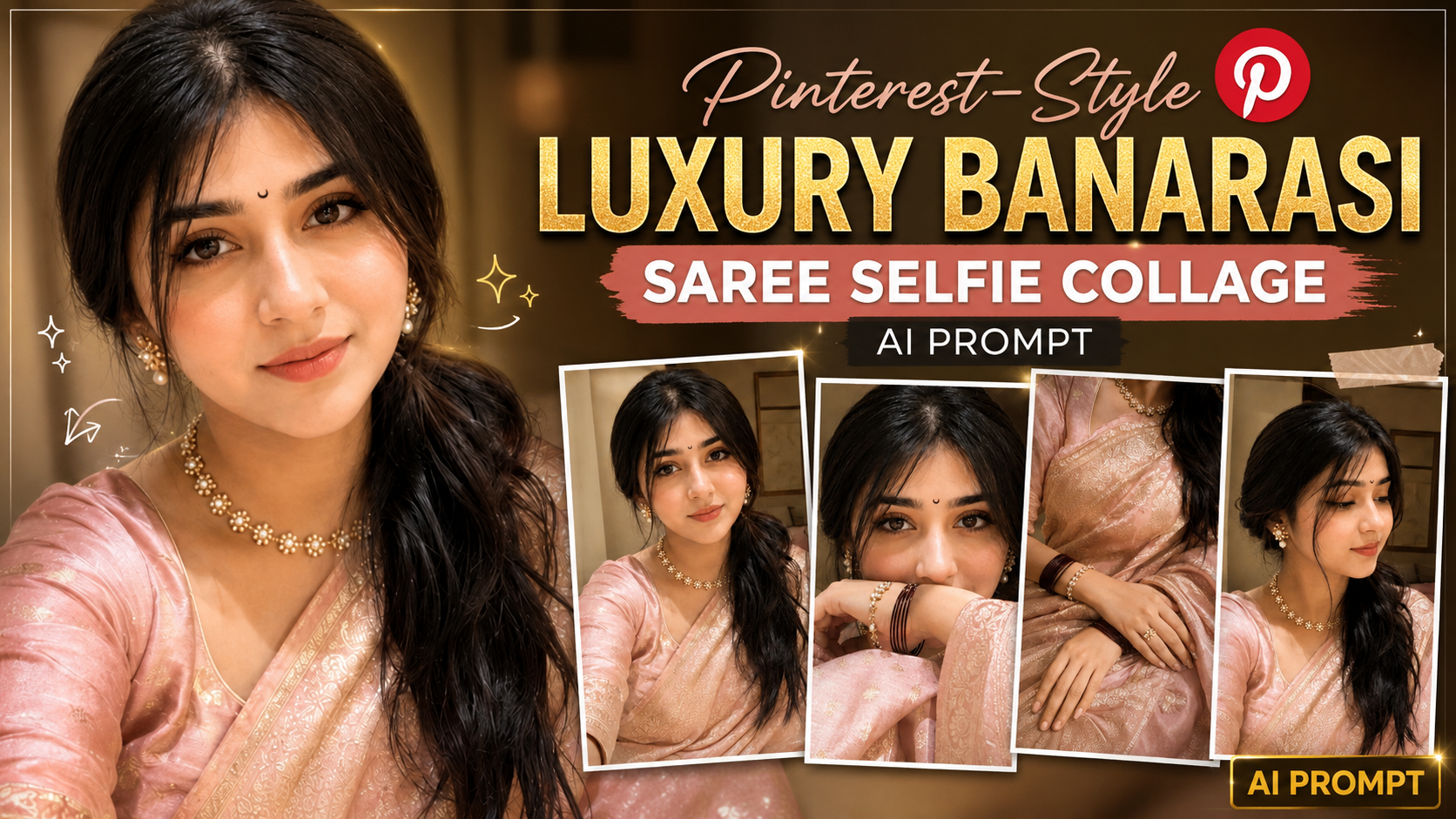
Pinterest-Style Luxury Banarasi Saree Selfie Collage AI Prompt

Ultra-Realistic iPhone Selfie Collage Prompt को कैसे इस्तेमाल करें (Step-by-Step Guide)

अगर आप इस AI Prompt से बिल्कुल realistic selfie collage बनाना चाहते हैं, तो नीचे दिए गए steps को follow करें:

1. AI Image Generator खोलें – सबसे पहले ChatGPT, Gemini, Grok, Midjourney, Flux, या किसी ऐसे AI Image Generator को खोलें जो image upload और prompt support करता हो।

2. Reference Photo Upload करें – जिस व्यक्ति की फोटो बनानी है, उसकी एक clear, high-quality front-facing photo upload करें। अच्छी lighting और साफ चेहरा होने से बेहतर result मिलता है।

3. पूरा Prompt Copy-Paste करें – दिए गए prompt को बिना किसी बदलाव के AI Image Generator में paste करें। इससे prompt के सभी camera, lighting और styling instructions सही तरीके से apply होंगे।

4. Identity Preservation बनाए रखें – Prompt में पहले से लिखा है कि AI को reference image का exact face, hairstyle, skin tone और facial proportions preserve करने हैं। इसलिए अलग से कुछ लिखने की आवश्यकता नहीं है।

5. Image Generate करें – Generate बटन दबाएँ और AI को image बनाने दें। पहली बार में result perfect न आए तो दोबारा generate करके best output चुनें।

6. जरूरत पड़ने पर Prompt Customize करें – यदि आप saree का रंग, background, jewelry, pose या lighting बदलना चाहते हैं, तो केवल उन हिस्सों को edit करें। बाकी prompt को वैसा ही रहने दें।

7. Best Quality के लिए Tips – हमेशा high-resolution reference image का उपयोग करें। धुंधली, cropped या heavily filtered photo से identity match कम हो सकता है। Natural expressions और अच्छी lighting वाली photo सबसे अच्छा परिणाम देती है।

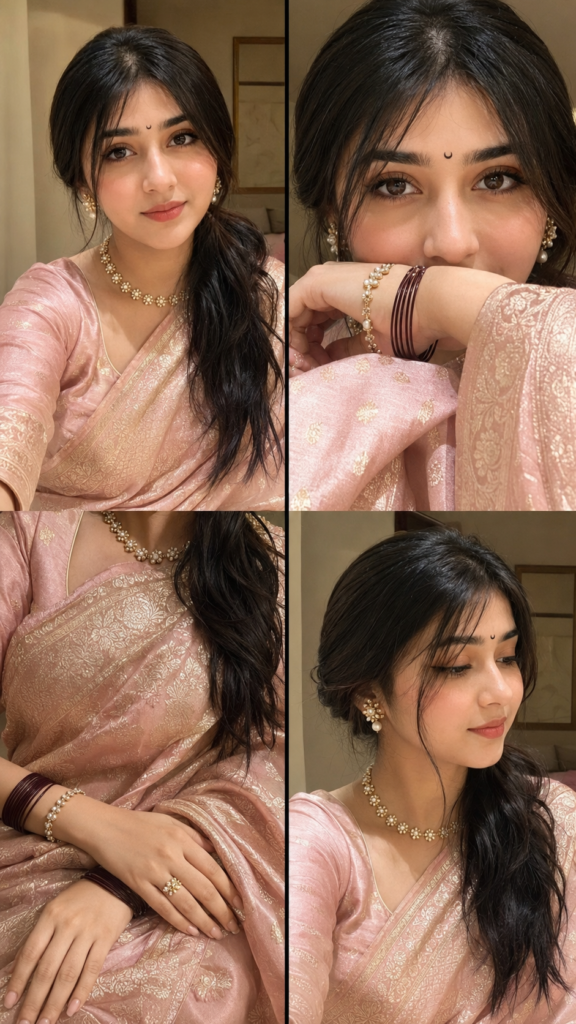
8. Final Result – इस prompt से आपको 2×2 grid में ultra-realistic iPhone 16 Pro front-camera selfie collage मिलेगा, जिसमें natural smartphone look, realistic texture, luxury Banarasi styling, warm golden-hour lighting और Pinterest-style premium aesthetic दिखाई देगा। बेहतर परिणाम के लिए आवश्यकता पड़ने पर एक से अधिक बार image generate करें और सबसे अच्छा version चुनें।

✦ AI PROMPT

Ultra-realistic indoor iPhone 16 Pro front-camera selfie collage (2 x 2 grid, 9:16), natural smartphone photography with subtle grain, slight motion blur, realistic JPEG compression, HDR off, no beauty filter. Use the uploaded reference image to preserve the EXACT SAME FACE with 100% facial identity, expression, hairstyle, skin tone, and proportions. Dress her in a luxurious pastel blush pink Banarasi silk saree with antique gold zari, matching blouse, tiny black crescent moon bindi, pearl-and-gold floral jewelry, maroon bangles, and glossy nude makeup. Four frames: (1) soft smiling portrait, (2) close-up with forearm covering lips, (3) elegant hands on Banarasi saree, (4) side-profile candid. Warm golden-hour window light with soft blush-pink glow, minimal luxury bedroom background, Pinterest-inspired luxury editorial aesthetic, authentic iPhone selfie realism, ultra-photorealistic, nat.


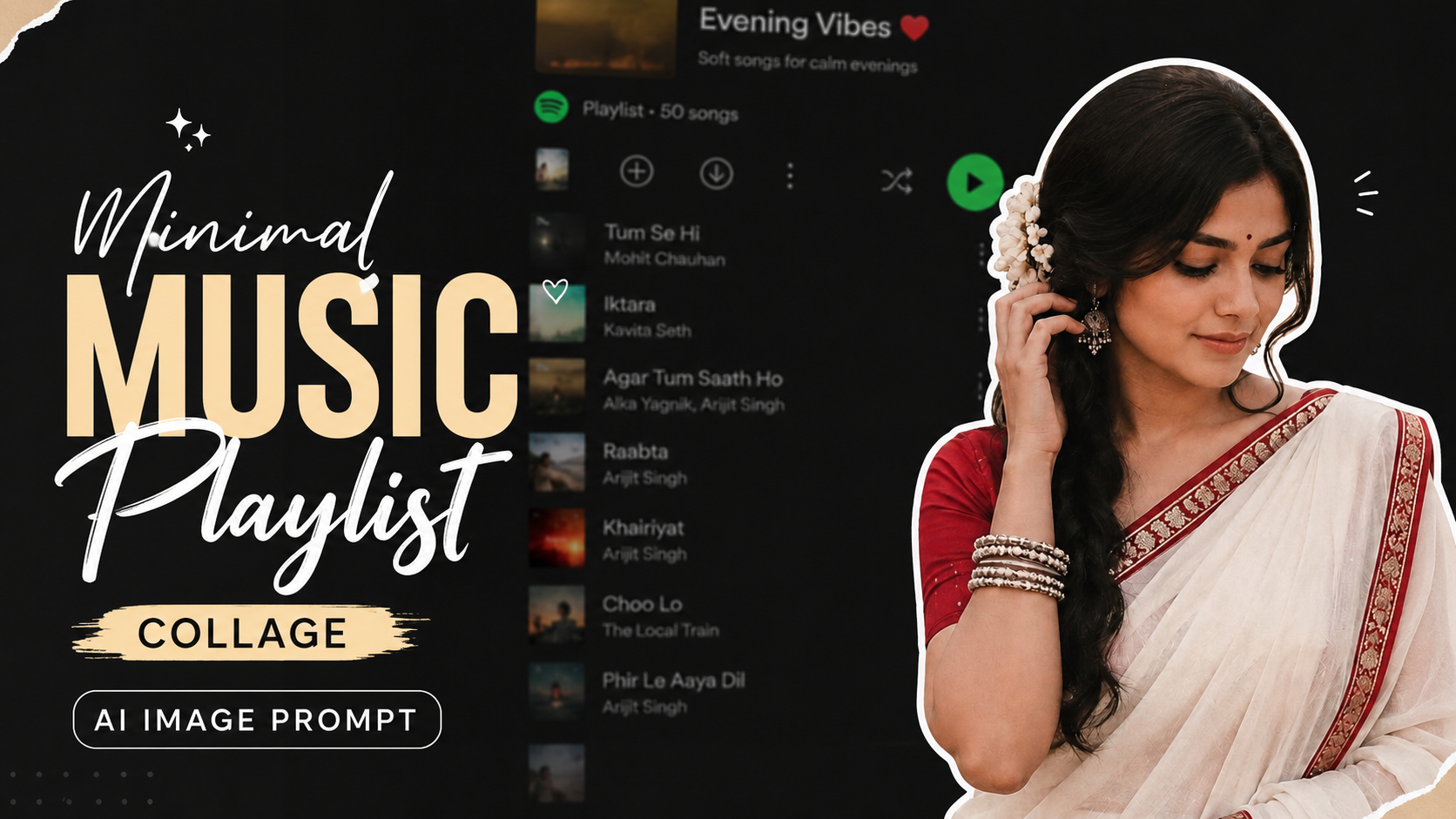
Minimal Music Playlist Collage AI Image Prompt

Is AI Image Prompt Ko Kaise Use Kare (Point Wise Guide)

1. Prompt Ko Copy KareSabse pehle diye gaye prompt ko poori tarah copy kare. Prompt ke kisi bhi important detail ko remove na kare, kyunki har detail final image ko improve karti hai.

2. AI Image Generator Open KareIs prompt ko ChatGPT Image Generation, Gemini, Midjourney, Flux, Ideogram ya kisi bhi AI image generator me paste kar sakte hain. Har platform prompt ko thoda alag tarike se process karta hai, lekin result ka concept same rehta hai.

3. Aspect Ratio Set KarePrompt me 9:16 ratio diya gaya hai. Isliye image generate karte waqt portrait ya vertical ratio (9:16) select kare. Yeh Instagram Reels, YouTube Shorts aur Stories ke liye perfect format hai.

4. Prompt Me Zarurat Ke Hisaab Se Changes KareAgar aap model ka outfit, hairstyle, background ya expression change karna chahte hain, to prompt me sirf wahi details edit kare. Baaki prompt ko same rehne de.

5. High Quality Settings Use KareAgar AI tool quality, HD ya Ultra settings deta hai, to unhe enable kare. Isse image aur bhi realistic aur professional dikhegi.

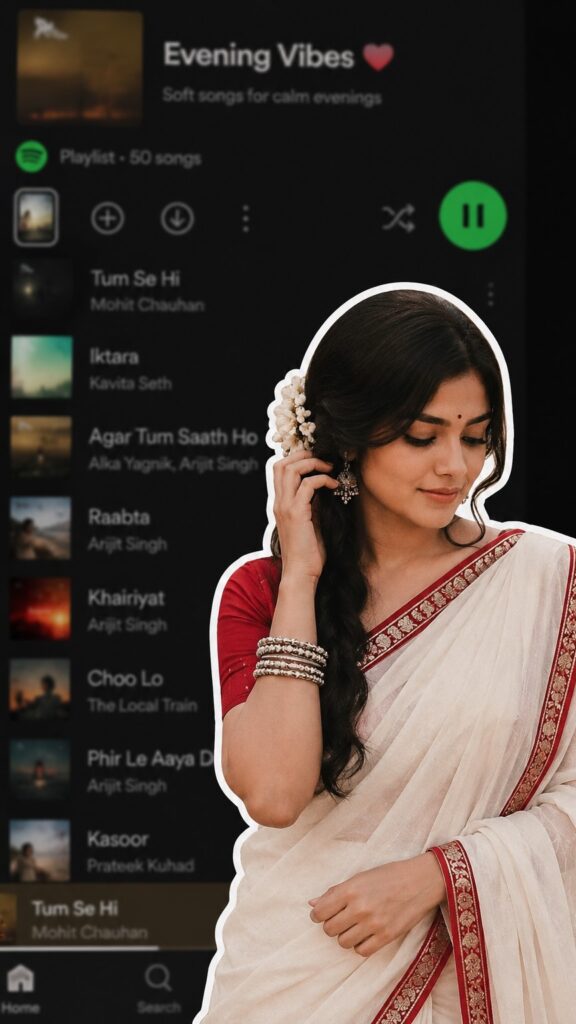
6. Result Check KareImage generate hone ke baad dekh le ki white outline, saree, flower, pose aur blurred music app background sahi tarah se aaye hain ya nahi.

7. Prompt Ko Refine KareAgar result expected nahi aata, to prompt me “ultra realistic”, “cinematic lighting”, “highly detailed”, ya “8K quality” jaise keywords add karke dobara generate kare.

8. Social Media Ke Liye Use KareFinal image ko Instagram Reels, Pinterest, Facebook aur YouTube Shorts thumbnail ya aesthetic posts ke liye use kar sakte hain.

Is tarah ke collage-style prompts modern aur eye-catching content banane me bahut useful hote hain.Is process ko follow karke aap isi prompt se professional, attractive aur high-quality AI images aasani se generate kar sakte hain.

✦ AI PROMPT

A digital collage style image. In the foreground, a young South Asian woman is cut out with a thick white sticker-like outline. She is wearing a traditional white saree with a red border, a red blouse, and silver bangles, ith a white flower tucked ir.. her long dark hair. She is looking downwards with a soft, serene expression, gently touching her hair near her ear. The background is a heavily blurred, dark-mode screenshot of a mobile music streaming app playlist ratio 9:16.


Cinematic Street Portrait AI Photo Prompt

Is AI Prompt Ko Kaise Use Kare (Step-by-Step Guide)

1. Apni Photo Upload KareSabse pehle apni ek clear, high-quality photo upload kare. Face aur hair clearly visible hone chahiye taaki AI aapki identity ko accurately preserve kar sake.

2. Prompt Paste KareApne AI image generator (jaise ChatGPT Image, Midjourney, Flux, ya kisi aur AI tool) me diya gaya prompt copy karke paste kare.

3. Identity Lock Add KareAgar aap chahte hain ki final image me aapka face bilkul same rahe, to prompt ke shuruaat me identity preservation ya face lock instruction zarur add kare.

4. Best Settings Select KarePortrait quality ke liye high resolution (4K ya 8K), realistic style aur high detail settings choose kare. Isse image aur bhi natural dikhegi.

5. Generate ImagePrompt submit karne ke baad AI image generate karega. Zarurat ho to 2–3 variations banakar best result select kare.

6. Final Result

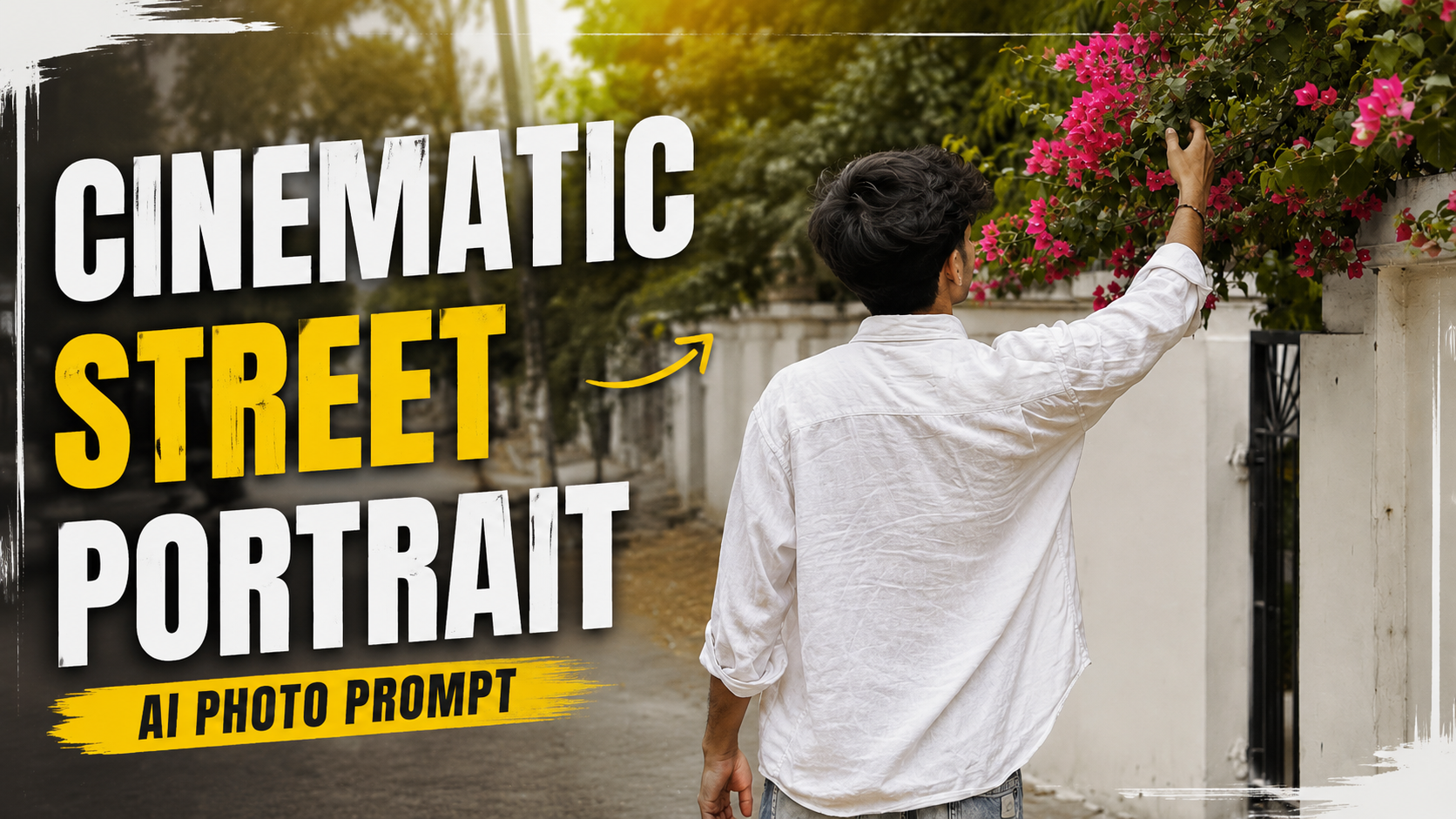
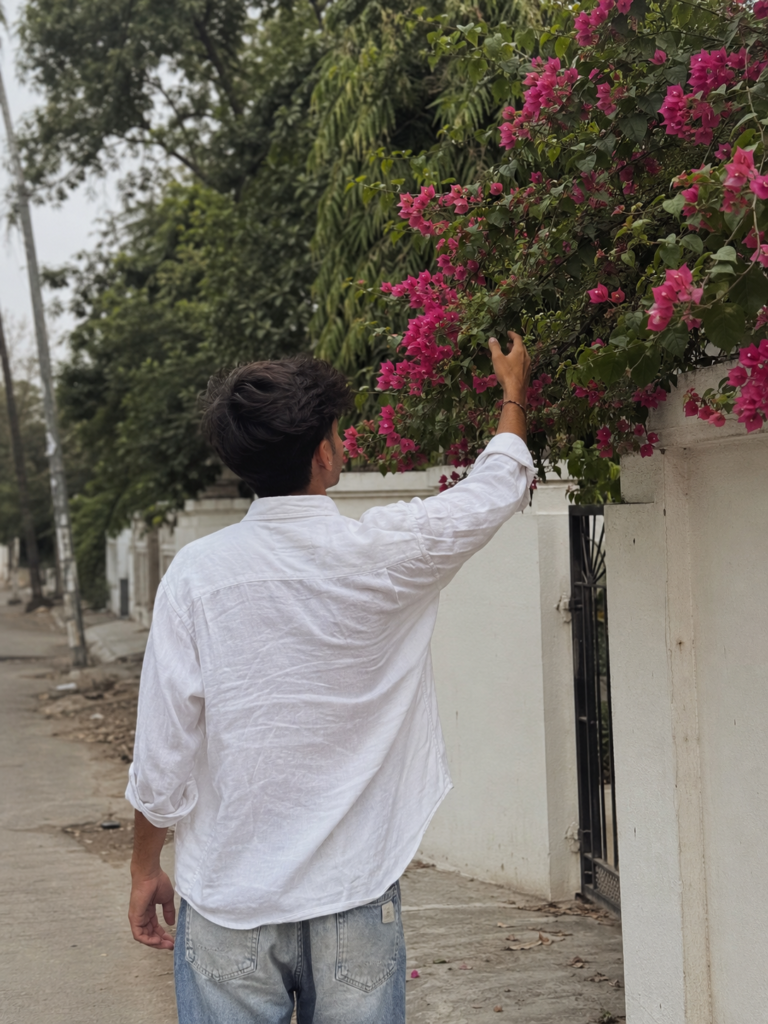
Aapko ek ultra-realistic candid street photo milegi jisme aap piche se white linen shirt aur blue jeans pehne hue pink bougainvillea flowers ko touch kar rahe honge. Soft lighting, creamy bokeh aur cinematic composition image ko professional DSLR photography jaisa premium look degi.

✦ AI PROMPT

Ultra-realistic candid street photography of a young man photographed from behind, reaching up to gently touch vibrant pink bougainvillea flowers growing over a white boundary wall. The subject has thick, naturally wavy black hair and wears an oversized loose white linen shirt with light-wash faded blue jeans. His right arm is raised naturally while standing on a quiet residential street. Soft overcast daylight creates a dreamy, muted aesthetic with diffused natural lighting and realistic shadows. Lush green foliage fills the background, with pink flowers adding a vibrant contrast. Minimalist Indian neighborhood architecture, clean white wall, black metal gate partially visible. Captured with a 50mm DSLR lens, shallow depth of field, creamy bokeh, cinematic composition, natural color grading, subtle film grain, authentic fabric wrinkles, highly detailed leaves, realistic skin tone


Aesthetic Flash Portrait Collage AI Prompt

Ultra-Realistic Y2K Flash Photography Prompt Ko Kaise Use Kare (Step-by-Step Guide)

1. Sabse pehle Reference Photo upload kare.Ek clear, high-quality aur front-facing photo upload kare. Face achhi lighting mein hona chahiye taaki AI facial features ko accurately identify kar sake.

2. Prompt ko poora copy-paste kare.Prompt ka koi important part remove na kare. Identity preservation, lighting, composition aur color grading jaise details final result ko improve karte hain.

3. Identity Lock zarur add kare.Agar aap exact face preserve karna chahte hain, to “Use my uploaded face exactly” ya “STRICT IDENTITY LOCK” jaisi line include kare. Isse AI face ko change nahi karega.

4. Aspect Ratio select kare.Instagram Reels ya Shorts ke liye 9:16 aur YouTube thumbnail ke liye 16:9 choose kare. Is prompt ke collage ke liye vertical format best rahega.

5. AI Model select kare.Is prompt ko ChatGPT Images, Gemini, Flux, Midjourney ya kisi bhi advanced AI image generator mein use kar sakte hain.

6. Result check kare.Agar face, pose ya lighting perfect na ho, to prompt mein chhote changes karke dobara generate kare.

7. Best Quality ke liye.High-resolution output, flash photography style aur realistic settings enable kare. Zarurat ho to image ko upscaler se enhance bhi kar sakte hain.

Is tarah aap is prompt ka use karke ultra-realistic, Y2K-inspired flash photography collage create kar sakte hain jisme face accurate rahega aur professional editorial look milega.

✦ AI PROMPT

Ultra-realistic Y2K-inspired flash photography collage using the uploaded face exactly.

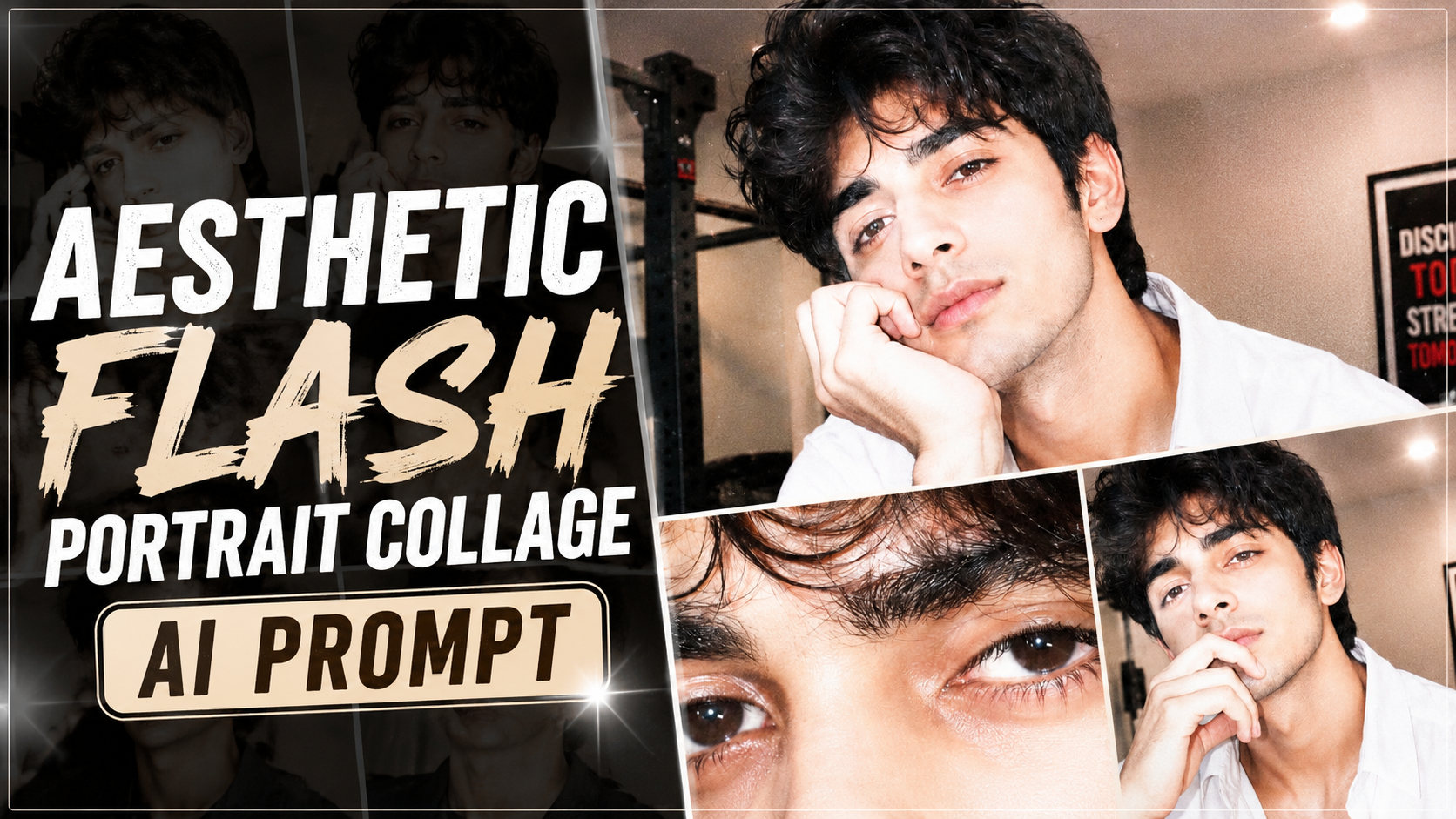
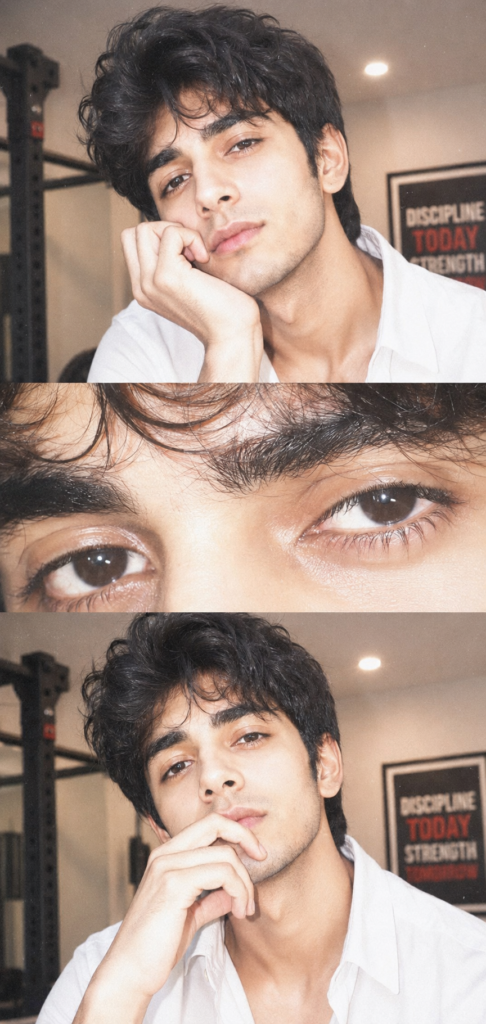
A young man with voluminous, messy dark hair, soft natural glam makeup, and glossy skin. He is resting his face gently on his hand, fingers slightly curled near her lips, giving a calm, slightly dreamy expression while looking directly at the camera.

Composition: Three-panel

vertical collage:

Top panel:close portrait (head + hand pose)

Middle panel: extreme close-up of eyes (sharp focus on lashes, iris detail)

Bottom panel: same as top panel but pose slightly different (slightly varied crop)

Lighting & Effects:

Strong direct on-camera flash (overexposed

highlights)

Soft blown-out whites on skin

Slight pinkish undertone

High exposure + low contrast

Subtle film grain

Glossy skin texture with visible pores

Catchlights in eyes from flash

Slight blur/glow (diffusion effect)

Minimal shadows, flat lighting Color

grading:

Warm pale tones

Slight desaturation

Creamy whites

Soft pink highlights

Faded vintage look